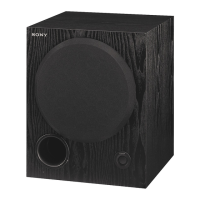
SA-WCT770
SA-WCT770
1515
SECTION 3
TROUBLESHOOTING
1. ON/STANDBY lamp LED fl ashes in red (PROTECT)
Note: When the volume level is “0”, power of amplifi er block is turned off, and amplifi er protect diagnosis is not performed.
Set the volume level than “1”.
2. ON/STANDBY lamp LED does not light up (Power is not turned on)
ON/STANDBY lamp LED flashes
in red.
(PROTECT)
IC104 on the SUB MAIN board is
burned out.
ON/STANDBY lamp LED does not
flash in red, when removing the
speaker (SP1) and turning the
power on.
No
Yes
Replace the IC104 on the SUB
MAIN board.
Yes
Check and replace the speaker
(SP1).
Yes
OUT_D line (pin 28) and OUT_C
line (pin 31) of IC104 on the SUB
MAIN board do not short-circuits
or opens.
No
Replace the IC104 on the SUB
MAIN board.
Yes
ON/STANDBY lamp LED does not
light up.
(Power is not turned on)
The voltage of the following is 4.1 V.
POWER board: CN901 pin 9
The voltage of the following is 3.3 V.
SUB MAIN board: IC100 pin 61, 62
Yes
POWER board is damaged.
Yes
Yes
Vibrator (X100) on the SUB MAIN
board is oscillated after AC input.
Yes
Fuse (F900) on the POWER board
conduct the electricity.
No
No
Replace the diode (D111) on the
SUB MAIN board.
No
Replace the IC100 or vibrator
(X100) on the SUB MAIN board.
The reset signal is inputted to pin 6
of IC100 on the SUB MAIN board
after AC input.
Check and repair the area
surrounding IC101 on the SUB
MAIN board.
Yes
Yes
No
Replace the IC100 on the SUB
MAIN board.
No
Replace the fuse (F900) on the
POWER board.


 To Next Page