6
GB
Getting Started
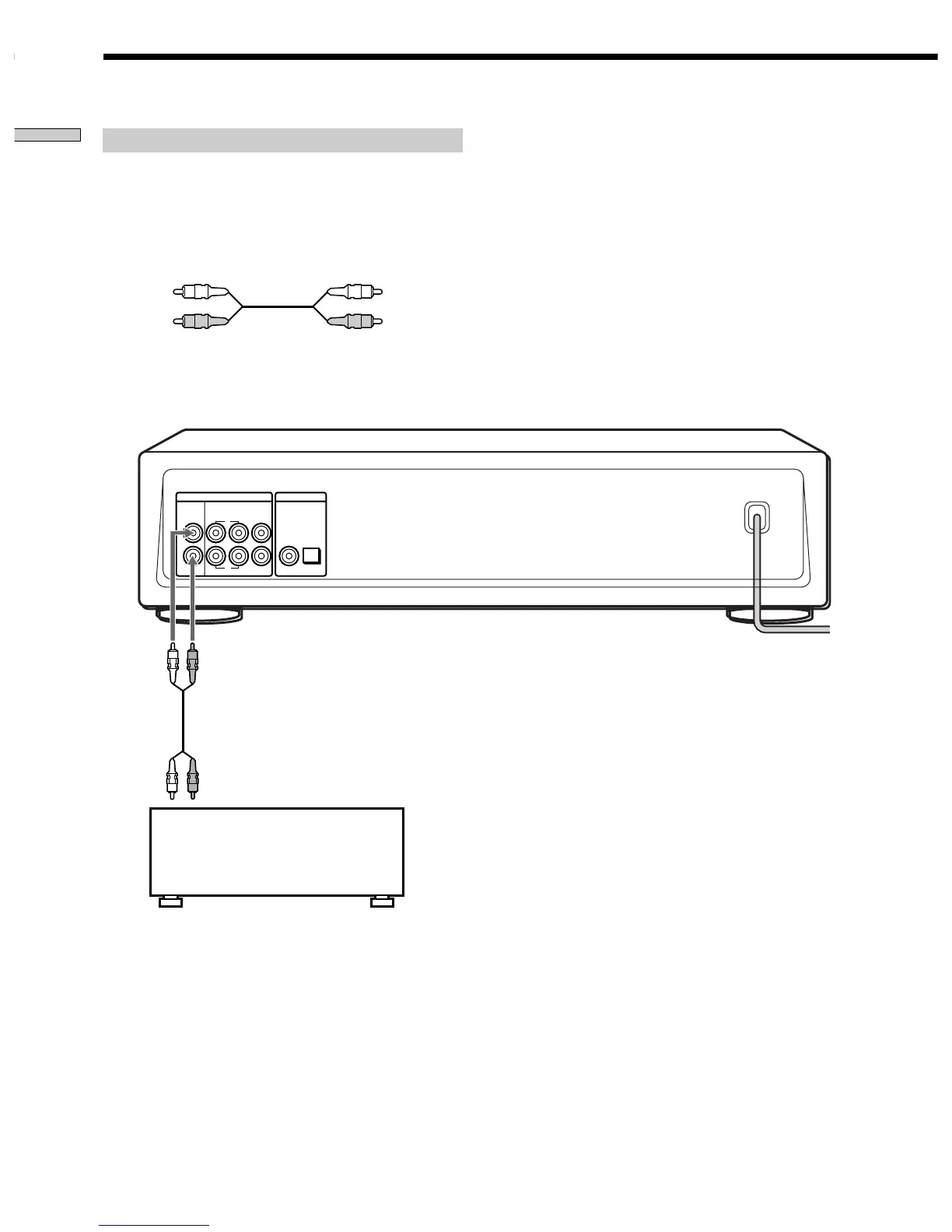
Connecting via ANALOG 2CH OUT jacks
Use an audio connecting cords for this connection. Connect the
ANALOG 2CH OUT L/R jacks to the CD (SACD) input jacks of
your amplifier. Be sure to match the colour-coded pin to the
appropriate jacks: white (left) to white and red (right) to red.
Audio connecting cords (Red and White) (not supplied*)
* If you do not make the ANALOG 5.1 CH connection (page 5),
you can use the supplied audio connecting cable for the
ANALOG 2CH connection.
White (L)
Red (R)
White (L)
Red (R)
ANALOG
L
L
R
R
2CH OUT 5.1CH OUT OUT
FRONT COAXIAL OPTICALSURR CENTER
SUB
WOOFER
DIGITAL(CD)
To CD (SACD) IN
jacks (L/R)
Stereo amplifier, etc.
Hooking Up the Audio Components



 To Next Page