28 US
B Memory card operation
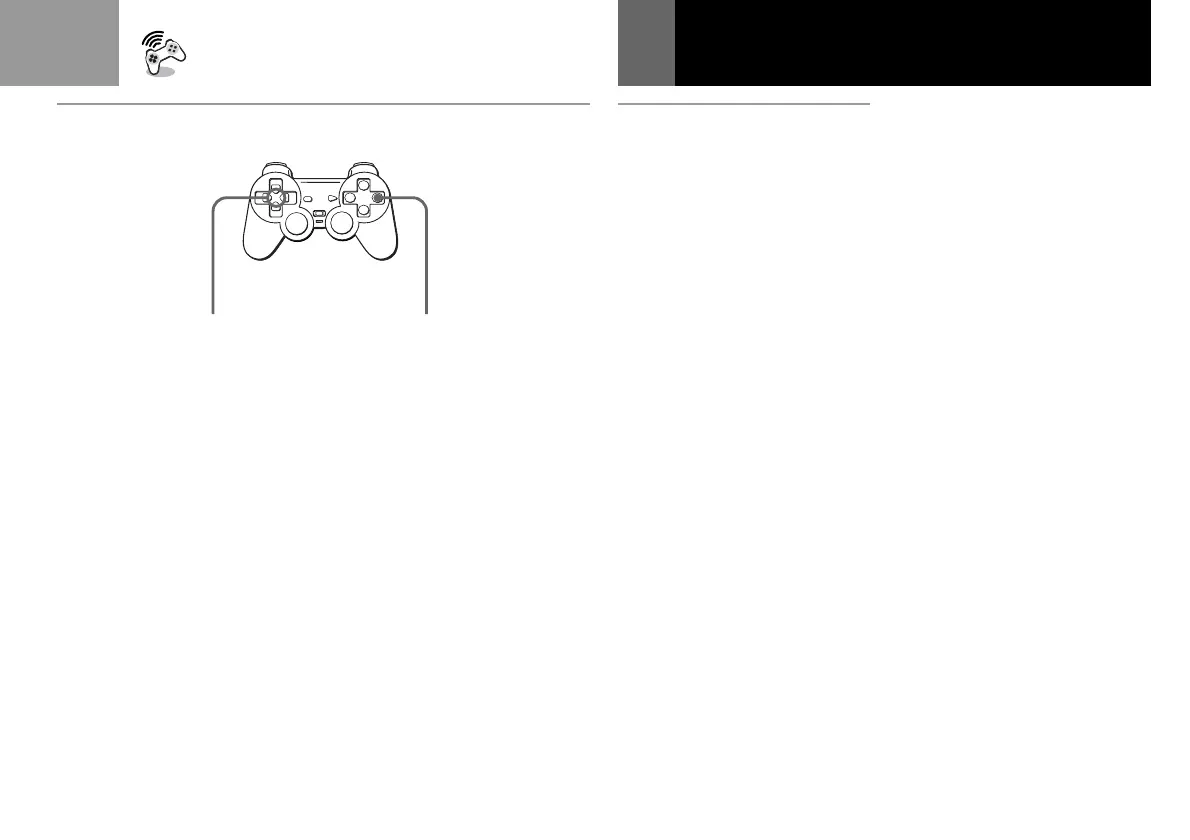
How to use the Controller for
the memory card screen
• To move the arrow: Press the
directional buttons.
• To select the items: Press the a
button.
• You can also operate the memory
card screen with the optional
SCPH-1090U Mouse.
To copy game data
1 Check that the card has
enough memory blocks, then
select “COPY”.
2 Select the card that has the
data to be copied.
3 Select the icon of the data to
be copied.
4 Press the a button.
To cancel copying, select
“NO”.
Notes
• You cannot copy the data to a card
that does not have enough empty
memory blocks. You may need to
delete unnecessary data.
• Do not remove the card until the
icons stop moving.
To copy all the game data
1 Check that the card has
enough memory blocks, then
select “COPY ALL”.
2 Select the card to be copied .
3 Press the a button.
To cancel copying, select
“NO”.
Notes
• Do not remove the card until the
icons stop moving.
• If the data you are trying to copy
already exists on the card, the data
will not be copied.
To delete the game data
1 Select “DELETE”.
2 Select the card that has the
data you want to delete.
3 Select the icon of the game
data you want to delete.
4 Select “YES”.
To cancel deleting, select
“NO”.
B
Directional buttons
Touches directionnelles
Botones de dirección
a button
Touche a
Botón a
Using the Memory Card (Continued)



 To Next Page