13
US
G:\4090729111\0490729111SDMP82UC\02US-SDMP82UC\01US02BAS-UC.fm
masterpage:Right
SDM-P82
4-090-729-11(1)
These adjustments are stored in memory and automatically
recalled when the display receives the same input signal.
x
xx
x
Adjust the picture’s sharpness manually
(PHASE/PITCH)
You can adjust the picture’s sharpness as follows. This
adjustment is effective when the computer is connected to the
monitor’s HD15 input connector (analog RGB).
1 Set the resolution to 1280 × 1024 on the computer.
2 Load the Utility Disk.
3 Start the Utility Disk and display the test pattern.
For Windows
Click [Utility]
t
[Windows]/[Win Utility.exe].
For Macintosh
Click [Utility]
t [Mac]/[Mac Utility].
4 Press the MENU button.
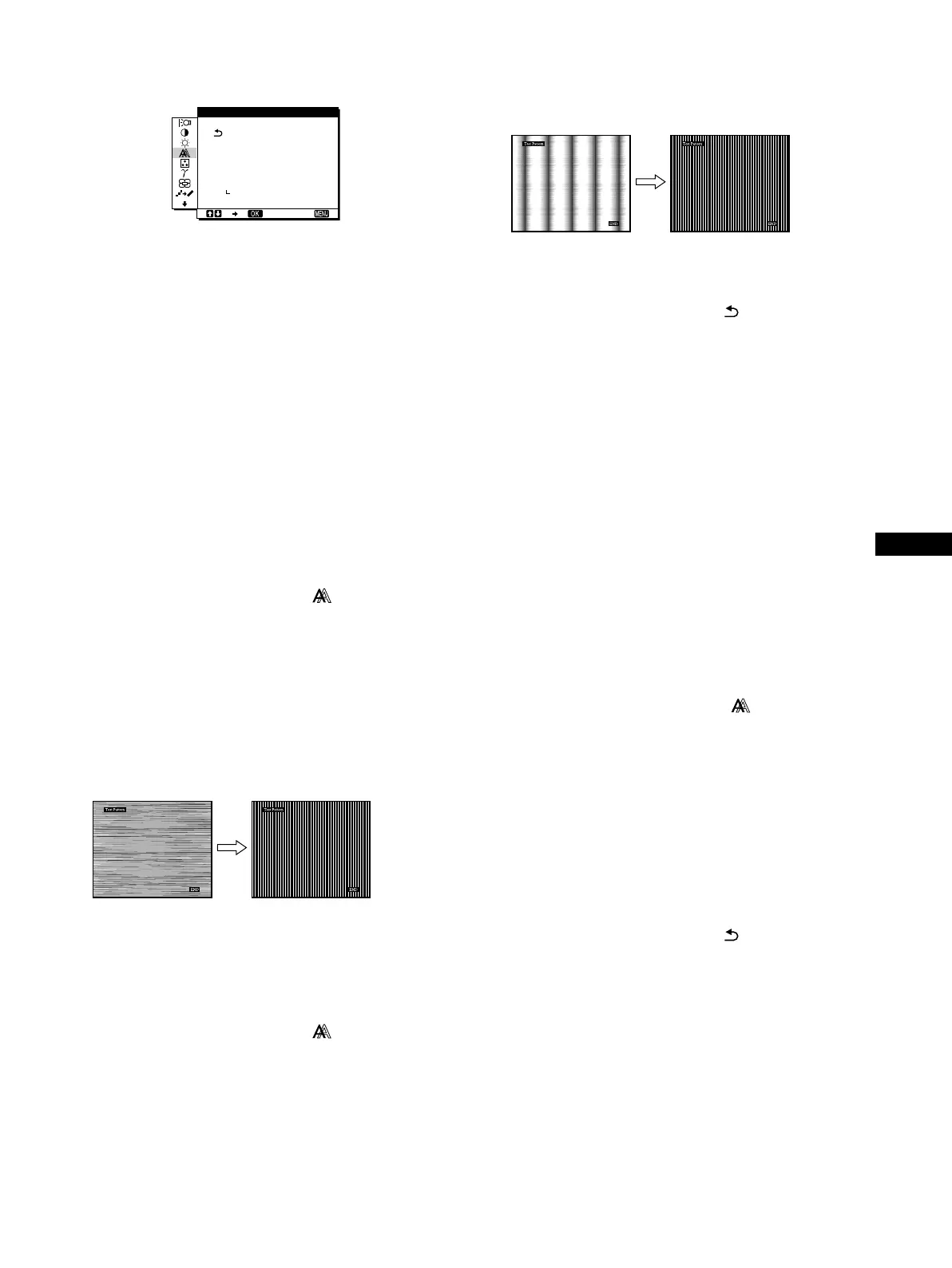
The main menu appears on the screen.
5 Press the M/m buttons to select (SCREEN) and
press the OK button.
The SCREEN menu appears on the screen.
6 Press the M/m buttons to select PHASE and press
the OK button.
The PHASE menu appears on the screen.
7 Press the M/m buttons until the horizontal stripes
are at a minimum.
Adjust so that the horizontal stripes are at a minimum.
8 Press the OK button.
The main menu appears on the screen.
If vertical stripes are observed over the entire screen, adjust
pitch by the following steps.
9 Press the M/m buttons to select (SCREEN) and
press the OK button.
The SCREEN menu appears on the screen.
10 Press the M/m buttons to select PITCH and press the
OK button.
The PITCH menu appears on the screen.
11 Press the M/m buttons until the vertical stripes
disappear.
Adjust so that the vertical stripes disappear.
12 Click [END] on the screen to turn off the test pattern.
13 Press the M/m buttons to select and press the OK
button.
Return to the menu screen.
x
xx
x
Adjust the picture’s position manually
(H CENTER/V CENTER)
If the picture is not in the center of the screen, adjust the picture’s
centering as follows.
1 Set the resolution to 1280 × 1024 on the computer.
2 Load the Utility Disk.
3 Start the Utility Disk and display the test pattern.
For Windows
Click [Utility]
t
[Windows]/[Win Utility.exe].
For Macintosh
Click [Utility]
t
[Mac]/[Mac Utility].
4 Press the MENU button.
The main menu appears on the screen.
5 Press the M/m buttons to select (SCREEN) and
press the OK button.
The SCREEN menu appears on the screen.
6 Press the M/m buttons to select H CENTER or
V CENTER and press the OK button.
The H CENTER or V CENTER menu appears on the screen.
7 Press the M/m buttons to center the test pattern in
the screen.
8 Click [END] on the screen to turn off the test pattern.
9 Press the M/m buttons to select and press the OK
button.
Return to the menu screen.
1280 1024 60Hzx/
EX I T
PHASE
P I TCH
H CENTER
V CENTER
AUTO
ON
SCREEN
01US01COV-UC.book Page 13 Friday, May 17, 2002 3:51 PM



 To Next Page