14
G:\4090729111\0490729111SDMP82UC\02US-SDMP82UC\01US02BAS-UC.fm
masterpage:Left
SDM-P82
4-090-729-11(1)
x
xx
x
Eliminate a shift of the picture caused by
the automatic picture quality adjustment
(AUTO)
1 Press the MENU button.
The main menu appears on the screen.
2 Press the M/m buttons to select (SCREEN) and
press the OK button.
The SCREEN menu appears on the screen.
3 Press the M/m buttons to select AUTO and press the
OK button. Then press the M/m buttons to select
OFF and press the OK button.
To resume the automatic picture quality adjustment
function
Select ON in step 3 above.
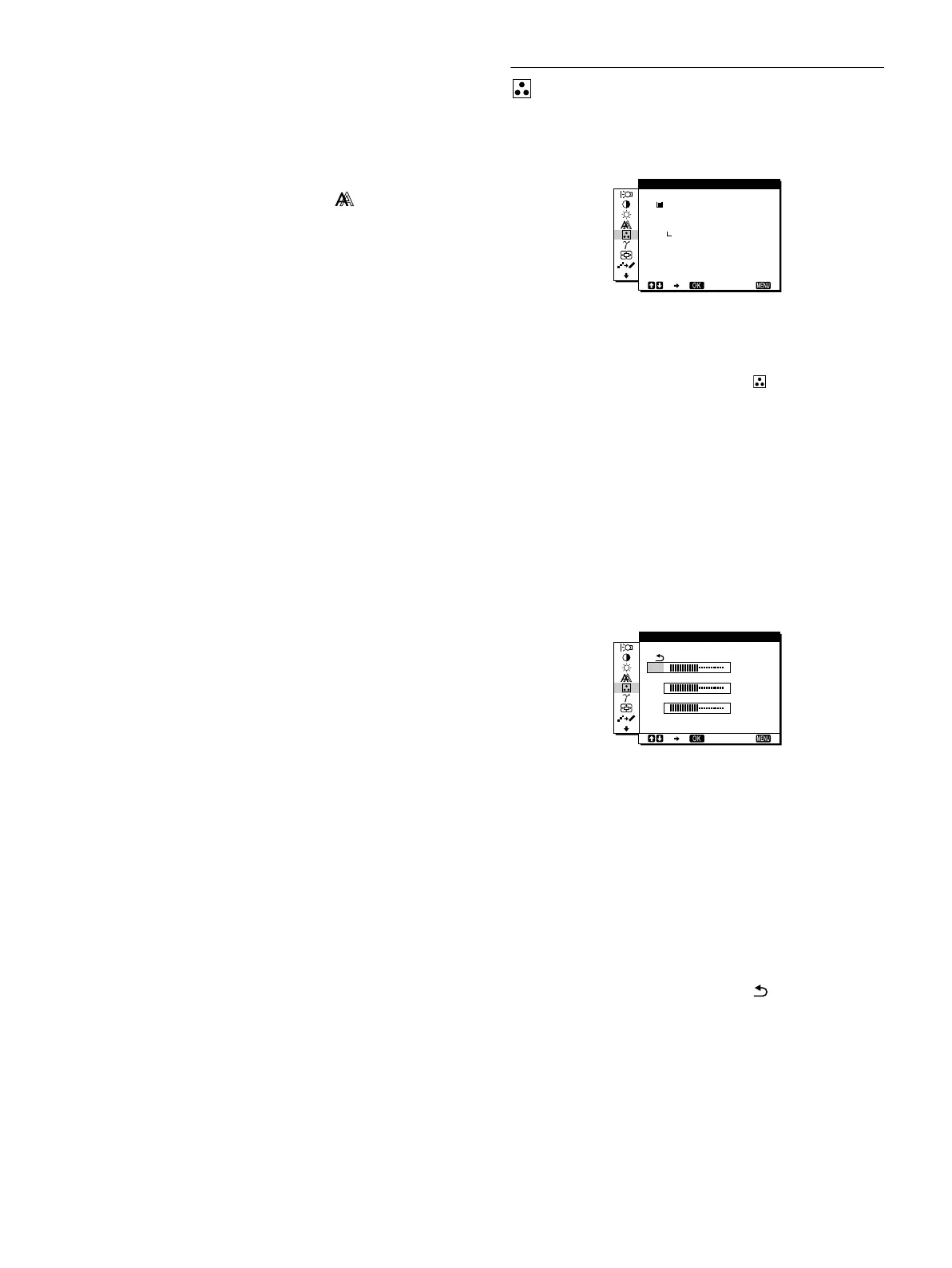
COLOR
You can select the picture’s color level of the white color field
from the default color temperature settings.
Also, if necessary, you can fine tune the color temperature.
1 Press the MENU button.
The main menu appears on the screen.
2PresstheM/m buttons to select (COLOR) and
press the OK button.
The COLOR menu appears on the screen.
3PresstheM/m buttons to select the desired color
temperature and press the OK button.
Whites will change from a bluish hue to reddish hue as the
temperature is lowered from 9300K (default setting) to
6500K.
Fine tuning the color temperature
(USER ADJUSTMENT)
INPUT1 and INPUT2 can be set independently.
1PresstheM/m buttons to select ADJUST and press
the OK button.
The USER ADJUSTMENT menu appears on the screen.
2PresstheM/m buttons to select R (Red) or B (Blue)
and press the OK button. Then press the M/m
buttons to adjust the color temperature and press
the OK button.
Since this adjustment changes the color temperature by
increasing or decreasing the R and B components with respect
to G (green), the G component is fixed.
3PresstheM/m buttons to select , then press the
OK button.
The new color setting is stored in memory for USER
ADJUSTMENT and automatically recalled whenever USER
is selected.
The COLOR menu appears on the screen.
1280 1024 60Hzx/
EX I T
9300K
6500K
USER
ADJUST
COLOR
50
50
50
1280 1024 60Hzx/
EX I T
R
G
B
USER ADJUSTMENT
01US01COV-UC.book Page 14 Friday, May 17, 2002 3:51 PM



 To Next Page