7
US
G:\4090729111\0490729111SDMP82UC\02US-SDMP82UC\01US02BAS-UC.fm
masterpage:Right
SDM-P82
4-090-729-11(1)
Setup
Before using your monitor, check that the following items are
included in your carton:
• LCD display
• Power cord
• HD15-HD15 video signal cable (analog RGB)
• DVI-D video signal cable (digital RGB)
• Windows Utility/Macintosh Utility Disk
• Warranty card
• This instruction manual
Setup 1:Connect a computer
equipped with the DVI
output connector (digital
RGB)
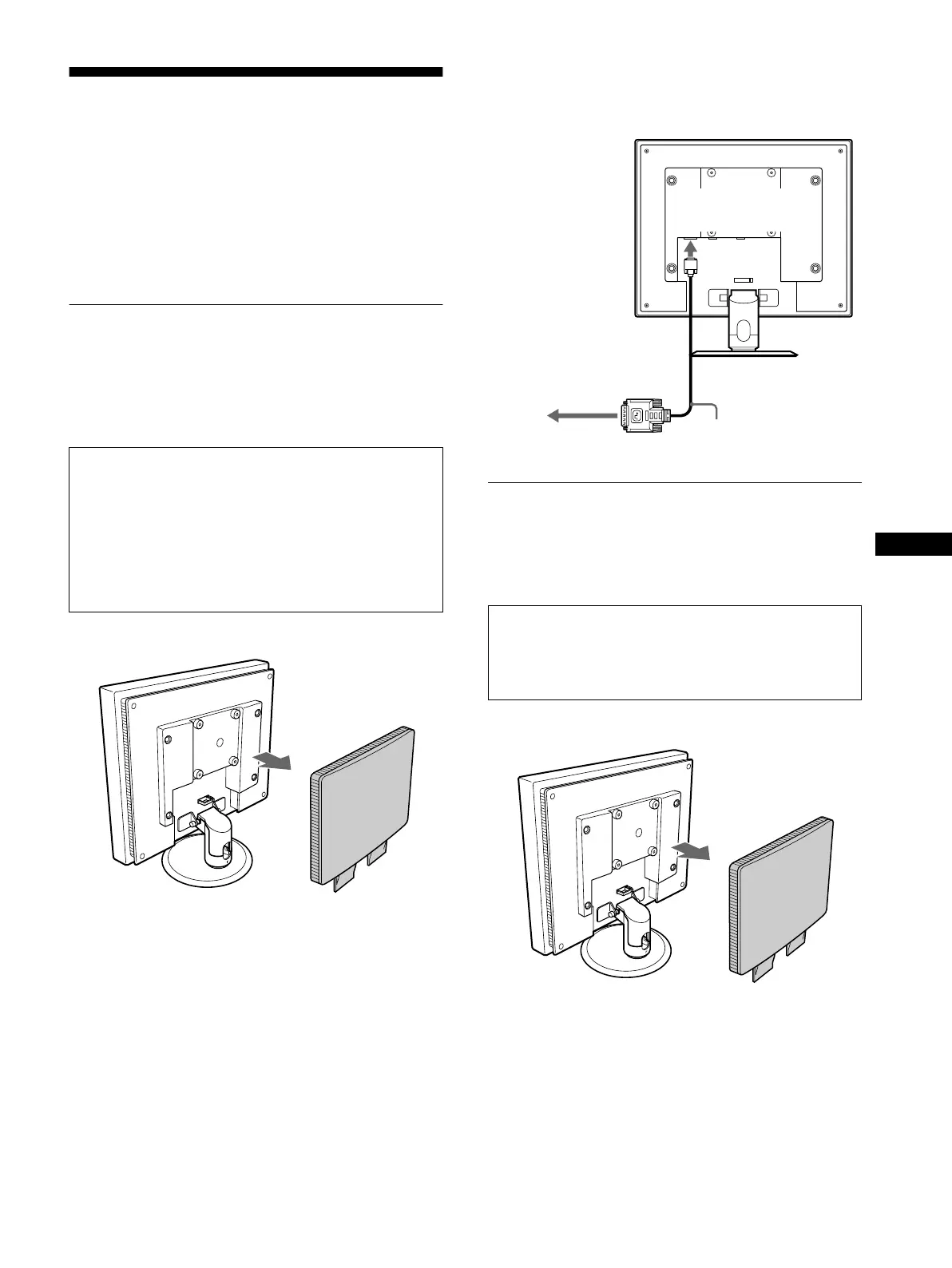
1 Remove the back cover.
2 Using the supplied DVI-D video signal cable (digital
RGB), connect the computer to the monitor’sDVI-D
input connector (digital RGB) for INPUT1.
Setup 2:Connect a computer
equipped with the HD15
output connector (analog
RGB)
1 Remove the back cover.
• Turn off the monitor and computer before connecting.
• When connecting the computer to the monitor’s HD15
input connector (analog RGB), refer to “Setup 2:
Connect a computer equipped with the HD15 output
connector (analog RGB).”
Note
Do not touch the pins of the video signal cable connector as this might
bend the pins.
Turn off the monitor and computer before connecting.
Note
Do not touch the pins of the video signal cable connector as this might
bend the pins.
to the DVI-D input
connector (digital
RGB) for INPUT1
DVI-D video signal cable
(digital RGB) (supplied)
to the computer’s DVI output
connector (digital RGB)
(continued)
01US01COV-UC.book Page 7 Friday, May 17, 2002 3:51 PM



 To Next Page