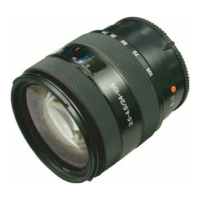
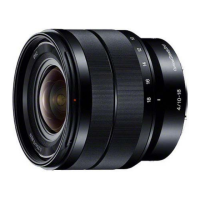
SEL1018 (E 4/10-18 OSS) (E 10-18mm F4 OSS)
4-8
Setting Method
Setting Procedure
1. Start the lens adjustment program “BLG-TestProgramV[][][].exe”.
2. When [Open] is clicked and communication between personal computer and B-L Control Box is connected, the button name changes to [Close]
and the [Power] button is made active.
3. Click [Power] to supply power to the lens to be tested. At this time, confirm that both of the two LEDs on the B-L Control Box light. (If either or
none of them does not light, there is a problem.)
LEDs for power supply check
B-L Control Box
Power switch
Note: Before detaching the lens after power is supplied, be sure to click [Power] again and confirm that the two LEDs go out.
4. Select “Center Hold” from the steady shot selection menu, and click [Steady Shot].
5. Align the plane mirror with the center projected image on the screen, and confirm again that the reflected light illuminates the center of the lens
to be tested. If the reflected light position is deviated, re-adjust the Lens Test Projector (F) position.
6. Select “Open” from the iris selection menu, and click [Iris].
Steady Shot setting: Center Hold Iris setting: Open
7. To change the zoom position with the zoom lens, set the zoom position to the specified value.
Manual zoom: Set the zoom position manually.
Motorized zoom: Set the focal length and zoom speed from the lens adjustment program, and click [Zoom(Focal Dist.)].
(If a time-out error occurs, increase the zoom speed.)
Execute zoom Select zoom speed
Enter focal length (Select “Input” from the left pull-down menu.)Select focal length
8. Select “JOG” from the focus menu.
Note: The focus setting buttons vary with model.
This is not used
Check off
Use this part
9. Clicking [Focus(Target Dist.)] display the focus JOG operation window.
Select focus step value
Select and enter
focus step speed
Focus drive (near)
Focus drive (far)
Focus position indicator


 To Next Page