EasyManua.ls Logo

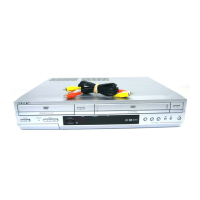
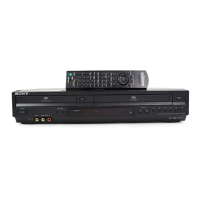
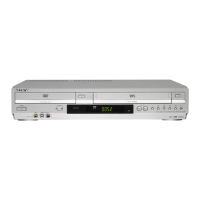
Sony SLV-D261P - User Manual

Sony SLV-D261P
116 pages
Print Icon
To Next Page IconTo Next Page
Loading...
2-584-680-11 (1) US
DVD Player/
Video Cassette
Recorder
Operating Instructions
For customers in the USA
If you have any questions about your Sony DVD-VCR, you may call Sony Customer
Information Services Company at 1-800-VHS-SONY (847-7669).
For all other Sony product questions, please call Sony Customer Information Services
Company at 1-800-222-SONY (7669).
Or write to: Sony Customer Information Services Company 12451 Gateway
Boulevard Ft. Myers, FL 33913
For Customers in Canada
If this product is not working properly, please call 1-877-602-2008 for Peace of Mind
Warranty Replacement service.
For other product related questions please contact our Customer Information Service
Center at 1-877-899-7669 or write to us at: Customer Information Service 115 Gordon
Baker Road, Toronto, Ontario, M2H 3R6
SLV-D261P
© 2005 Sony Corporation

Table of Contents

Questions and Answers

  • C
    Curtis EdwardsSep 10, 2025
    Why can't I change the angles on my Sony SLV-D261P?
    • S
      Sarah WilliamsSep 12, 2025
      Here are a few reasons why you might not be able to change the angles on your Sony DVD VCR Combo: * Try using the DVD’s menu instead of the direct selection button on the remote. * Multi-angles are not recorded on the DVD being played. * The DVD prohibits changing of the angles.
  • C
    Cheryl ScottSep 9, 2025
    Why can't I change or turn off the subtitles on my Sony SLV-D261P?
    • R
      Rachel SandersSep 9, 2025
      Here's why you might not be able to change or turn off subtitles on your Sony DVD VCR Combo: * Try using the DVD’s menu instead of the direct selection button on the remote. * Multilingual subtitles are not recorded on the DVD being played. * The DVD prohibits the changing of the subtitles.
  • J
    Jeffery GainesSep 7, 2025
    Why can't I change the language for the sound track on my Sony DVD VCR Combo?
    • J
      Joshua SantosSep 8, 2025
      Here are some reasons why you might not be able to change the language for the sound track on your Sony DVD VCR Combo: * Try using the DVD’s menu instead of the direct selection button on the remote. * Multilingual tracks are not recorded on the DVD being played. * The DVD prohibits the changing of the language for the sound track.
  • K
    Kevin MedinaAug 22, 2025
    What to do if the remote commander does not function with my Sony DVD VCR Combo?
    • I
      ismithAug 23, 2025
      If the remote commander isn't working with your Sony DVD VCR Combo, try the following: * Make sure you are pointing the remote commander at the remote sensor on the DVD-VCR. * Replace all the batteries in the remote commander with new ones if they are weak. * Make sure the TV / DVD·VIDEO switch is set correctly. * Select correctly VIDEO or DVD with the SELECT DVD/ VIDEO button.
  • H
    howardallenSep 5, 2025
    What to do if the tape starts playing as soon as it is inserted into my Sony SLV-D261P?
    • M
      Manuel ClarkSep 5, 2025
      The safety tab has been removed. To record on this tape, cover the tab hole.
  • S
    Sarah SmithSep 4, 2025
    What to do if a tape cannot be inserted into my Sony SLV-D261P DVD VCR Combo?
    • R
      Richard TaylorSep 4, 2025
      If a tape cannot be inserted into your Sony DVD VCR Combo, check that a tape is not already in the tape compartment.
  • Y
    ymcbrideSep 3, 2025
    What to do if nothing happens when pressing z REC on my Sony SLV-D261P DVD VCR Combo?
    • A
      Ashley AlvarezSep 3, 2025
      If nothing happens when you press z REC on your Sony DVD VCR Combo, make sure the tape is not at its end.
  • B
    Bryce JordanSep 2, 2025
    What to do if the tape is ejected when pressing z REC on my Sony SLV-D261P?
    • T
      Travis MartinezSep 2, 2025
      If the tape is ejected when you press z REC on your Sony DVD VCR Combo, check that the safety tab has not been removed.
  • A
    April FernandezSep 1, 2025
    What to do if the picture rolls vertically during picture search on my Sony SLV-D261P DVD VCR Combo?
    • T
      Tyler AdamsSep 1, 2025
      If the picture rolls vertically during picture search on your Sony DVD VCR Combo, adjust the vertical hold control on the TV or monitor.
  • K
    Kimberly HowardAug 31, 2025
    What to do if a TV program does not appear on the TV screen using my Sony SLV-D261P?
    • D
      Deborah RodriguezAug 31, 2025
      To display a TV program on the TV screen using your Sony DVD VCR Combo: * Make sure the TV is set to the channel for the VCR. If you are using a monitor, set it to video input. * Select the correct source with the INPUT SELECT or CH +/– buttons. Select a channel number when recording TV programs; select “L1” or “L2” when recording from other equipment.

Summary

WARNING

General Precautions

Important Safety Instructions

DVD Precautions

On safety

Safety precautions specific to DVD operation, including eye hazard and liquid placement.

On operation

Operational guidelines for DVD playback, including condensation and unit placement.

Getting Started

Step 1: Unpacking

Check and unpack the included accessories for the DVD-VCR system.

Step 2: Setting up the remote commander

Instructions for inserting batteries and using the remote commander for the DVD-VCR.

Step 3: Basic hookups

Guidance on connecting the DVD-VCR to a TV using various hookup options.

DVD Additional Operations

Basic hookups

Basic Operations

Playing discs

Instructions on how to insert and play discs in the DVD player.

Playing a tape

Guide on how to insert and play VHS tapes in the VCR.

Recording TV programs

Recording TV programs using the timer

How to set up scheduled recordings using the VCR timer function.

Checking;changing;canceling timer settings

Advanced Hookups

A;V Receiver hookup

Connecting the DVD-VCR to an A/V receiver for enhanced audio playback.

S-Video;Component Video hookup

Connecting the DVD-VCR to a TV using S-Video or Component Video for better picture quality.

DVD Settings and Adjustments

Audio Setup

Configure audio output settings for Dolby Digital, DTS, and other audio features.

Screen Setup

Adjust screen aspect ratio, black level, and progressive scan settings.

Using the DVD’s menu

Various play mode functions (Program play, Shuffle play, Repeat play)

Playing an MP3 audio track

Playing JPEG image files

Playing VIDEO CDs with “PBC ON;OFF” Functions

Quick Timer Recording

Recording stereo and bilingual programs

Searching using various functions

Adjusting the picture (tracking)

Changing menu options

Editing with another VCR

Troubleshooting

General Troubleshooting

Common issues and remedies related to power, clock, and remote control.

DVD Troubleshooting

Picture Issues

Troubleshooting no picture, picture noise, or aspect ratio problems.

Sound Issues

Resolving issues with no sound, noisy sound, or low volume.

Operation Troubleshooting

Disc Playback Issues

Resolving issues related to disc playback and function operations.

VCR Troubleshooting

Playback Issues

Troubleshooting picture issues like no picture, unclear picture, or rolling.

Recording Issues

Resolving problems with recording, TV reception, or tape playback.

Timer Recording Troubleshooting

Sony SLV-D261P Specifications

General IconGeneral
TypeDVD VCR Combo
BrandSony
ModelSLV-D261P
DVD PlayerYes
VCRYes
Progressive ScanYes
Playable Media FormatDVD, VHS
DVD RecordingNo
Remote ControlYes
Video FormatNTSC
Recording FormatVHS
Audio OutputStereo
VHS PlaybackYes
TunerNTSC
InputsComposite, S-Video
DVD Playback FormatsDVD-R, DVD-RW
Video RecordingYes (VHS)
OutputsComposite, S-Video

Related product manuals