15
Getting Started
Getting Started
Manual setup —
Selecting a
language
You can change the on-screen display
language.
Before you start…
• Turn on the VCR and the TV.
• Set the TV to the video channel.
>/./?//
OK
MENU
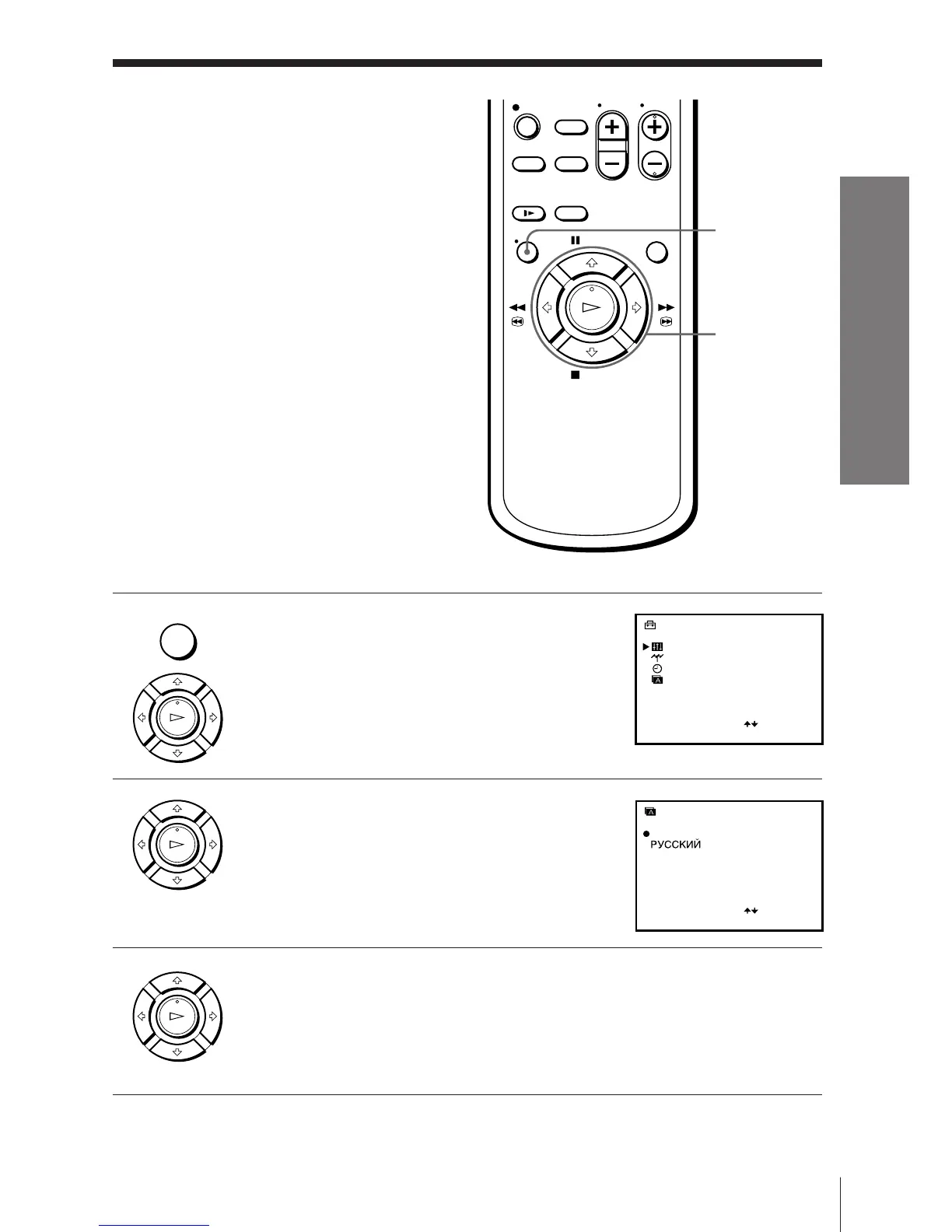
1 Press MENU, then press >/. to select
SETTINGS and press OK.
2 Press >/. to select LANGUAGE and
press OK.
3 Press >/./?// to move the dot ( r )
to the desired language, then press OK.
• MENU
OK
PLAY
OK
PLAY
OK
PLAY
SETTINGS
OPTIONS
TUNER
CLOCK
LANGUAGE
SELECT
SET
:
:
OK
ENGLISH
LANGUAGE
SELECT
SET
:
:
OK



 To Next Page