29
US
Getting Started
6: Preparing the receiver
and the remote
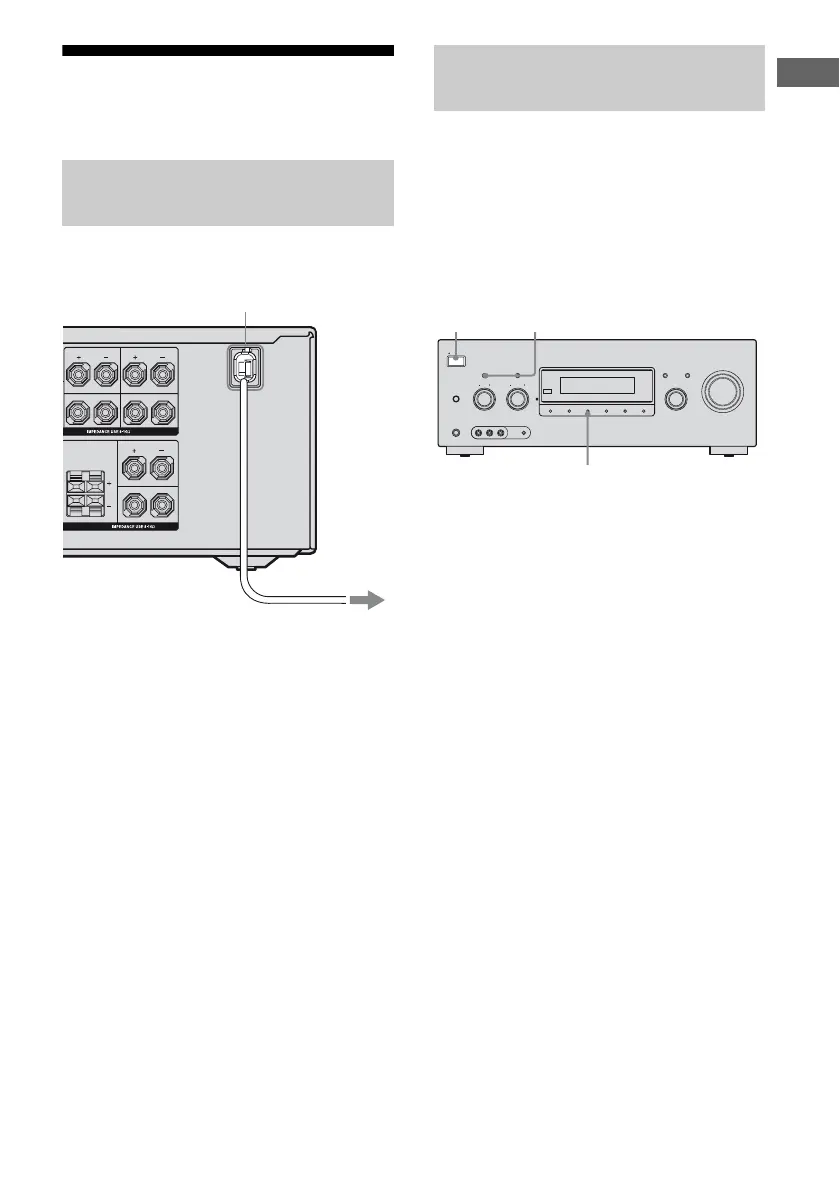
Connect the AC power cord (mains lead) to a
wall outlet.
Before using the receiver for the first time,
initialize the receiver by performing the
following procedure. This procedure can also
be used to return settings you have made to
their factory defaults.
Be sure to use the buttons on the receiver for
this operation.
1 Press POWER to turn off the
receiver.
2 Hold down TONE MODE and
2CH/A.DIRECT and then press
POWER to turn on the receiver.
3 Release the TONE MODE and
2CH/A.DIRECT after a few
seconds.
After “CLEARING” appears on the
display for a while, “CLEARED”
appears.
All the settings you have changed or
adjusted are reset to the initial settings.
Connecting the AC power cord
(mains lead)
AKERS
SPEAKERS
SURROUND BACK
FRONT AFRONT B
L
R
SURROUND
L
R
L
L
R
R
AC power cord (mains lead)
To the wall outlet
Performing initial setup
operations
SPEAKERS
(OFF/A/B/A+B)
PHONES
VIDEO 2 IN/PORTABLE AV IN
VIDEO L AUDIO R AUTO CAL MIC
MEMORY/
ENTER
2CH/
A.DIRECT
A.F.D. MOVIE MUSICDIMMER
INPUT SELECTOR
TONE MODE
ON/STANDBY
TUNING MODE
POWER
TUNING
DISPLAY INPUT MODE
MASTER VOLUME
TONE
1,2
2,3
2,3



 To Next Page