63
US
Tuner Operations
Resetting sound fields to
the initial settings
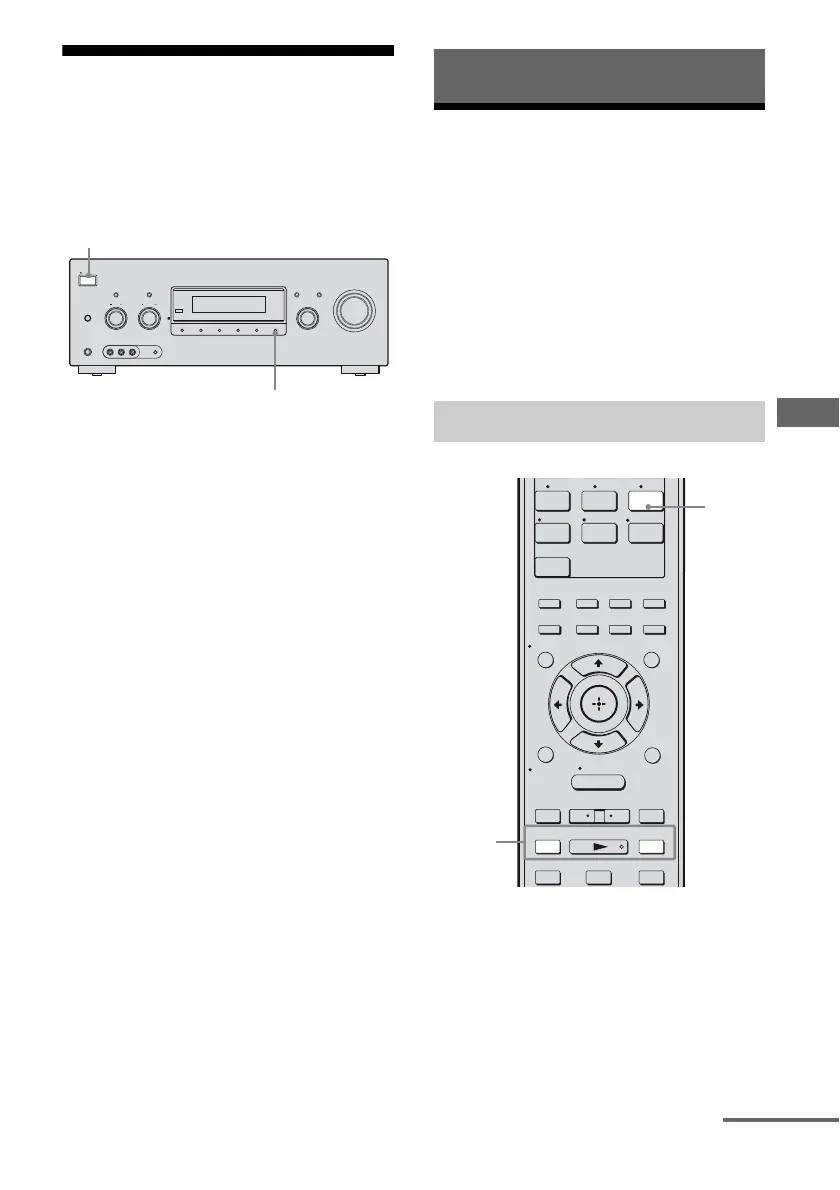
Be sure to use the buttons on the receiver for
this operation.
1 Press ?/1 to turn off the
receiver.
2 While holding down MUSIC,
press ?/1.
“S.F. CLEAR” appears on the display and
all sound fields are reset to their initial
setting.
Listening to FM/AM radio
You can listen to FM and AM broadcasts
through the built-in tuner. Before operation,
make sure you have connected the FM and
AM antennas to the receiver (page 28).
Tip
The tuning scale is:
FM : 100 kHz
AM : 10 kHz*
* The AM tuning scale can be changed (page 104).
1 Press TUNER repeatedly to
select the FM or AM band.
2 Press TUNING + or TUNING –.
Press TUNING + to scan from low to
high; press TUNING – to scan from high
to low.
The receiver stops scanning whenever a
station is received.
SPEAKERS
(OFF/A/B/A+B)
PHONES
VIDEO 2 IN/PORTABLE AV IN
VIDEO L AUDIO R AUTO CAL MIC
MEMORY/
ENTER
2CH/
A.DIRECT
A.F.D. MOVIE MUSICDIMMER
INPUT SELECTOR
TONE MODE
ON/STANDBY
TUNING MODE
POWER
TUNING
DISPLAY INPUT MODE
MASTER VOLUME
TONE
1,2
2
Tuner Operations
Automatic tuning
7 8 9
-/--
0/10
ENT/MEM
2CH/
A.DIRECT A.F.D. MOVIE MUSIC
CLEAR
/>10
– CATEGORY +
TUNING – TUNING +
DISC SKIP D.TUNING
CATEGORY MODE
AUTO CAL
.
mM
>
Xx
XM
DMPORT
SA-CD/
CD
TUNER
<
<
MENU
RETURN/
EXIT
OPTIONS
TOOLS
HOME
DISPLAY
AMP
MENU
O
INPUT
MODE
SLEEP
NIGHT
MODE
2
1
continued



 To Next Page