74
US
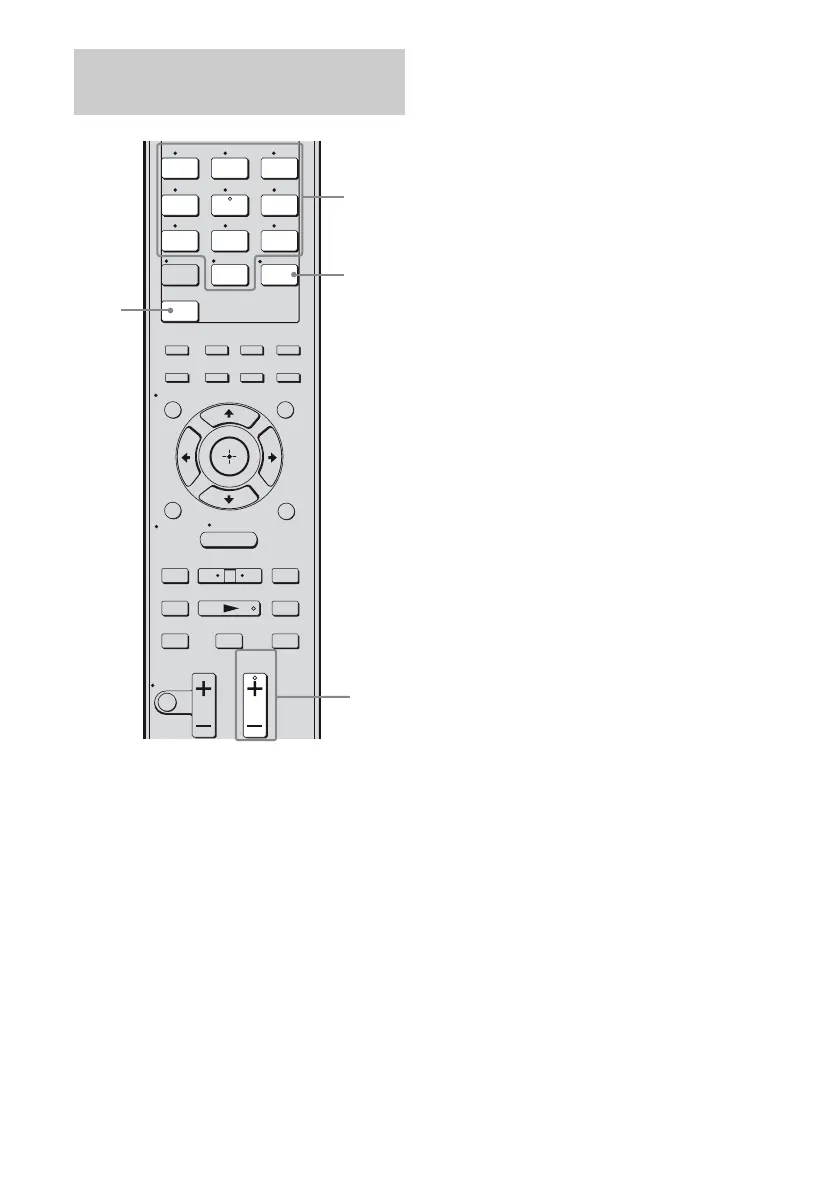
1 Press XM.
You can also use INPUT SELECTOR on
the receiver to select “XM RADIO”.
2 Press PRESET + or PRESET –
repeatedly to select the preset
channel you want.
You can also press SHIFT and then press the
numeric buttons to select the preset channel
you want. Then press ENT/MEM to enter
the selection.
You can also press TUNING MODE on the
receiver to select “PRESET” and then turn
TUNING +/–.
You can select preset channels from 1 to 30.
Note
The preset channel information will be updated
depending on the service provided by XM Satellite
Radio Inc. that you have subscribed to.
Selecting the channel by using
the preset numbers
1 2 3
4 5 6
7 8 9
-/--
0/10
ENT/MEM
2CH/
A.DIRECT A.F.D. MOVIE MUSIC
CLEAR
/>10
– CATEGORY +
TUNING – TUNING +
DISC SKIP D.TUNING
CATEGORY MODE
AUTO CAL
.
mM
>
Xx
MUTING
VIDEO 1 VIDEO 2 BD
SAT TV
XM
DMPORT
SA-CD/
CD
TUNER
TV VOL
MASTER VOL
TV CH
PRESET
<
<
MENU
RETURN/
EXIT
OPTIONS
TOOLS
HOME
DISPLAY
AMP
MENU
O
DVD
INPUT
MODE
SLEEP
NIGHT
MODE
1
2
Numeric
buttons
ENT/
MEM



 To Next Page