Notes
• Be sure to change the factory setting
of
the
VIDEO I input button on the remote so that you
can use the button to control your DVD recorder.
For details, see "Changing button assignments"
(page 96).
• You can also rename the VIDEO I input so that it
can be displayed on the receiver's display. For
details, see "Naming input" (page 37).
28
US
5:
Connecting
the
antennas
(aerials)
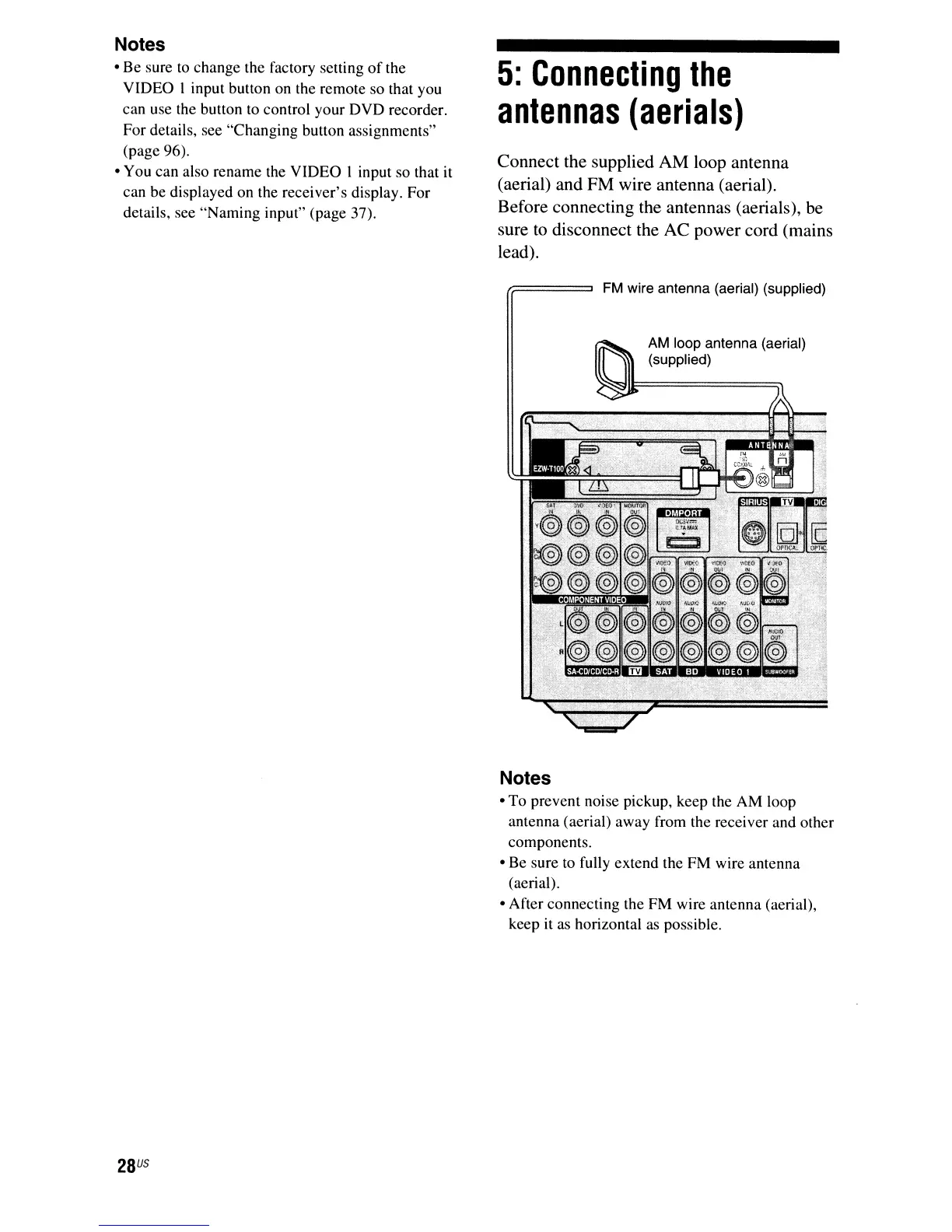
Connect the supplied AM loop antenna
(aerial) and FM wire antenna (aerial).
Before connecting the antennas (aerials), be
sure
to
disconnect the AC power cord (mains
lead).
FM
wire antenna (aerial) (supplied)
AM
loop antenna (aerial)
(supplied)
Notes
• To prevent noise pickup, keep the AM loop
antenna (aerial) away from the receiver and other
components.
• Be sure to fully extend the FM wire antenna
(aerial).
• After connecting the FM wire antenna (aerial),
keep it as horizontal as possible.



 To Next Page