Restricting
access
to
specific
channels
(Parental
Lock)
(SIRIUS
only)
You can restrict access
to
certain channels
using yourown lock code. The lock code
is
set
to "0000" as the default.
Change the lock code before you use this
function for the first time. See "To change the
lock code (Lock Code)" (page 72).
8,
+1+1.1.
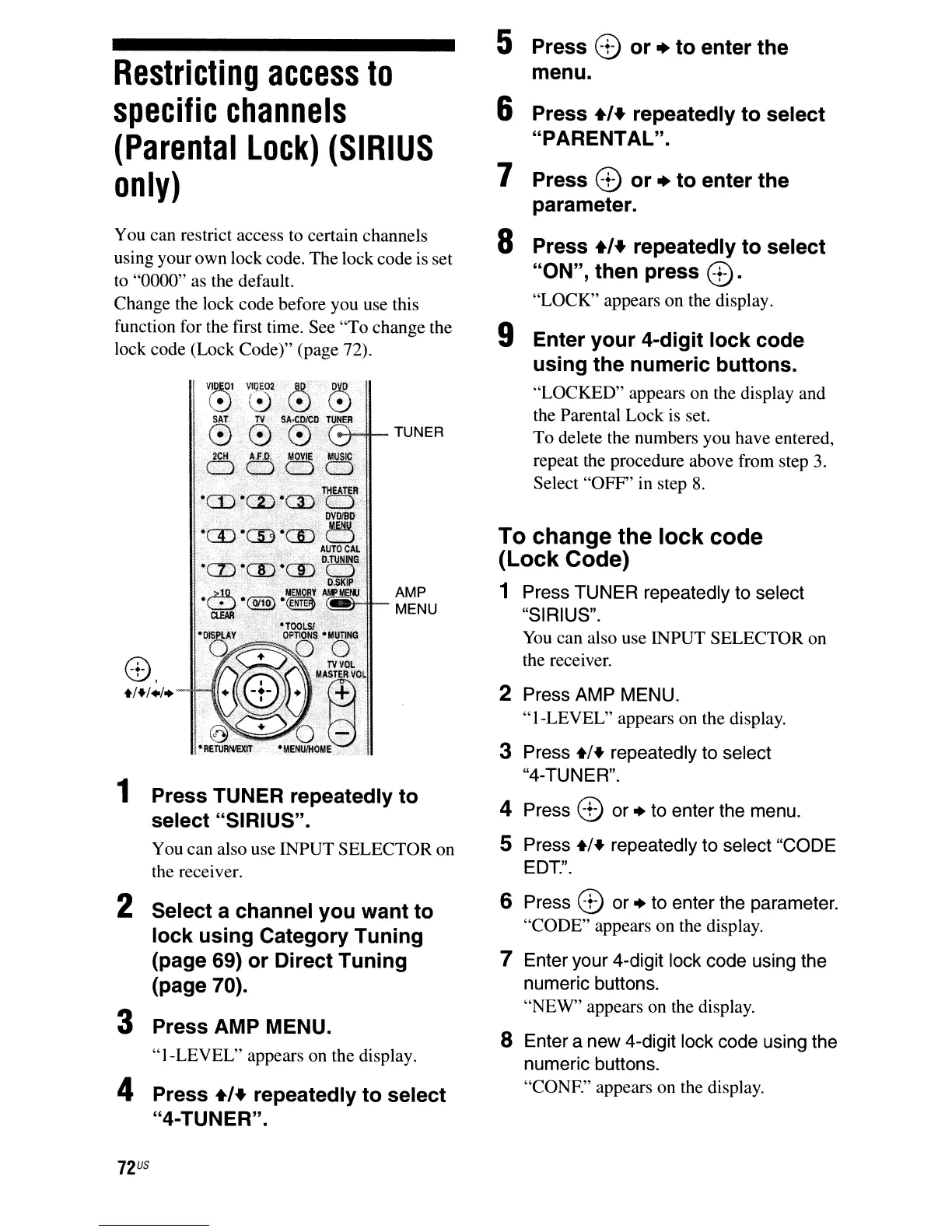
1 Press TUNER repeatedly
to
select "SIRIUS".
You can also use INPUT SELECTOR on
the receiver.
2 Select a channel
you
want
to
lock
using
Category
Tuning
(page 69)
or
Direct
Tuning
(page 70).
3 Press AMP MENU.
"1-LEVEL" appears on the display.
4 Press
.,.
repeatedly
to
select
"4-TUNER".
72
US
5 Press 8
or
+
to
enter
the
menu.
6 Press
.,.
repeatedly
to
select
"PARENTAL".
7 Press 8
or
+
to
enter
the
parameter.
8 Press
.,.
repeatedly
to
select
"ON",
then
press
8.
"LOCK" appears on the display.
9 Enter
your
4-digit
lock
code
using
the
numeric
buttons.
"LOCKED" appears on the display and
the Parental Lock is set.
To delete the numbers you have entered,
repeat the procedure above from step
3.
Select
"OFF'
in
step
8.
To change the
lock
code
(Lock
Code)
1 Press TUNER repeatedly to select
"SIRIUS".
You
can also use INPUT SELECTOR on
the receiver.
2 Press AMP MENU.
"I-LEVEL" appears on the display.
3 Press
+1+
repeatedly to select
"4-TUNER".
4 Press 8 or + to enter the menu.
S Press
+1+
repeatedly to select "CODE
EDT.".
6 Press 8 or + to enter the parameter.
"CODE" appears on the display.
7 Enter your 4-digit lock code using the
numeric buttons.
"NEW" appears on the display.
S Enter a new 4-digit lock code using the
numeric buttons.
"CONE" appears on the display.



 To Next Page