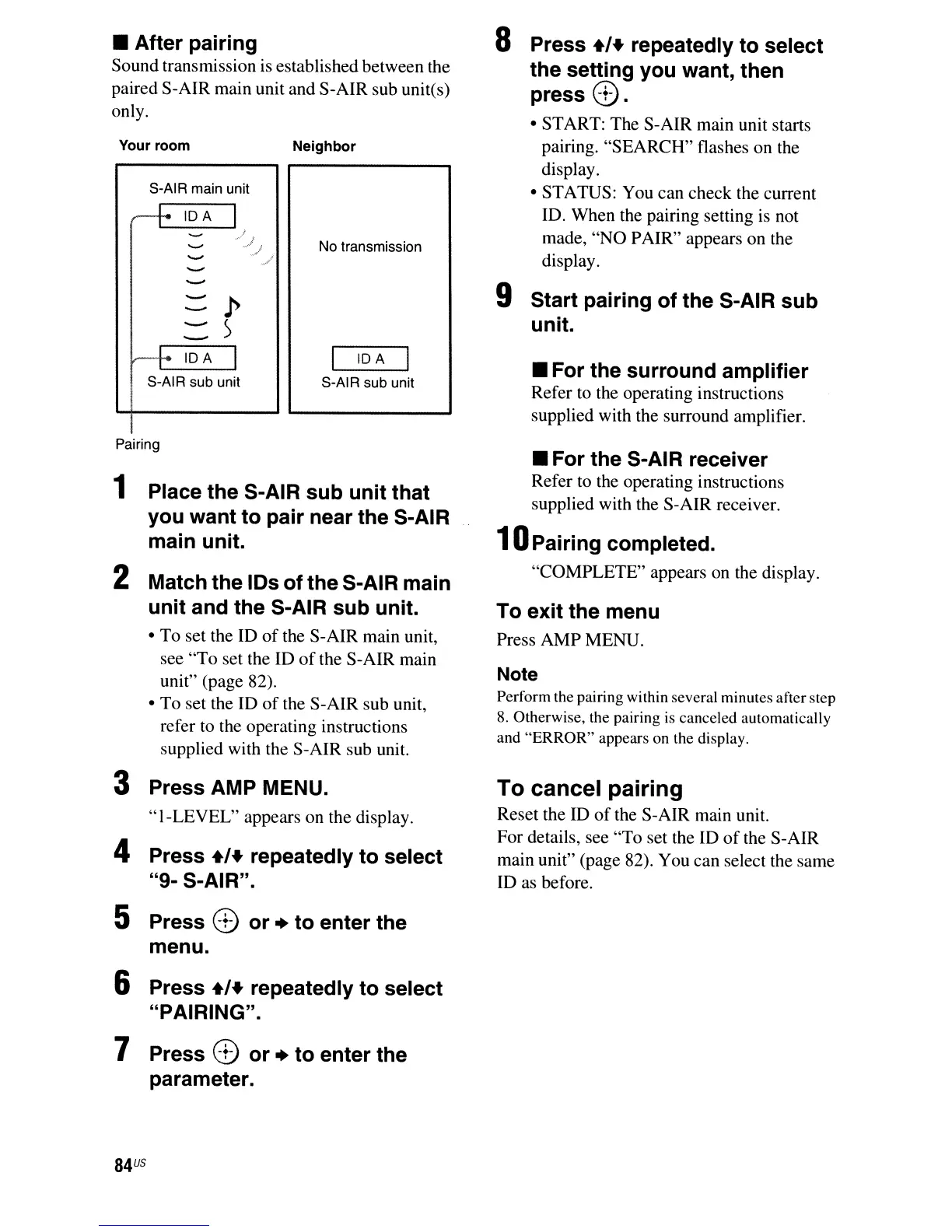
• After pairing
Sound transmission
is
established between the
paired S-AIR main unit and S-AIR sub unites)
only.
Your room
S-AIR main unit
r+
IDA
::::p
-)
--
r+
IDA
I
S-AIR sub unit
Neighbor
No transmission
IDA
S-AIR sub unit
8 Press
+'+
repeatedly to select
the setting you want, then
press
8.
• START: The S-AIR main unit starts
pairing. "SEARCH" flashes on the
display.
• STATUS: You can check the current
10. When the pairing setting
is
not
made,
"NO
PAIR" appears on the
display.
9 Start pairing of the S-AIR sub
unit.
• For the surround amplifier
Refer to the operating instructions
supplied with the surround amplifier.
Pairing
1 Place the S-AIR sub unit that
you want to pair near the S-AIR
main unit.
2 Match the IDs of the S-AIR main
unit and the S-AIR sub unit.
• To set the
10
of
the S-AIR main unit,
see "To set the
10
of
the S-AIR main
unit" (page 82).
• To set the
10
of
the S-AIR sub unit,
refer
to
the operating instructions
supplied with the S-AIR sub unit.
3 Press AMP MENU.
"I-LEVEL"
appears on the display.
4 Press
+'+
repeatedly to select
"9- S-AIR".
5 Press 8 or + to enter the
menu.
6 Press
+'+
repeatedly to select
"PAIRING".
7 Press 8 or + to enter the
parameter.
84
us
• For the S-AIR receiver
Refer to the operating instructions
supplied with the S-AIR receiver.
10
Pairing completed.
"COMPLETE" appears on the display.
To exit the menu
Press AMP MENU.
Note
Perform the pairing within several minutes after step
8.
Otherwise, the pairing is canceled automatically
and
"ERROR"
appears on the display.
To cancel pairing
Reset the
10
of
the S-AIR main unit.
For details, see "To set the
10
of
the S-AIR
main unit" (page 82). You can select the same
10
as before.



 To Next Page