8 Adjust the volume on the S-AIR
receiver.
Note
The
sound
of
the S-AIR receiver may
be
cut
off
by
operation
of
the S-AIR main unit.
Changing
the
channel
for
better
sound
transmission
If you use multiple wireless systems which
sharing the 2.4 GHz band, such
as
wireless
LAN or Bluetooth, the transmission
of
S-AIR
products
or
other wireless systems may be
unstable. In this case, you may improve the
transmission by changing the "RF SETUP"
setting.
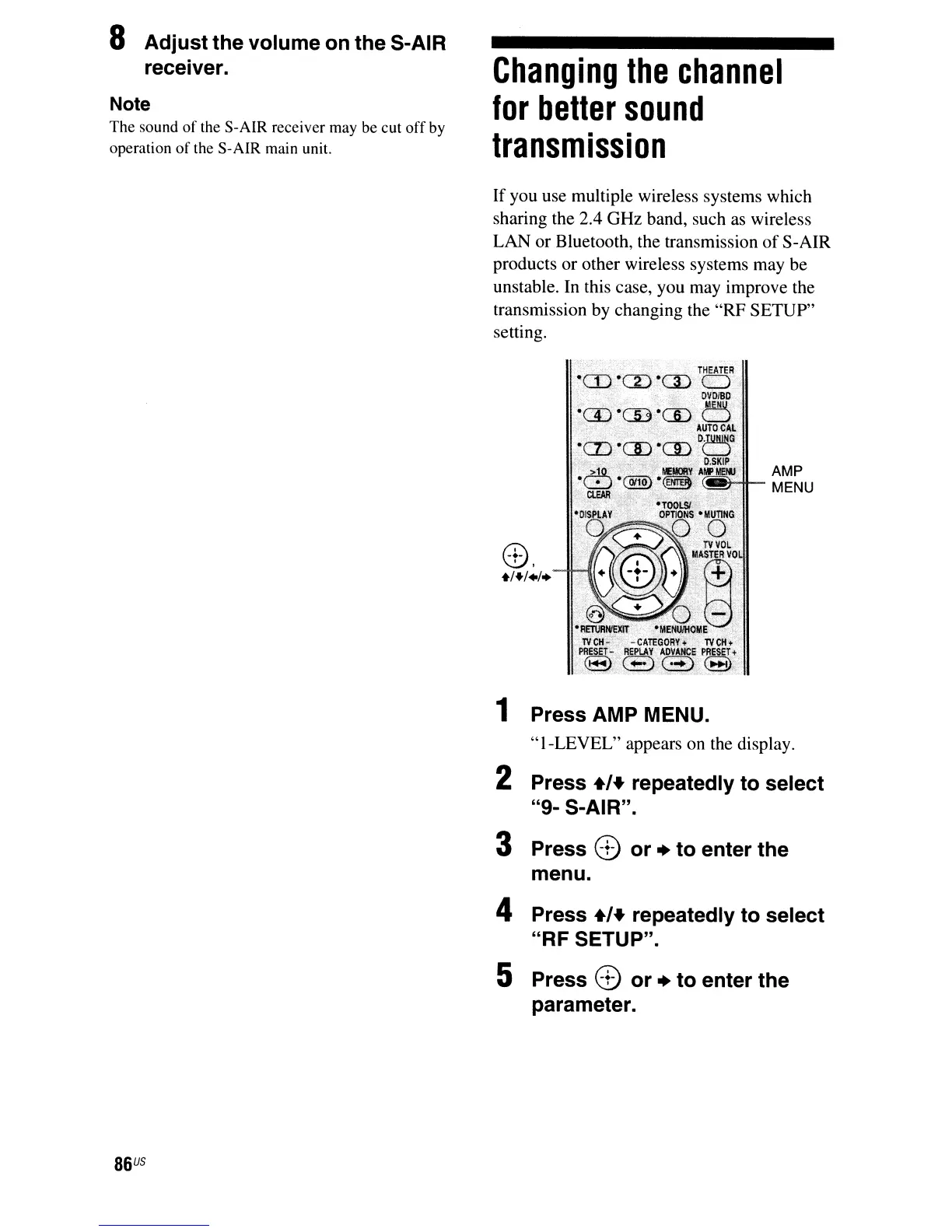
8,
+/+/+/+
AMP
MENU
86
US
1 Press AMP MENU.
"I-LEVEL"
appears on the display.
2 Press +,+ repeatedly to select
"9- S-AIR".
3 Press 8 or + to enter the
menu.
4 Press +,+ repeatedly to select
"RF SETUP".
5 Press 8 or + to enter the
parameter.



 To Next Page