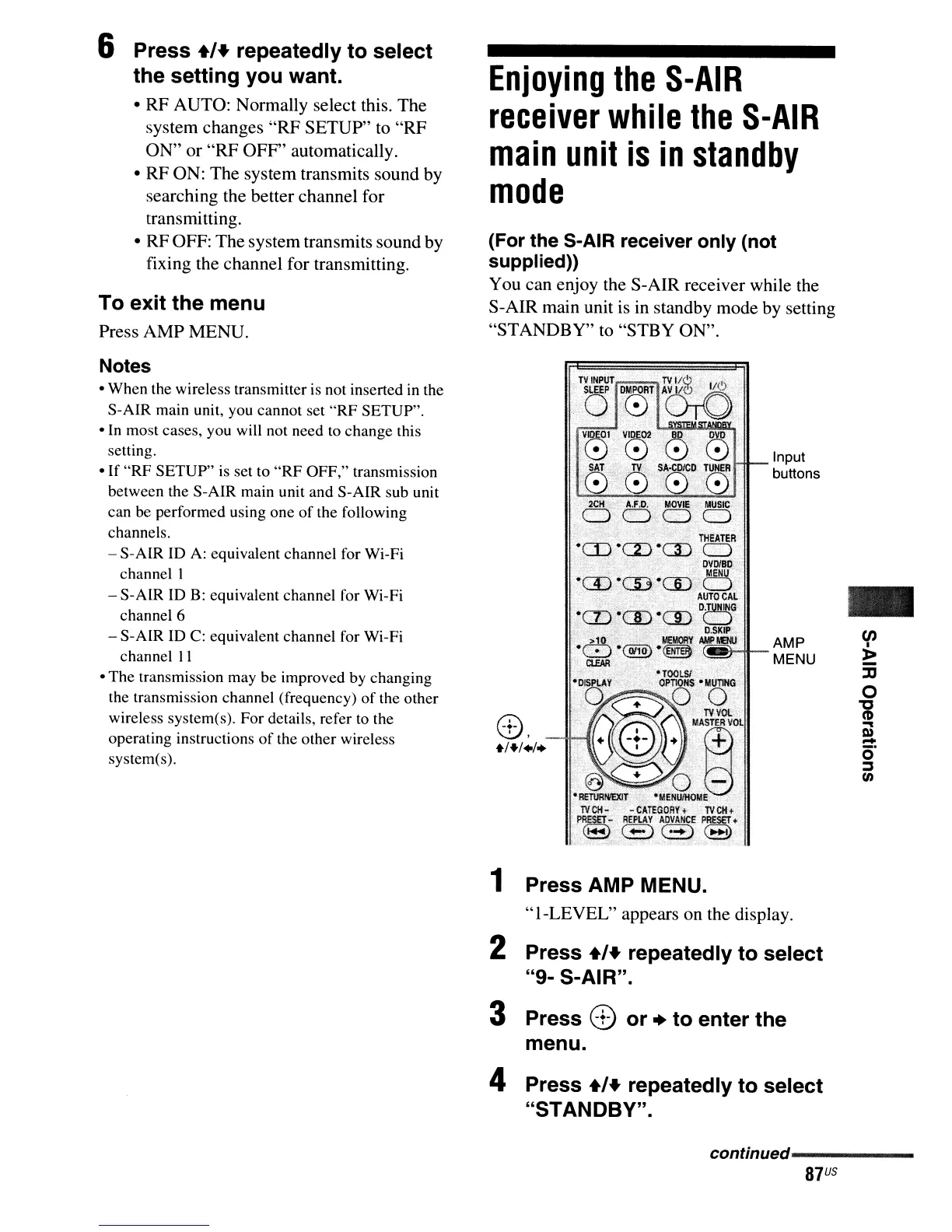
(For the S-AIR receiver only (not
supplied»
You can enjoy the S-AIR receiver while the
S-AIR main unit
is
in standby mode by setting
"STANDBY" to "STBY ON".
-
Input
buttons
'T~(~~~T
D
"",,0
VIDE01
VIDE02
000
SAT
TV
SA·COIeD
TUNER
.
;080'0
8.
+1+1.1.
Enjoying
the
S-AIR
receiver
while
the
S-AIR
main
unit
is
in
standby
mode
To exit the menu
Press AMP MENU.
Notes
• When the wireless transmitter is not inserted in the
S-AIR main unit, you cannot set
"RF
SETUP".
• In most cases, you will not need
to
change this
setting.
• If
"RF
SETUP" is set to
"RF
OFF," transmission
between the S-AIR main unit and S-AIR sub unit
can be performed using one
of
the following
channels.
- S-AlR ID
A:
equivalent channel for Wi-Fi
channel I
- S-AlR ID B: equivalent channel for Wi-Fi
channel 6
- S-AlR ID
C:
equivalent channel for Wi-Fi
channel
II
• The transmission may be improved by changing
the transmission channel (frequency)
of
the other
wireless system(s). For details, refer to the
operating instructions
of
the other wireless
system(s).
6 Press
+'+
repeatedly to select
the setting you want.
• RF AUTO: Normally select this. The
system changes "RF SETUP" to "RF
ON" or "RF OFF" automatically.
• RF ON: The system transmits sound by
searching the better channel for
transmitting.
• RF OFF: The system transmits sound by
fixing the channel for transmitting.
1 Press AMP MENU.
"I-LEVEL" appears on the display.
2 Press
+,+
repeatedly to select
"9- S-AIR".
3 Press 8 or
..
to enter the
menu.
4 Press
+'+
repeatedly to select
"STANDBY".
continued------
87
US



 To Next Page