48
GB
(Models of area code U2 only)
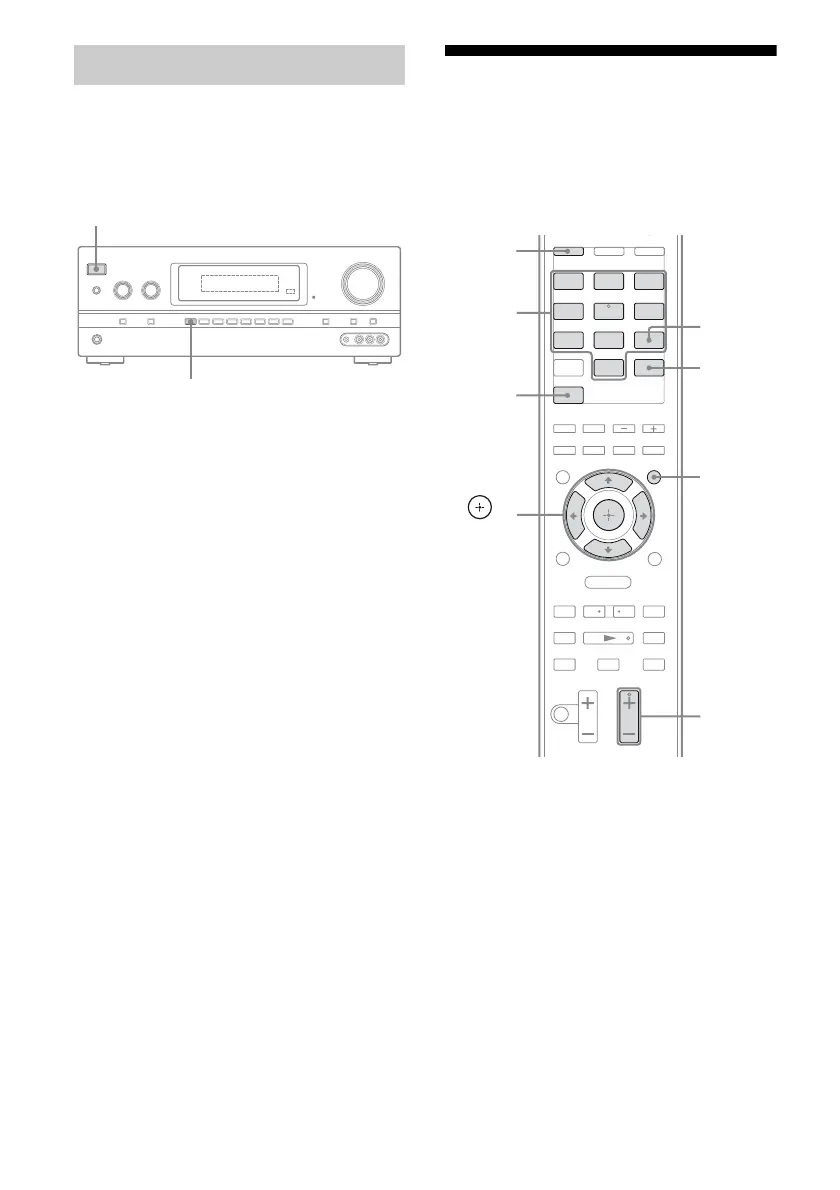
You can change the AM tuning scale to either
9 kHz or 10 kHz using the buttons on the
receiver.
1 Press ?/1 to turn off the
receiver.
2 While holding down TUNING
MODE, press ?/1.
3 Change the current AM tuning
scale to 9 kHz (or 10 kHz).
To reset the scale to 10 kHz (or 9 kHz),
repeat the procedure above.
Note
All preset stations will be erased when you change
the tuning scale.
Presetting FM/AM radio
stations
You can preset up to 30 FM stations and 30
AM stations. Then you can easily tune in the
stations you often listen to.
1 Press TUNER repeatedly to
select the FM or AM band.
You can also use INPUT SELECTOR on
the receiver.
2 Tune in the station that you
want to preset using Automatic
Tuning (page 47) or Direct
Tuning (page 47).
Switch the FM reception mode, if
necessary (page 47).
3 Press SHIFT.
Changing the AM tuning scale
?/1
?/1
TUNING MODE
.
mM
>
Xx
DVD
VIDEO 1
HDMI 2HDMI 1
DMPORT
<
<
MENU
O
BD
SAT/
CATV
VIDEO 2
HDMI 3
HDMI 4
SA-CD/
CD
TUNER
TV
Numeric
buttons
PRESET
+/–
TUNER
ENTER
SHIFT
AMP
MENU
,
V/v/B/b
MEMORY















 To Next Page