33
US
D:\NORM'S JOB\SONY HA\SO120021\STR-DN1030_PMRF
03\4420297131_US\US04GET_STR-DN1030-CEL.fm
masterpage: Right
STR-DN1030
4-420-297-13(1)
Connections
Note
You can rename the VIDEO 2 input so that it can be
displayed on the receiver’s display panel. For
details, see “Naming the input (Name Input)”
(page 51).
4b: Connecting the audio
equipment
Before connecting cords, be sure to disconnect
the AC power cord (mains lead).
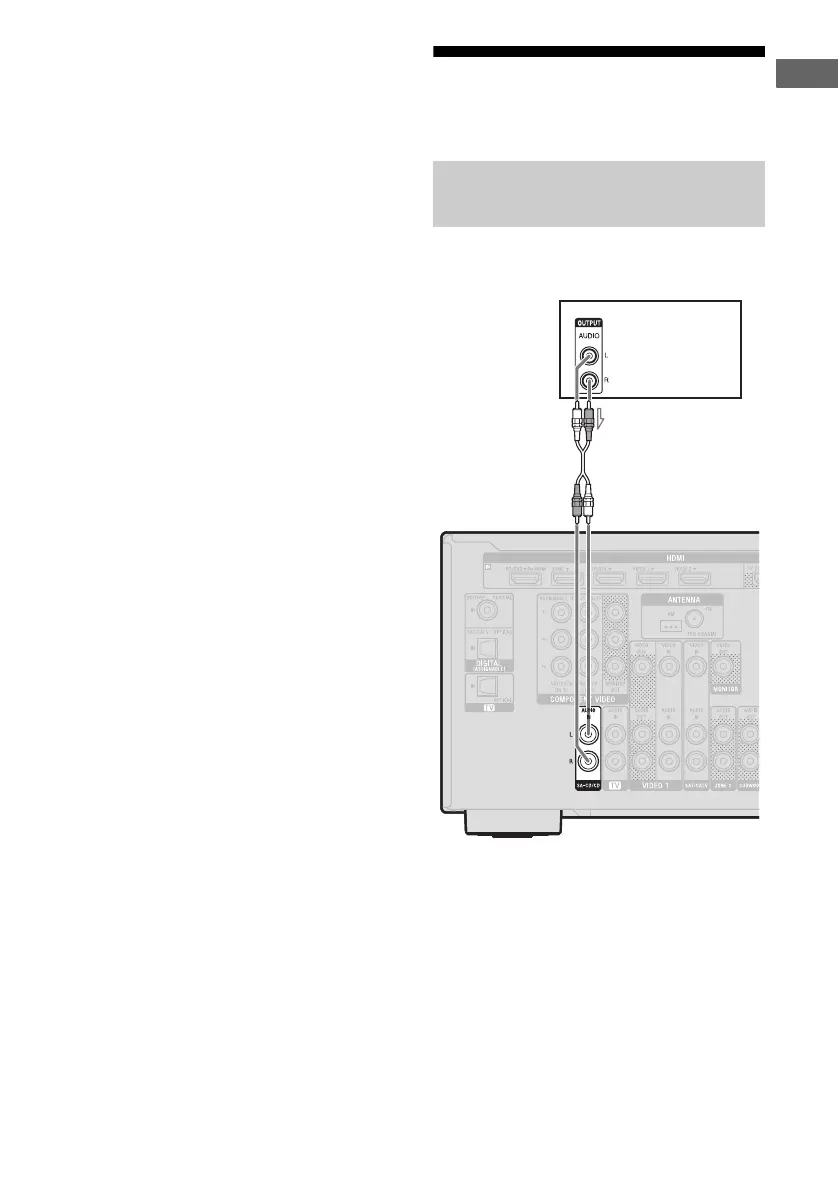
Connecting a Super Audio CD
player, CD player
Super Audio
CD player,
CD player
A Audio cord (not supplied)
A



 To Next Page