39
GB
D:\NORM'S JOB\SONY HA\SO0086\STR-DN610_PMRF 2\GB\GB05BAS_STR-DN610-U2.fm masterpage: Right
STR-DN610
4-167-824-13(1)
Basic Operations
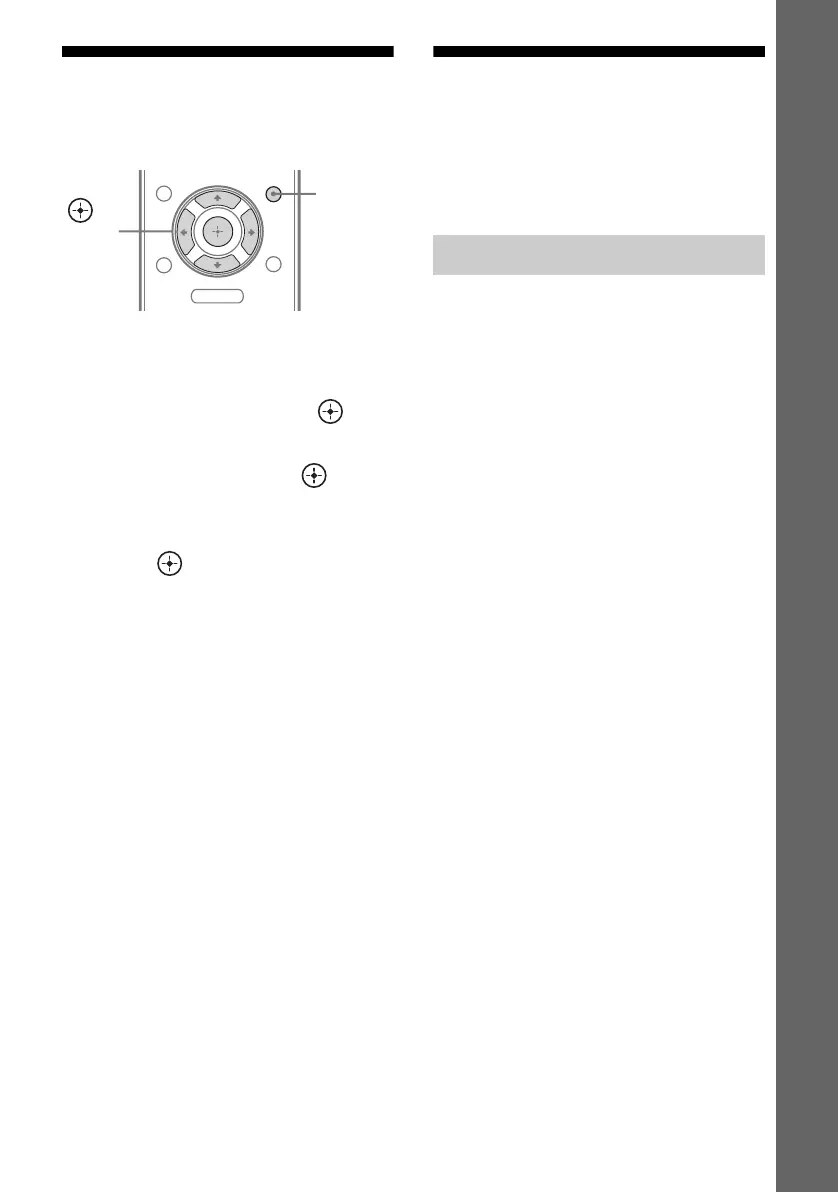
Using the Sleep Timer
You can set the receiver to turn off
automatically at a specified time.
1 Press AMP MENU.
2 Press V/v repeatedly to select
“SYSTEM”, then press or b.
3 Press V/v repeatedly to select
“SLEEP”, then press or b.
4 Press V/v repeatedly to select
the preset time you want, then
press .
The display changes as follows:
OFF y 0-30-00 y 1-00-00 y
1-30-00 y 2-00-00
When sleep timer is being used, the
“SLEEP” indicator lights up in the display.
Tips
• To check the remaining time before the receiver
turns off, repeat steps 1 to 3. The remaining time
appears on the display.
• A count down is displayed 1 minute before the
receiver turns off.
Recording
You can record from a video/audio component
using the receiver. Refer to the operating
instructions supplied with your recording
component.
You can record onto a CD-R using the
receiver. Refer to the operating instructions
supplied with your CD recorder.
1 Press one of the input buttons
to select the playback
component.
You can also use INPUT SELECTOR
+/– on the receiver.
2 Prepare the playback
component for playing.
For example, tune to the radio station you
want to record (page 40).
3 Prepare the recording
component.
Insert a blank CD-R into the CD recorder
and adjust the recording level.
4 Start recording on the
recording component, then
start playback on the playback
component.
Note
Sound adjustments do not affect the signal output
from the SA-CD/CD/CD-R AUDIO OUT jacks.
MENU
O
AMP
MENU
,
V/v/B/b
Recording onto a CD-R



 To Next Page