42
GB
D:\NORM'S JOB\SONY HA\SO0086\STR-DN610_PMRF 2\GB\GB05BAS_STR-DN610-U2.fm masterpage: Left
STR-DN610
4-167-824-13(1)
(Models of area code CA2 only)
You can change the AM tuning scale to either
9 kHz or 10 kHz using the buttons on the
receiver.
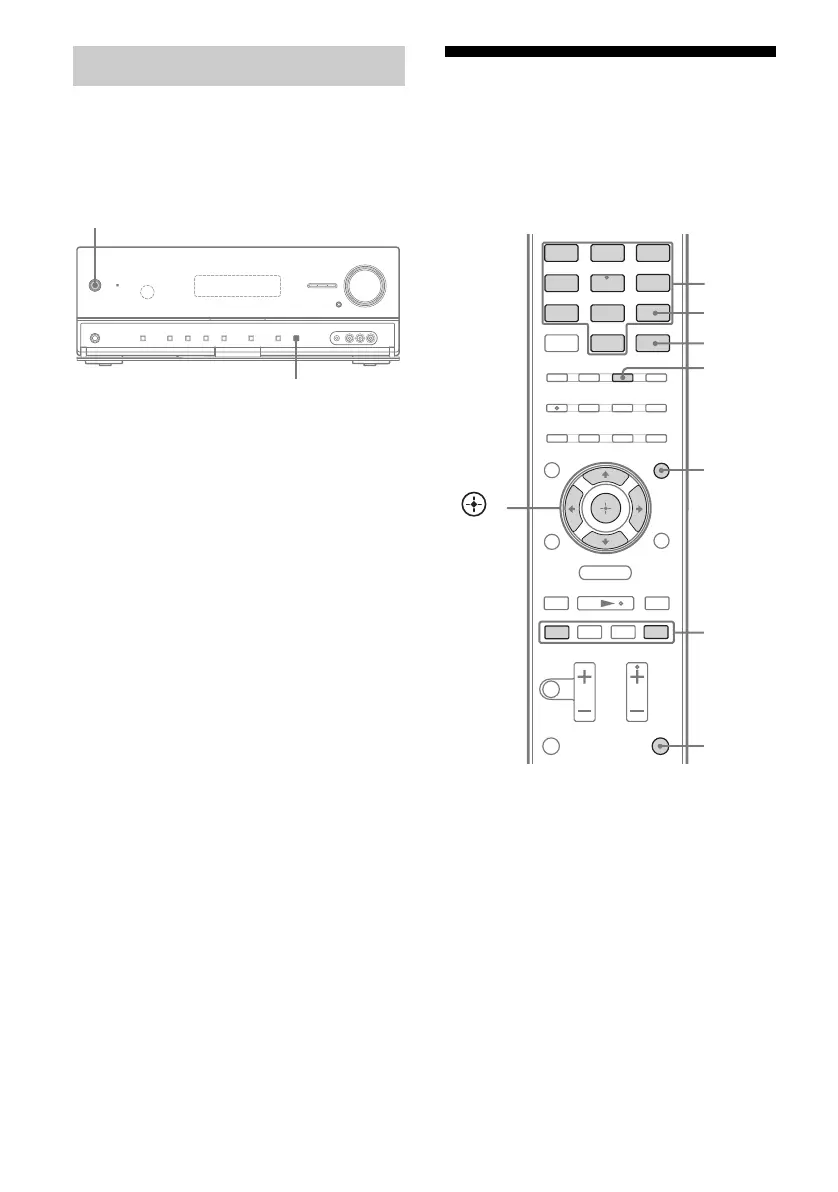
1 Press ?/1 to turn off the
receiver.
2 While holding down DISPLAY,
press ?/1.
3 Change the current AM tuning
scale to 9 kHz (or 10 kHz).
To reset the scale to 10 kHz (or 9 kHz),
repeat the procedure above.
Note
All preset stations will be erased when you change
the tuning scale.
Presetting FM/AM radio
stations
You can preset up to 30 FM stations and 30
AM stations. Then you can easily tune in the
stations you often listen to.
1 Press TUNER repeatedly to
select the FM or AM band.
You can also use INPUT SELECTOR
+/– on the receiver.
2 Tune in the station that you
want to preset using Automatic
Tuning (page 41) or Direct
Tuning (page 41).
Switch the FM reception mode, if
necessary (page 41).
3 Press MEMORY.
Changing the AM tuning scale
?/1
?/1
DISPLAY
.
mM
>
X
x
BD DVD
SAT/
CATV
VIDEO1
VIDEO2
SA-CD/
CD
DMPORT TUNER
MENU
O
TV
HDMI 2 HDMI 3HDMI 1
PRESET
+/–
Numeric
buttons
ENTER
AMP
MENU
,
V/v/B/b
MEMORY
TUNER
SHIFT



 To Next Page