41
US
Basic Operations
Overview of the home
menus
Playing an input source
equipment
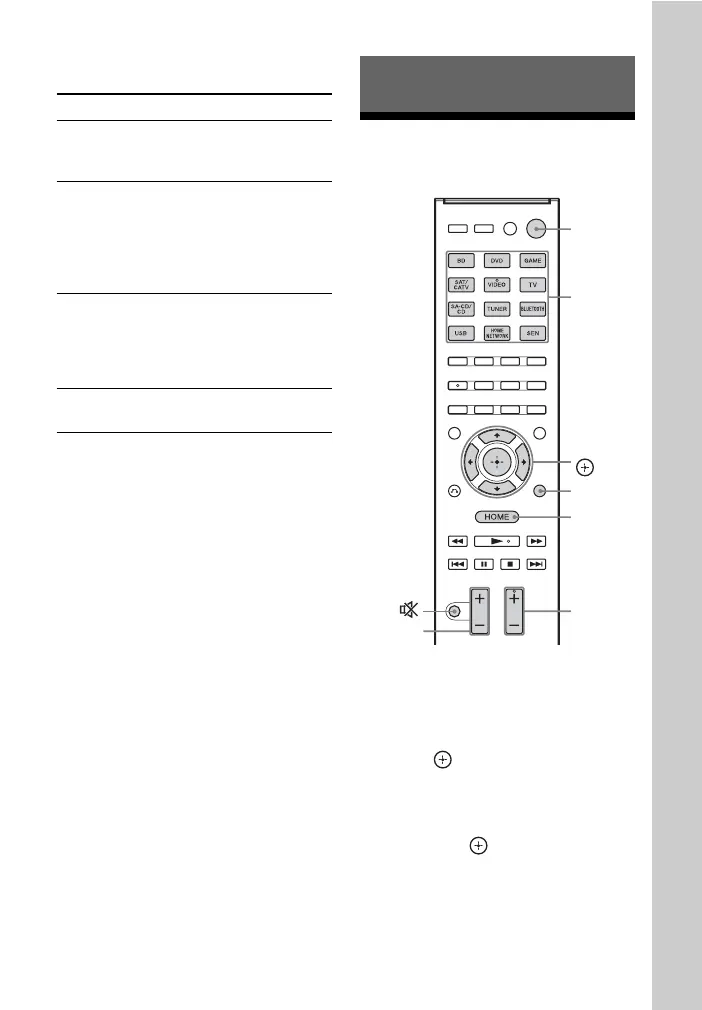
1 Press HOME.
The home menu is displayed on the TV
screen.
2 Select “Watch” or “Listen,” then
press .
The menu item list appears on the TV
screen.
3 Select the equipment you want,
then press .
4 Turn on the equipment and start
playback.
Menu icon Description
Watch Selects the video source to
be input to the receiver
(page 41).
Listen Selects the music from the
SA-CD/CD, USB device,
Bluetooth device, Home
Network or SEN (page 41).
You can also enjoy FM/AM
radio of the built in receiver.
Sound Effects Enables you to enjoy sound
development provided by
various Sony proprietary
technologies or functions
(page 51).
Settings Adjusts the settings of the
receiver (page 86).
Basic Operations
HOME
OPTIONS
2 +/–
Input
buttons
?/1
SOUND
FIELD +/–
V/v/B/b,



 To Next Page