66
US
Before using music services, you may have to
register your receiver depending on the service
provider. For details on registration, visit the
customer support site of the service provider.
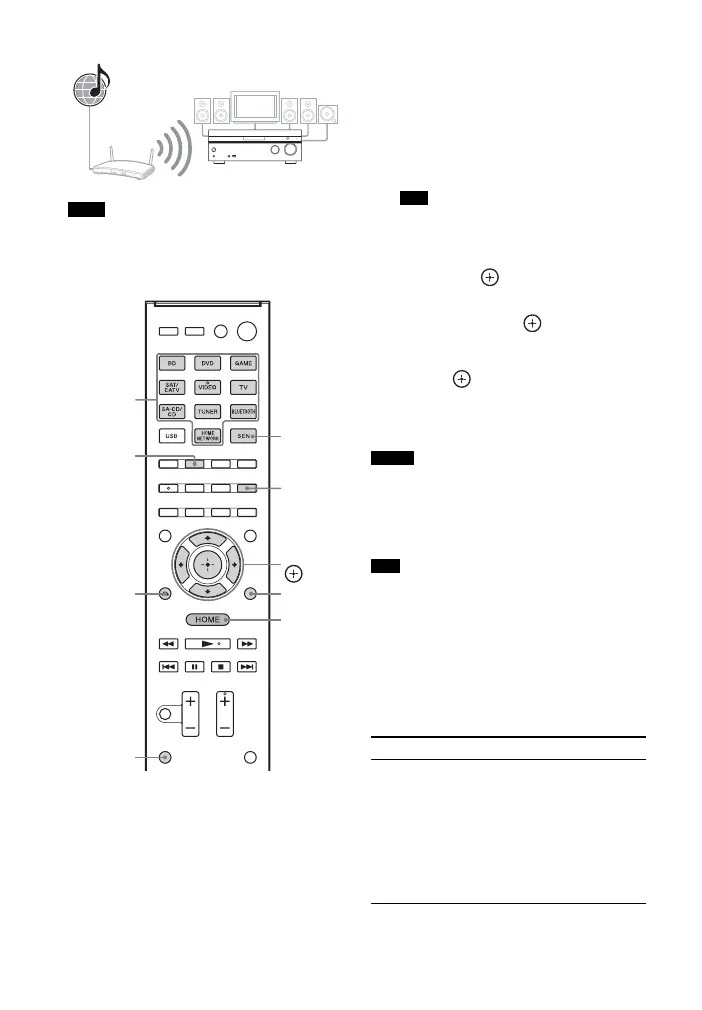
1 Press SEN.
The service provider list appears on the
TV screen. If the receiver
automatically displays the last selected
service or station, press RETURN O
repeatedly until the service provider
list appears.
You can also select “SEN” from “Listen” in
the home menu.
2 Select the music service you want,
then press .
3 Select the folder or station you
want, then press .
• Press V/v repeatedly to select the
item.
•Press to go to the next directory,
or to listen to the station.
• Press RETURN O to go to the
previous directory.
• If “No service is available” appears and you
cannot obtain a service provider list, press
OPTIONS and select “Refresh”.
• Internet content may be discontinued or
changed without notice.
The receiver displays the last selected service or
station when the function is changed to SEN
function, until the receiver is turned off. When
“Network Standby” is set to “On”, the last
selected service or station is displayed even if you
turned off the receiver.
To operate SEN function
using the remote control
Note
SEN
This receiver
RETURN
O
SEN
OPTIONS
Numeric
buttons
SHIFT
MEM
V/v/B/b,
ALPHABET
SEARCH
HOME
Tip
Notes
Tip
To Do the following
Change the
station or service
Press RETURN O to
return to the service
provider list, then select
the service again.
To return to the playback
display again, press
OPTIONS and select
“Now Playing”.



 To Next Page