8
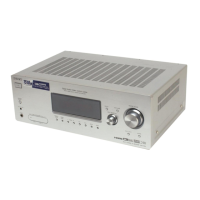
STR-K890
Name Function
J OPTIONS
TOOLS
Press to display and select
items from the option menus
for DVD player or
DVD/VHS COMBO.
To display the options of Sony
TV, press TV (wj) and then
press OPTIONS TOOLS.
K MENU Press to display the menus of
the receiver, VCR, DVD
player, satellite tuner, Blu-ray
disc recorder, PSX, DVD/
VHS COMBO, or DVD/HDD
COMBO on the TV screen.
Then, use V/v/B/b and to
perform menu operations.
To display the menus of Sony
TV, press TV (wj) and then
press MENU.
L ./>
b)
Press to skip tracks of the
VCR, CD player, VCD
player, LD player, DVD
player, MD deck, DAT deck,
tape deck, Blu-ray disc
recorder, PSX, DVD/VHS
COMBO, or DVD/HDD
COMBO.
m/M
b)
Press to
–search tracks in the forward/
backward direction of the
CD player, VCD player,
DVD player, LD player,
MD deck, Blu-ray disc
recorder, PSX, DVD/VHS
COMBO, or DVD/HDD
COMBO.
–fast forward/rewind of the
VCR, DAT deck, or tape
deck.
H
a)b)
Press to start playback of the
VCR, CD player, VCD
player, LD player, DVD
player, MD deck, DAT deck,
tape deck, Blu-ray disc
recorder, PSX, DVD/VHS
COMBO, or DVD/HDD
COMBO.
Name Function
X
b)
Press to pause playback or
recording of the VCR, CD
player, VCD player, LD
player, DVD player, MD
deck, DAT deck, tape deck,
Blu-ray disc recorder, PSX,
DVD/VHS COMBO, or
DVD/HDD COMBO. (Also
starts recording with
components in recording
standby.)
x
b)
Press to stop playback of the
VCR, CD player, VCD
player, LD player, DVD
player, MD deck, DAT
deck, tape deck, Blu-ray
disc recorder, PSX, DVD/
VHS COMBO, or DVD/
HDD COMBO.
TUNING +/– Press to scan a station.
M
Press TV (wj) and then
press TV CH +/– to select
preset TV channels.
PRESET
+
a)
/–
Press to
–select preset stations.
–select preset channels of
the VCR, satellite tuner,
Blu-ray disc recorder,
DVD player, DVD/VHS
COMBO, or DVD/HDD
COMBO.
N F1, F2 Press TV (wj) and then
press F1 or F2 to select a
component.
DVD/HDD COMBO
F1: HDD
F2: DVD
DVD/VHS COMBO
F1: DVD
F2: VHS
TV INPUT Press TV (wj) and then
press TV INPUT to select
the input signal (TV input or
video input).
WIDE Press TV (wj) and then
press WIDE to select the
wide picture mode.
O DVD TOP
MENU
Press to display the menu or
on-screen guide of the DVD
player on the TV screen.
Then, use V/v/B/b and to
perform menu operations.
DVD MENU Press to display the menu of
the DVD player on the TV
screen. Then, use V/v/B/b
and to perform menu
operations.
P MUTING Press to mute the sound.
To mute the sound of the TV,
press TV (wj) and then press
MUTING.
Q TV VOL +/– Press TV (wj) and then press
TV VOL +/– to adjust the TV
volume level.
MASTER
VOL +/–
Press to adjust the volume
level of all speakers at the
same time.
R DISC SKIP Press to skip disc of the CD
player, VCD player, DVD
player, or MD deck (multi-
disc changer only).
S REPLAY /
ADVANCE
Press to replay the previous
scene or fast forward the
current scene of the DVD
player, Blu-ray disc recorder,
DVD/VHS COMBO, or
DVD/HDD COMBO.
T RETURN/
EXIT O
Press to
–return to the previous menu.
–exit the menu while the
menu or on-screen guide of
the VCD player, LD player,
DVD player, Blu-ray disc
recorder, PSX, DVD/VHS
COMBO, or satellite tuner
is displayed on the TV
screen.
To return to the previous
menu of Sony TV, press TV
(wj) and then press
RETURN/EXIT O.
<
<





 To Next Page