EasyManua.ls Logo

Sony STR-V220 - Receiver Operations

Sony STR-V220
24 pages
Print Icon
To Next Page IconTo Next Page
To Previous Page IconTo Previous Page
Loading...
|
|
10
Receiver
Operations
=]
Using
the
remote
|
7,
The
remote
lets
you
operate
the
receiver
and
the
Sony
components
that
are
connected
to
it.
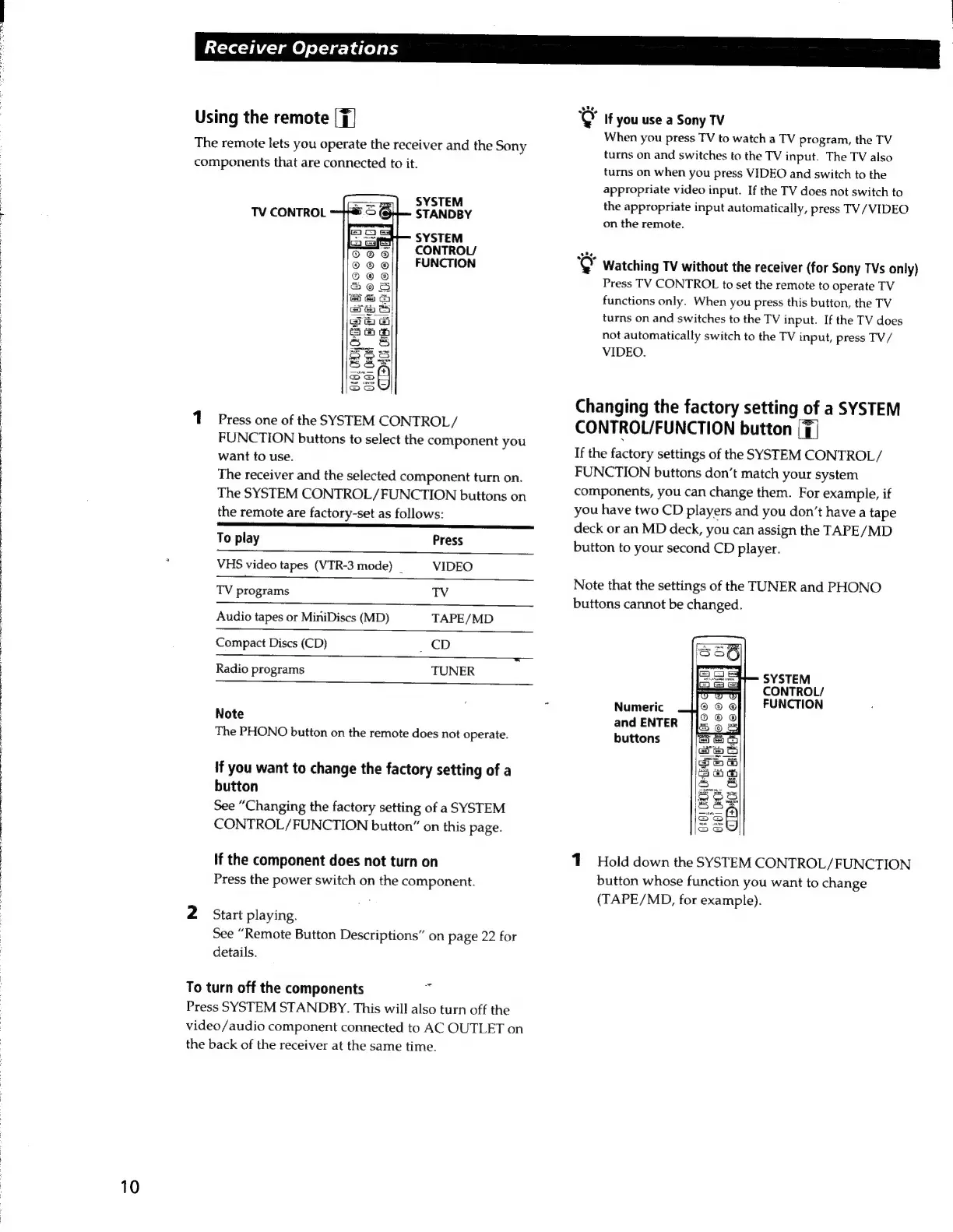
SYSTEM
STANDBY
SYSTEM
CONTROL/
FUNCTION
TV
CONTROL
1
Press
one
of
the
SYSTEM
CONTROL/
FUNCTION
buttons
to
select
the
component
you
want
to
use.
The
receiver
and
the
selected
component
turn
on.
The
SYSTEM
CONTROL/FUNCTION
buttons
on
the
remote
are
factory-set
as
follows:
Ce
To
play
Press
VHS
video
tapes
(VTR-3
mode)
_
VIDEO
TV
programs
TV
Audio
tapes
or
MiniDiscs
(MD)
TAPE/MD
Compact
Discs
(CD)
CD
Radio
programs
TUNER
Note
The
PHONO
button
on
the
remote
does
not
operate.
If
you
want
to
change
the
factory
setting
of
a
button
See
“Changing
the
factory
setting
of
a
SYSTEM
CONTROL/FUNCTION
button”
on
this
page.
If
the
component
does
not
turn
on
Press
the
power
switch
on
the
component.
2
Start
playing.
See
“Remote
Button
Descriptions”
on
page
22
for
details.
To
turn
off
the
components
Press
SYSTEM
STANDBY.
This
will
also
turn
off
the
video/audio
component
connected
to
AC
OUTLET
on
the
back
of
the
receiver
at
the
same
time.
"@
If
you
use
a
Sony
TV
When
you
press
TV
to
watch
a
TV
program,
the
TV
turns
on
and
switches
to
the
TV
input.
The
TV
also
turns
on
when
you
press
VIDEO
and
switch
to
the
appropriate
video
input.
If
the
TV
does
not
switch
to
the
appropriate
input
automatically,
press
TV/
VIDEO
on
the
remote.
‘Q
Watching
TV
without
the
receiver
(for
Sony
TVs
only)
Press
TV
CONTROL
to
set
the
remote
to
operate
TV
functions
only.
When
you
press
this
button,
the
TV
turns
on
and
switches
to
the
TV
input.
If
the
TV
does
not
automatically
switch
to
the
TV
input,
press
TV/
VIDEO.
Changing
the
factory
setting
of
a
SYSTEM
CONTROL/FUNCTION
button
([7|
If
the
factory
settings
of
the
SYSTEM
CONTROL
/
FUNCTION
buttons
don’t
match
your
system
components,
you
can
change
them.
For
example,
if
you
have
two
CD
players
and
you
don’t
have
a
tape
deck
or
an
MD
deck,
you
can
assign
the
TAPE/MD
button
to
your
second
CD
player.
Note
that
the
settings
of
the
TUNER
and
PHONO
buttons
cannot
be
changed.
SYSTEM
CONTROL/
Numeric
FUNCTION
and
ENTER
buttons
1
Hold
down
the
SYSTEM
CONTROL/FUNCTION
button
whose
function
you
want
to
change
(TAPE/MD,
for
example).

Related product manuals