EasyManua.ls Logo

Sony STR-V220 - Before You Use Your Receiver; AC Hookups

Sony STR-V220
24 pages
Print Icon
To Next Page IconTo Next Page
To Previous Page IconTo Previous Page
Loading...
Getting
Started
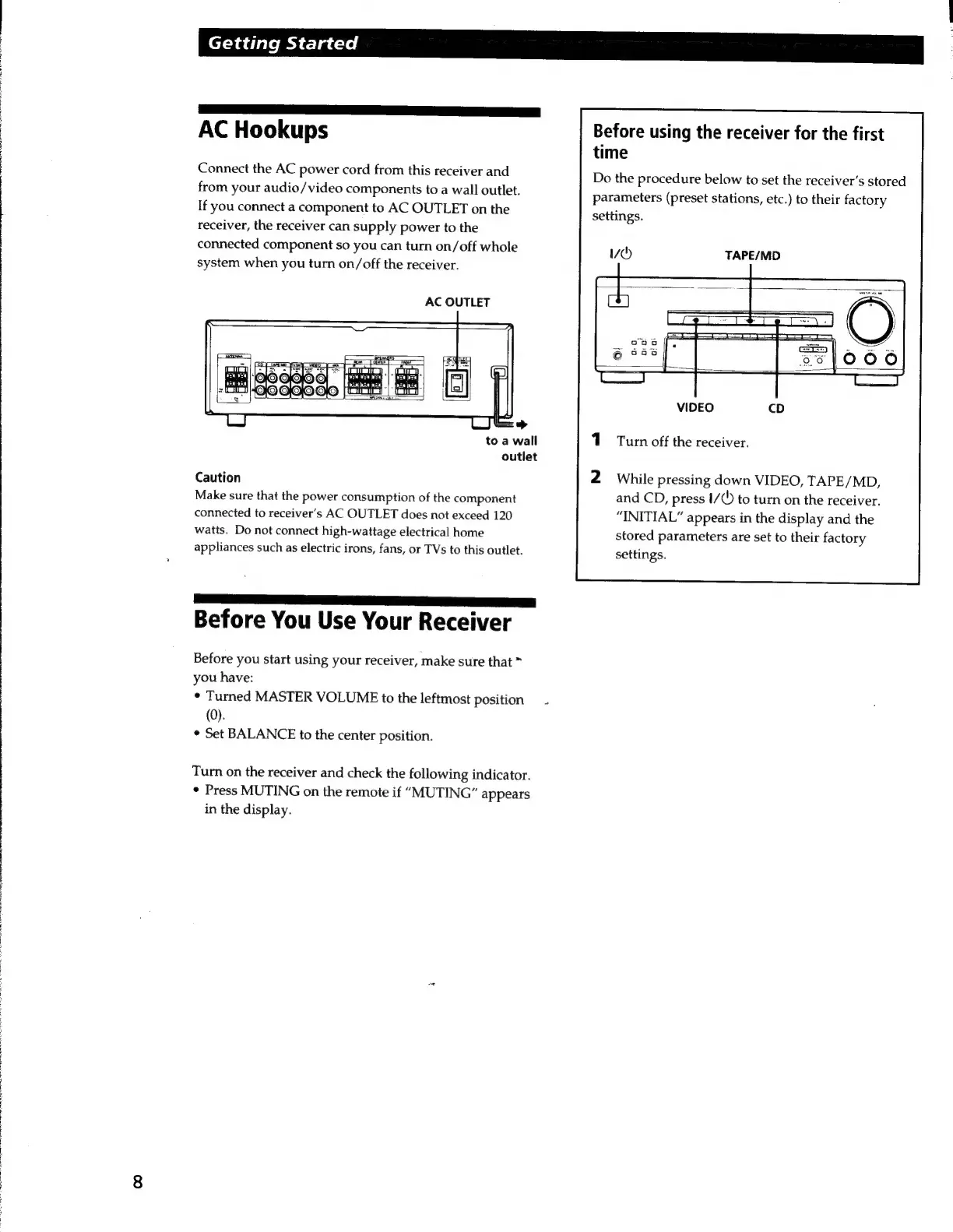
AC
Hookups
Connect
the
AC
power
cord
from
this
receiver
and
from
your
audio/video
components
to
a
wall
outlet.
If
you
connect
a
component
to
AC
OUTLET
on
the
receiver,
the
receiver
can
supply
power
to
the
connected
component
so
you
can
turn
on/off
whole
system
when
you
turn
on/off
the
receiver.
AC
OUTLET
to
a
wall
outlet
Caution
Make
sure
that
the
power
consumption
of
the
component
connected
to
receiver’s
AC
OUTLET
does
not
exceed
120
watts.
Do
not
connect
high-wattage
electrical
home
appliances
such
as
electric
irons,
fans,
or
TVs
to
this
outlet.
Before
You
Use
Your
Receiver
Before
you
start
using
your
receiver,
make
sure
that
you
have:
¢
Turned
MASTER
VOLUME
to
the
leftmost
position
(0).
*
Set
BALANCE
to
the
center position.
Turn
on
the
receiver
and
check
the
following
indicator.
*
Press
MUTING
on
the
remote
if
“MUTING”
appears
in
the
display.
Before
using
the
receiver
for
the
first
time
Do
the
procedure
below
to
set
the
receiver's
stored
parameters
(preset
stations,
etc.)
to
their
factory
settings.
TAPE/MD
Turn
off
the
receiver.
While
pressing
down
VIDEO,
TAPE/MD,
and
CD,
press
I/
()
to
turn
on
the
receiver.
“INITIAL”
appears
in
the
display
and
the
stored
parameters
are
set
to
their
factory
settings.

Related product manuals