EasyManua.ls Logo

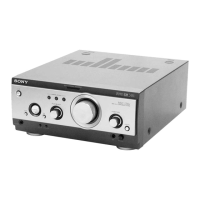
Sony TA-S2 - SECTION 1 GENERAL; Parts and Controls Identification

Sony TA-S2
19 pages
Print Icon
To Next Page IconTo Next Page
To Previous Page IconTo Previous Page
Loading...
Index
to
Parts
and
Controls
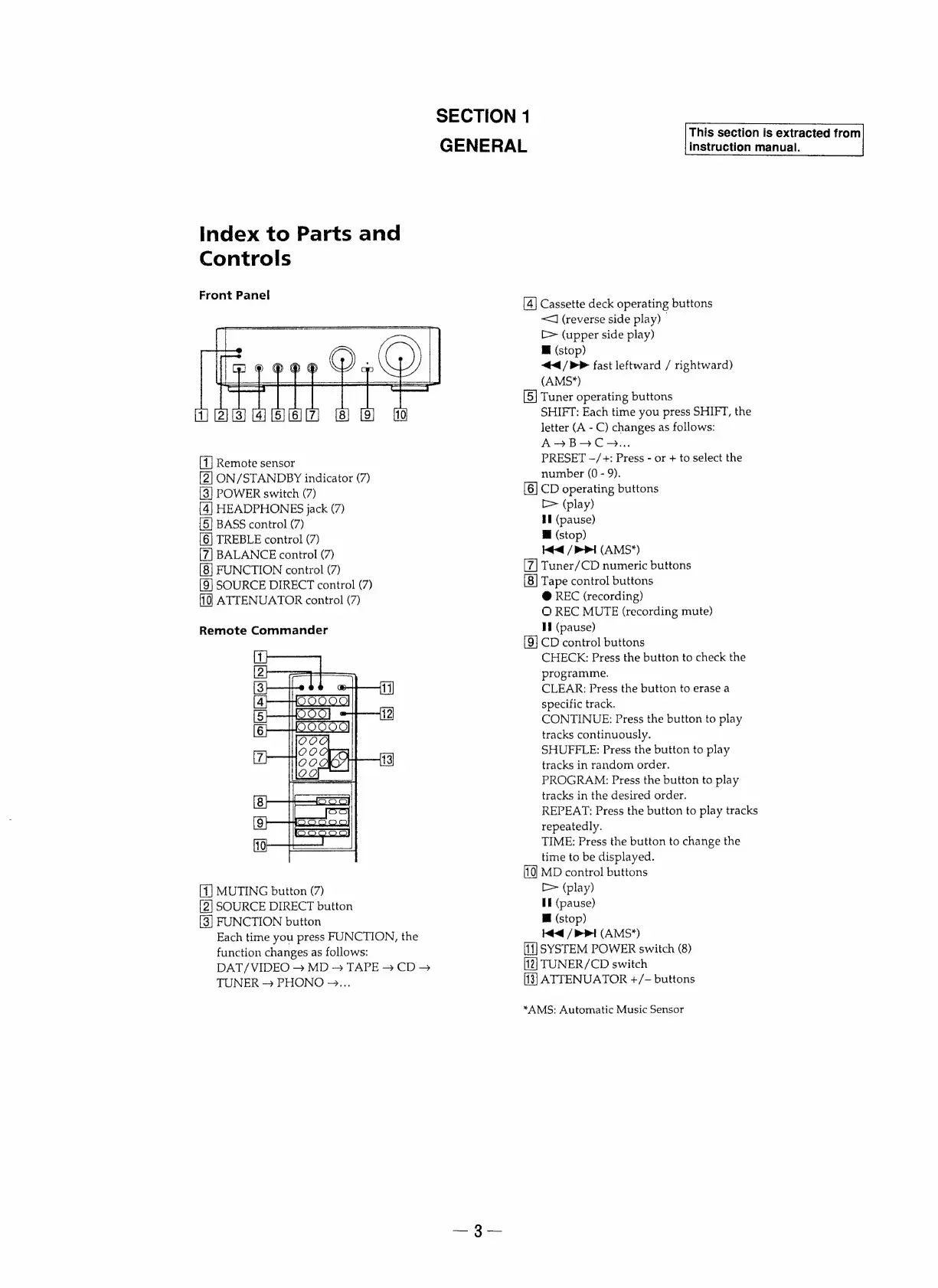
Front
Panel
SECTION
1
GENERAL
Remote
sensor
ON/STANDBY
indicator
(7)
POWER
switch
(7)
HEADPHONES
jack
(7)
BASS
control
(7)
[6]
TREBLE
control
(7)
BALANCE
control
(7)
FUNCTION
control
(7)
[9]
SOURCE
DIRECT
control
(7)
ATTENUATOR
control
(7)
Remote
Commander
MUTING
button
(7)
SOURCE
DIRECT
button
FUNCTION
button
Each
time
you
press
FUNCTION,
the
function
changes
as
follows:
DAT/VIDEO
>
MD
-
TAPE
CD
>
TUNER
PHONO
~...
Cassette
deck
operating
buttons
<J
(reverse
side
play)
[>
(upper
side
play)
Mi
(stop)
</>»
fast
leftward
/
rightward)
(AMS*)
Tuner
operating
buttons
SHIFT:
Each
time
you
press
SHIFT,
the
letter
(A
-
C)
changes
as
follows:
A>?BOC>...
PRESET
~/+:
Press
-
or
+
to
select
the
number
(0
-
9).
[6]
CD
operating
buttons
[>
(play)
HI
(pause)
Mi
(stop)
Ke
/
1
(AMS"*)
Tuner/CD
numeric
buttons
Tape
control
buttons
@
REC
(recording)
O
REC
MUTE
(recording
mute)
I
(pause)
[9]
CD
control
buttons
CHECK:
Press
the
button
to
check
the
programme.
CLEAR:
Press
the
button
to
erase
a
specific
track.
CONTINUE:
Press
the
button
to
play
tracks
continuously.
SHUFFLE:
Press
the
button
to
play
tracks
in
random
order.
PROGRAM:
Press
the
button
to
play
tracks
in
the
desired
order.
REPEAT:
Press
the
button
to
play
tracks
repeatedly.
TIME:
Press
the
button
to
change
the
time
to
be
displayed.
MD
control
buttons
[>
(play)
EE
(pause)
Mi
(stop)
Ke
/
>!
(AMS*)
SYSTEM
POWER
switch
(8)
TUNER/CD
switch
ATTENUATOR
+/-
buttons
*AMS:
Automatic
Music
Sensor
This
section
is
extracted
from
instruction
manual.

Other manuals for Sony TA-S2

Related product manuals