EasyManua.ls Logo

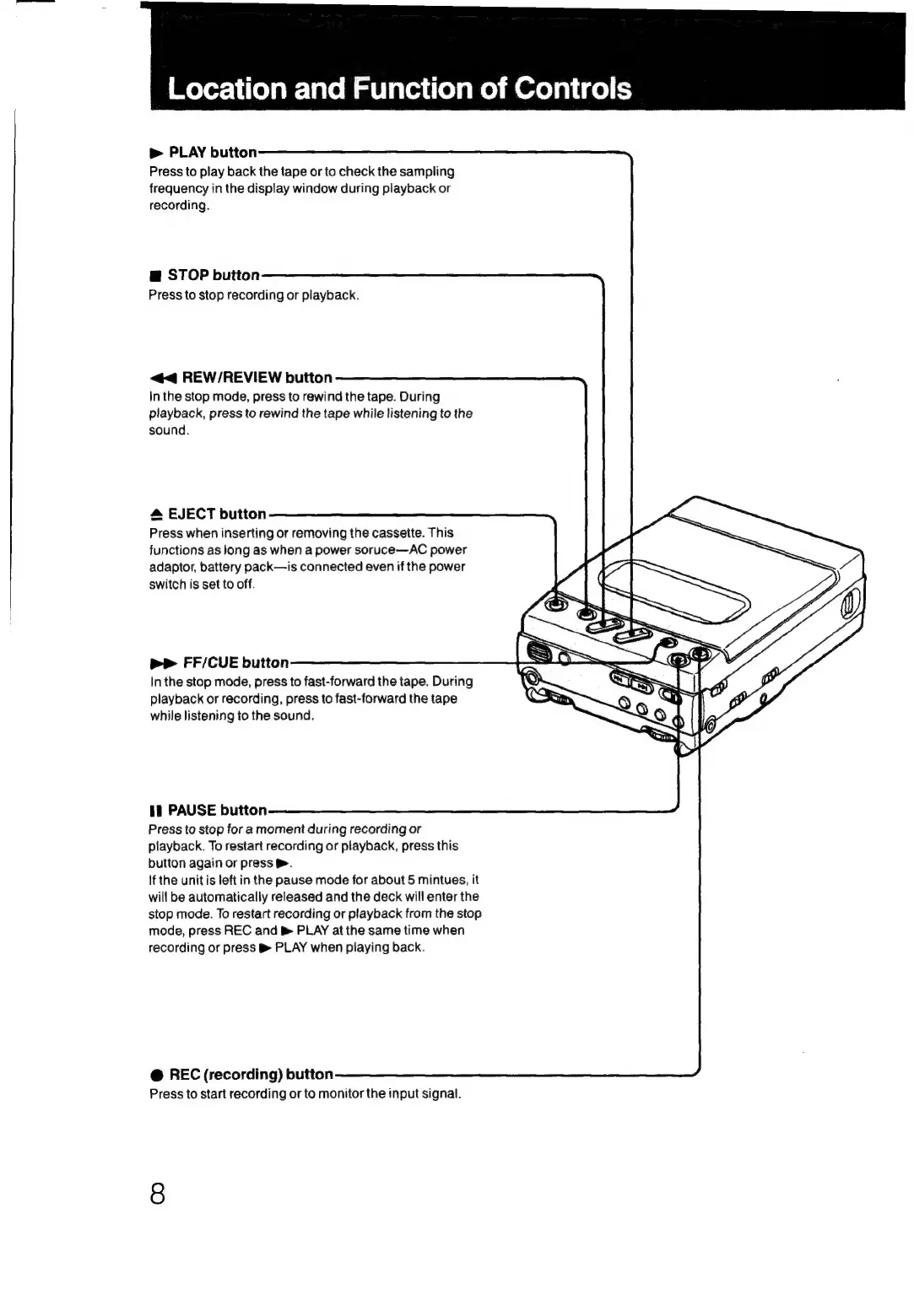
Sony TCD-D3 - Location and Function of Controls; Control Panel Layout

Sony TCD-D3
35 pages
Print Icon
To Next Page IconTo Next Page
To Previous Page IconTo Previous Page
Loading...
|
Wover-\
ela
lave
Mm
vlariiielsmelmerelalige)
(=
»
PLAY
button
Press
to
play
back
the
tape
or
to
check
the
sampling
frequency
in
the
display
window
during
playback
or
recording.
@
STOP
button
Press
to
stop
recording
or
playback.
<<
REW/REVIEW
button
In
the
stop
mode,
press
to
rewind
the
tape.
During
playback,
press
to
rewind
the
tape
while
listening
to
the
sound.
EJECT
button
Press
when
inserting
or
removing
the
cassette.
This
functions
as
long
as
when
a
power
soruce—AC
power
adaptor,
battery
pack—is
connected
even
if
the
power
switch
is
set
to
off.
Pp
FF/CUE
button
In
the
stop
mode,
press
to
fast-forward
the
tape.
During
playback
or
recording,
press
to
fast-forward
the
tape
while
listening
to
the
sound.
if
PAUSE
button
Press
to
stop
for
a
moment
during
recording
or
playback.
To
restart
recording
or
playback,
press
this
button
again
or
press
&.
If
the
unit
is
left
in
the
pause
mode
for
about
5
mintues,
it
will
be
automatically
released
and
the
deck
will
enter
the
stop
mode.
To
restart
recording
or
playback
from
the
stop
mode,
press
REC
and
&
PLAY
at
the
same
time
when
recording
or
press
®
PLAY
when
playing
back.
@
REC
(recording)
button
Press
to
start
recording
or
to
monitor
the
input
signal.

Related product manuals