28
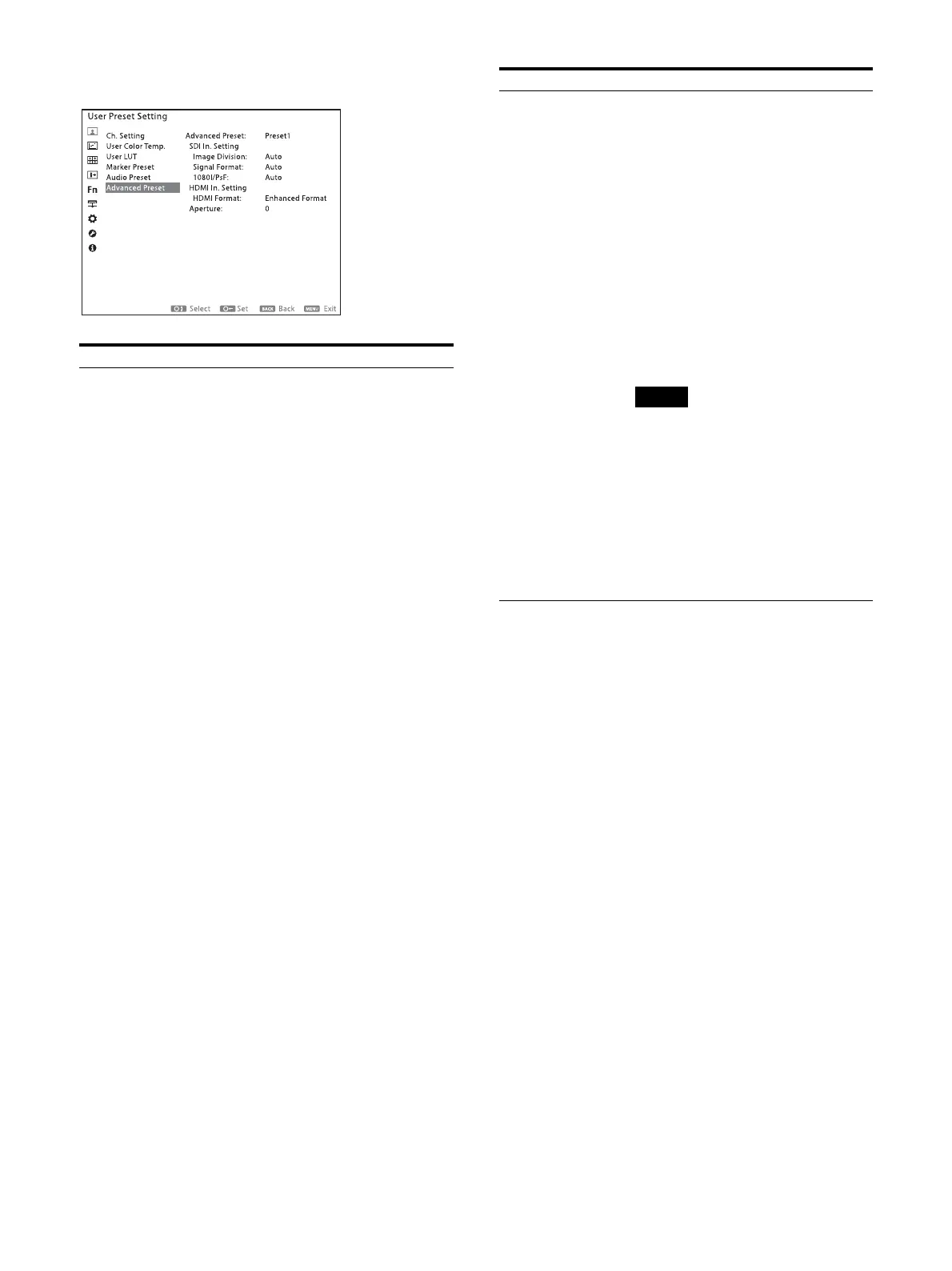
Advanced Preset
Submenu Setting
Advanced Preset Select the User Preset data to be
applied. Select from “Preset1” to
“Preset10.”
SDI In. Setting
Image Division: Sets the image
division of the SDI 4K signal.
Auto: Select for the Auto
setting.
2SI: Select to receive images
of the 2 sample Interleave
system.
Square: Select to receive
images of the Square system.
Signal Format: Select the format of
the SDI signals.
Auto
422 YCbCr 10bit
444 RGB 10bit
444 YCbCr 10bit
444 RGB 12bit
444 YCbCr 12bit
1080I/PsF: Sets how to display when
50I, 59.94I, 60I, 25PsF, 29.97PsF,
or 30PsF SDI 2K signals are
input.
23.98 Hz and 24 Hz signals are
processed as the PsF signal.
Auto: When Payload ID is
added to SDI signals, they are
processed based on the ID
data. They are processed as
the interlace signals without
the Payload ID.
PsF: Processes as the PsF
signal.
Interlace: Processes as the
interlace signal.
HDMI In. Setting HDMI Format: Change the setting to
receive images in a high-
resolution HDMI signal
1)
.
Standard Format: Select to
use for a standard HDMI
format signal.
Enhanced Format: Select to
use for a high-resolution
HDMI format signal
1)
.
1) Signals in resolutions of 3840 × 2160
or 4096 × 2160 are listed below:
4:4:4 RGB/YCbCr-50P/60P-8bit
signals
4:2:2 YCbCr-50P/60P-12bit signals
4:4:4 RGB/YCbCr-24P/25P/30P-10/
12bit signals
Images and sounds may not be
output correctly with “Enhanced
Format.” In that case, select
“Standard Format.”
To display the corresponding signal
with “Enhanced Format,” use a
Premium High-Speed HDMI cable
within a length of 3 meters (Sony
product recommended).
Aperture Sets the aperture of the selected
advanced preset.
Submenu Setting



 To Next Page
 Loading...