EasyManua.ls Logo

Sony Trinitron KV-20FV10 - Timer Functions; Setting Time and Daylight Saving; On;Off Timer Scheduling

Sony Trinitron KV-20FV10
41 pages
Print Icon
To Next Page IconTo Next Page
To Previous Page IconTo Previous Page
Loading...
User
Guide
Using
the
TIMER
menu
ED
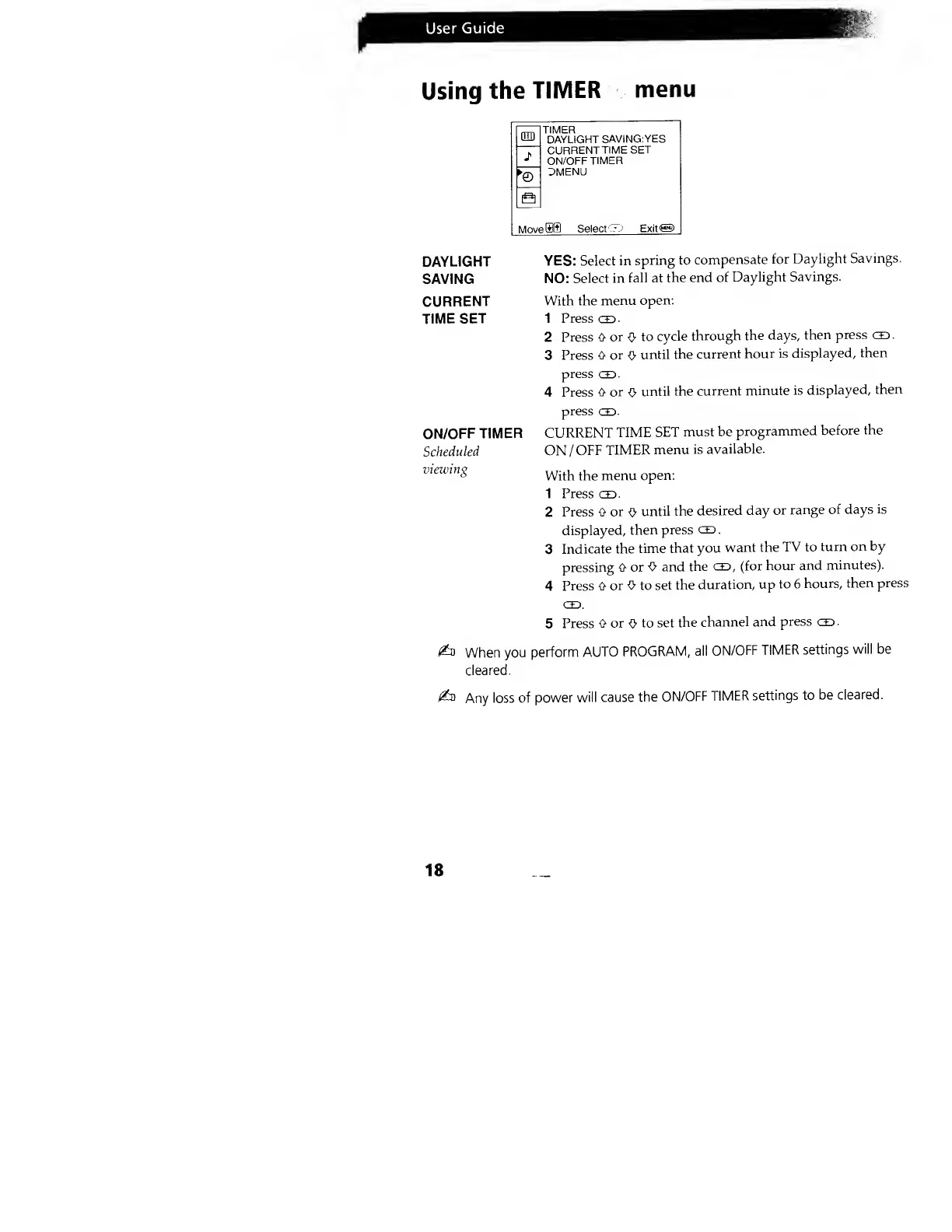
TIMER
DAYLIGHT
SAVING:YES
CURRENT
TIME
SET
ON/OFF
TIMER
3MENU
MoveU
Select
c-
J Exite
DAYLIGHT
YES: Select
in
spring to
compensate
for
Daylight
Savings.
SAVING
NO:
Select in
fall at
the end
of
Daylight
Savings.
CURRENT
With the
menu
open:
TIME SET
1 Presses.
2
Press tt
or
^>
to
cycle
through
the days,
then press CD
.
3 Press
O or
O
until
the
current
hour is
displayed,
then
press
CD.
4 Press
0 or
0
until
the
current
minute
is
displayed,
then
press
CD.
CURRENT
TIME
SET
must be
programmed
before
the
ON
/OFF
TIMER
menu
is
available.
With the
menu
open:
1 Press co.
2 Press 0
or
0
until the
desired
day
or
range
of days
is
displayed,
then press
CD
.
3
Indicate the
time
that you
want the
TV to
turn
on by
pressing O or
O and
the
CD, (for
hour
and
minutes).
4
Press 0
or O to
set the
duration, up
to 6
hours,
then press
CD.
5 Press
0 or
0
to set
the
channel
and
press
CD
.
£d
When
you
perform
AUTO
PROGRAM,
all
ON/OFF
TIMER
settings
will be
cleared.
ON/OFF
TIMER
Scheduled
viewing
i&
Any
loss of
power
will cause
the
ON/OFF
TIMER
settings to
be
cleared.
18

Related product manuals