EasyManua.ls Logo

Sony Trinitron KV-20FV10 - Set Up Menu Configuration; Parental Control and Video Labeling; Caption Vision, Language, and Tilt

Sony Trinitron KV-20FV10
41 pages
Print Icon
To Next Page IconTo Next Page
To Previous Page IconTo Previous Page
Loading...
Using
the
Menus
Using
the
SET
UP ^
J
menu
ED
©
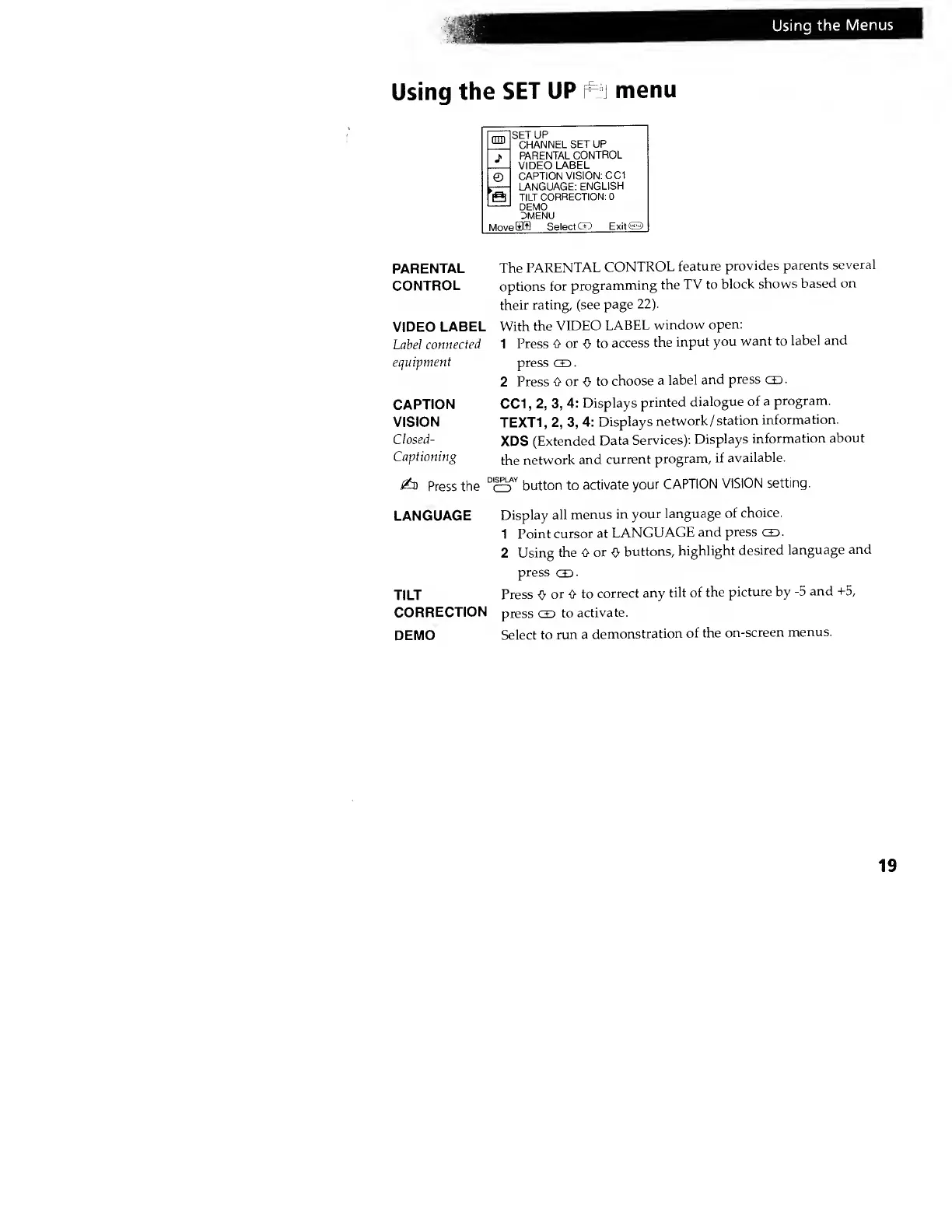
SETUP
CHANNEL
SET UP
PARENTAL
CONTROL
VIDEO
LABEL
CAPTION
VISION:
CC1
LANGUAGE:
ENGLISH
TILT
CORRECTION:
0
DEMO
3MENU
Sffl Select
GO ExitO
PARENTAL
CONTROL
VIDEO
LABEL
Label
connected
equipment
CAPTION
VISION
Closed-
Captioning
£o
Press
the
LANGUAGE
TILT
CORRECTION
DEMO
The
PARENTAL
CONTROL
feature
provides
parents
several
options
for
programming
the
TV to
block
shows
based on
their
rating, (see
page 22).
With
the
VIDEO
LABEL
window
open:
1 Press
0 or
O
to
access
the
input
you
want
to
label
and
press
co
.
2 Press
0 or
-!} to
choose
a
label
and
press
CO.
CC1
,
2,
3,
4: Displays
printed
dialogue
of a
program.
TEXT1,
2,
3,
4:
Displays
network
/station
information.
XDS
(Extended
Data
Services):
Displays
information
about
the
network
and
current
program,
if
available.
button to
activate
your
CAPTION
VISION setting.
DISPLAY
CD
Display
all
menus
in
your
language
of
choice.
1
Point
cursor at
LANGUAGE
and
press
co.
2
Using
the 0
or
0
buttons,
highlight
desired
language
and
press
co
•
Press
0
or 0 to
correct
any
tilt of
the
picture by
-5
and +5,
press co
to
activate.
Select
to
run a
demonstration
of the
on-screen
menus.
19