EasyManua.ls Logo

Sony Trinitron KV-20FV10 - Channel Setup Menu Options; Favorite Channels and Cable Settings; Channel Fix, Auto Program, Skip;Add

Sony Trinitron KV-20FV10
41 pages
Print Icon
To Next Page IconTo Next Page
To Previous Page IconTo Previous Page
Loading...
User
Guide
r
CHANNEL
SET
UP
menu
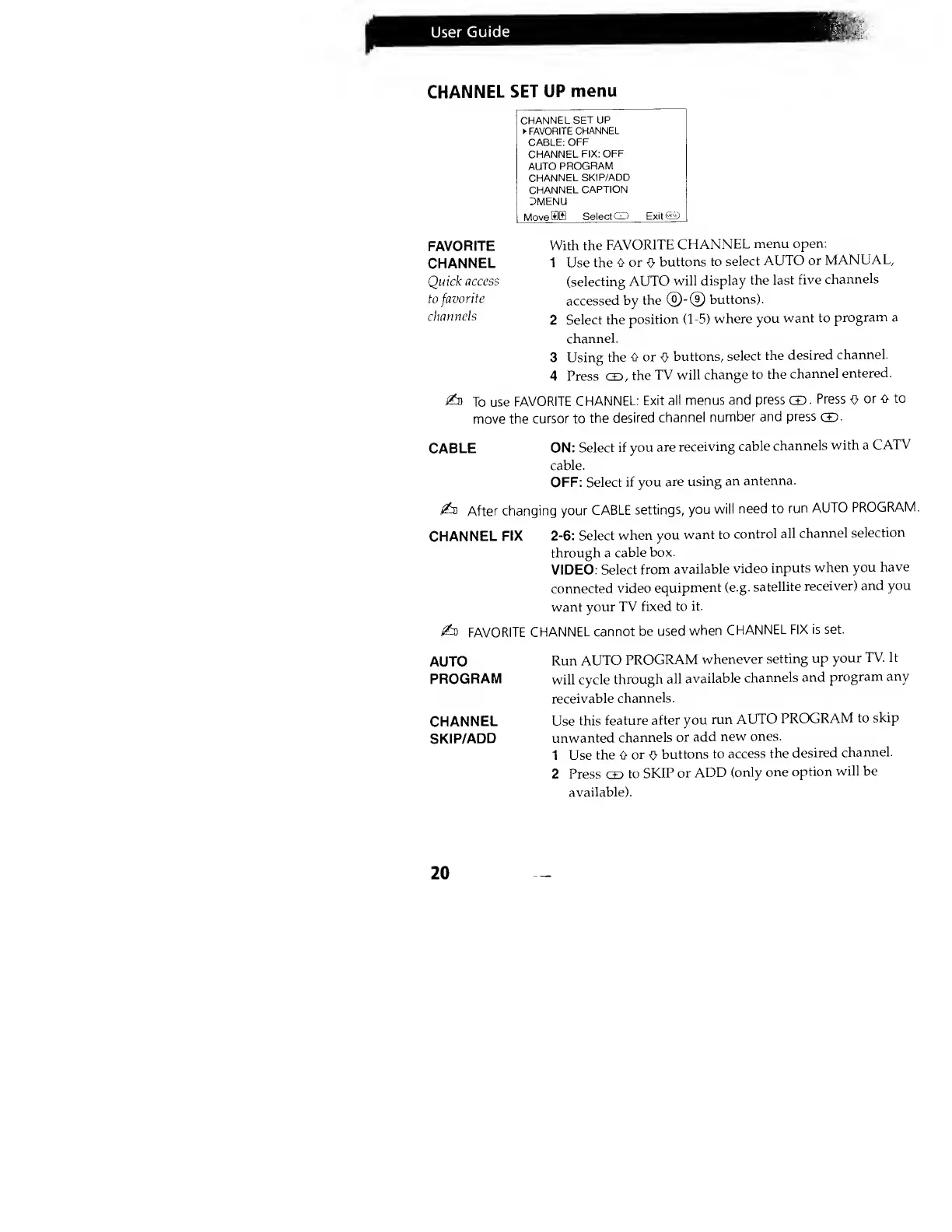
CHANNEL
SET UP
FAVORITE
CHANNEL
CABLE:
OFF
CHANNEL
FIX:
OFF
AUTO
PROGRAM
CHANNEL
SKIP/ADD
CHANNEL
CAPTION
DMENU
MovefflB
Select
CD Exit®
FAVORITE
CHANNEL
Quick
access
to favorite
channels
With the
FAVORITE
CHANNEL
menu
open:
1 Use the
0 or
0
buttons to
select
AUTO
or
MANUAL,
(selecting
AUTO
will
display
the
last
five
channels
accessed
by
the ®-®
buttons).
2
Select the
position
(1-5) where
you
want to
program a
channel.
3 Using
the
0 or
0
buttons,
select
the
desired
channel.
4 Press CD,
the
TV
will change
to the
channel
entered.
i&
To
use
FAVORITE
CHANNEL:
Exit
all
menus and
press
CD.
Press
O
or
O to
move the
cursor to
the
desired
channel
number
and
press
CD-
CABLE
ON:
Select if
you
are
receiving
cable
channels
with a
CATV
cable.
OFF: Select
if you
are
using
an
antenna.
£n
After
changing your
CABLE
settings, you
will
need to
run
AUTO
PROGRAM.
CHANNEL
FIX
2-6: Select
when
you
want to
control
all
channel
selection
through a
cable
box.
VIDEO:
Select
from
available
video
inputs
when
you
have
connected
video
equipment
(e.g.
satellite
receiver)
and you
want
your TV
fixed
to it.
£z
FAVORITE
CHANNEL
cannot
be used
when
CHANNEL FIX
is set.
AUTO
Run
AUTO
PROGRAM
whenever
setting
up
your
TV. It
PROGRAM
will
cycle
through
all
available
channels
and
program
any
receivable
channels.
CHANNEL
Use
this
feature
after
you
run
AUTO
PROGRAM
to
skip
SKIP/ADD
unwanted
channels
or
add
new ones.
1 Use
the 0
or
o
buttons
to
access
the
desired
channel.
2 Press
CD
to
SKIP
or
ADD
(only
one
option
will be
available).
20