TV
and Cable Box
TV
VIDEO IN
1
-n
From
1
1
Cable
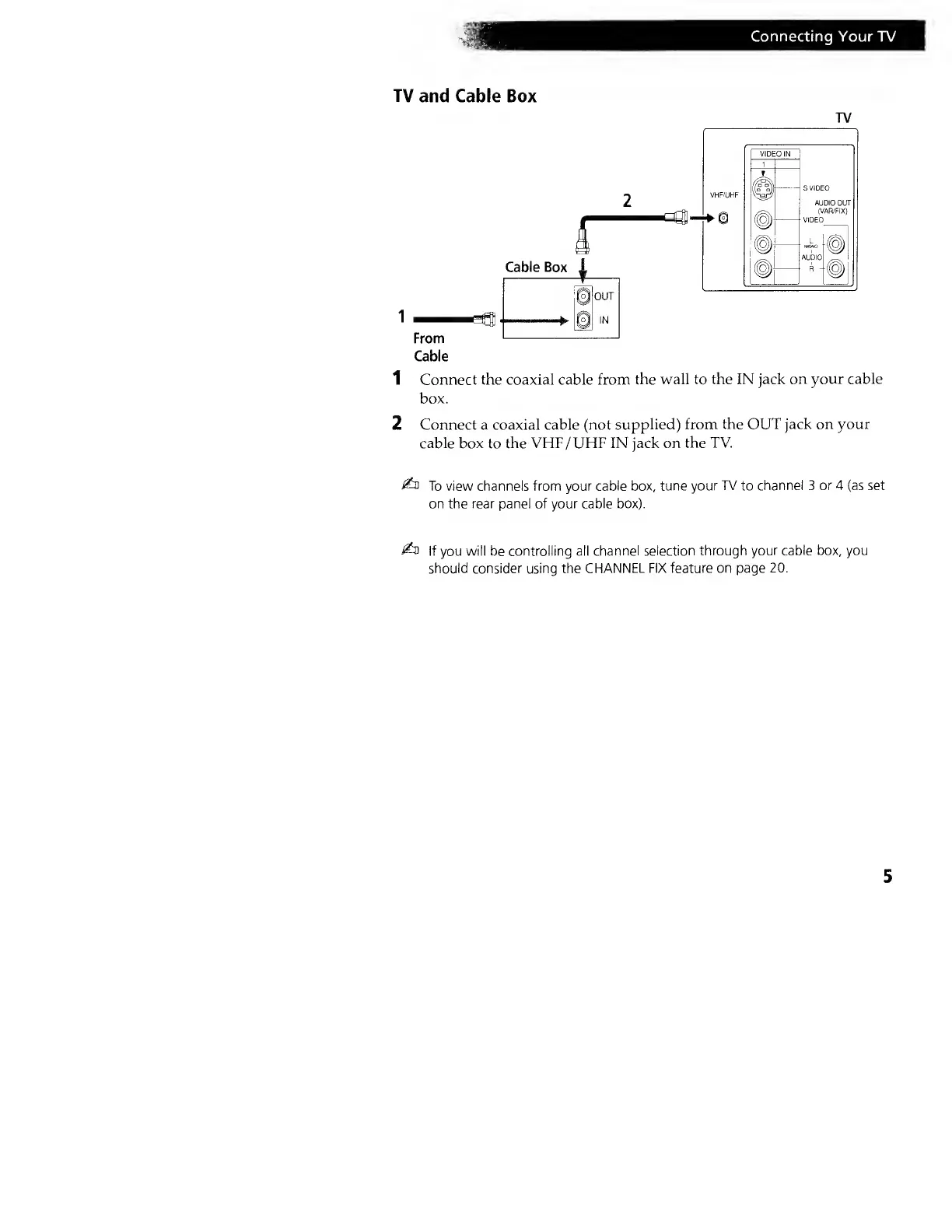
1 Connect the coaxial cable from
the wall to the IN jack
on your cable
box.
2 Connect a coaxial cable (not
supplied) from
the OUT jack on your
cable box
to
the VHF/UHF IN jack on
the TV.
£n
To view channels from your
cable box, tune your
TV
to
channel 3 or 4 (as set
on the
rear
panel of your
cable box).
£d
If you will be controlling all
channel selection through
your cable box, you
should consider using the
CHANNEL FIX feature on page
20.




 To Next Page