EasyManua.ls Logo

Sony Trinitron KV-29F3A - ADVANCED TV OPERATIONS; Menu-Based TV Adjustments

Sony Trinitron KV-29F3A
58 pages
Print Icon
To Next Page IconTo Next Page
To Previous Page IconTo Previous Page
Loading...
—olr—
10
TV
Operation
(continued)
Tune
ina
channel
temporarily
C®.
The
indication
“C”
appears.
Enter
the
double
digit
number.
e.g.
For
21,
press
2
then
1.
View
video
input
picture
(see
page
30
for
detailed
information)
-D
@
G
repeatedly
until
the
desired
video
input
appears.
Press
CO
@
to
restore
the
TV
picture.
View
teletext
(see
page
27
for
detailed
information)
Switch
on
Se
Select
a
page
three
number
buttons
®
or
@)
®
(for
next
Use
fastext
Switch
off
TV
Operation
page)
or
&¥)
®
(for
previous
page).
Push
joystick
@
to
select
a
colour.
Advanced
Operations
Adjusting
and
Setting
the
TV
Using
the
Menu
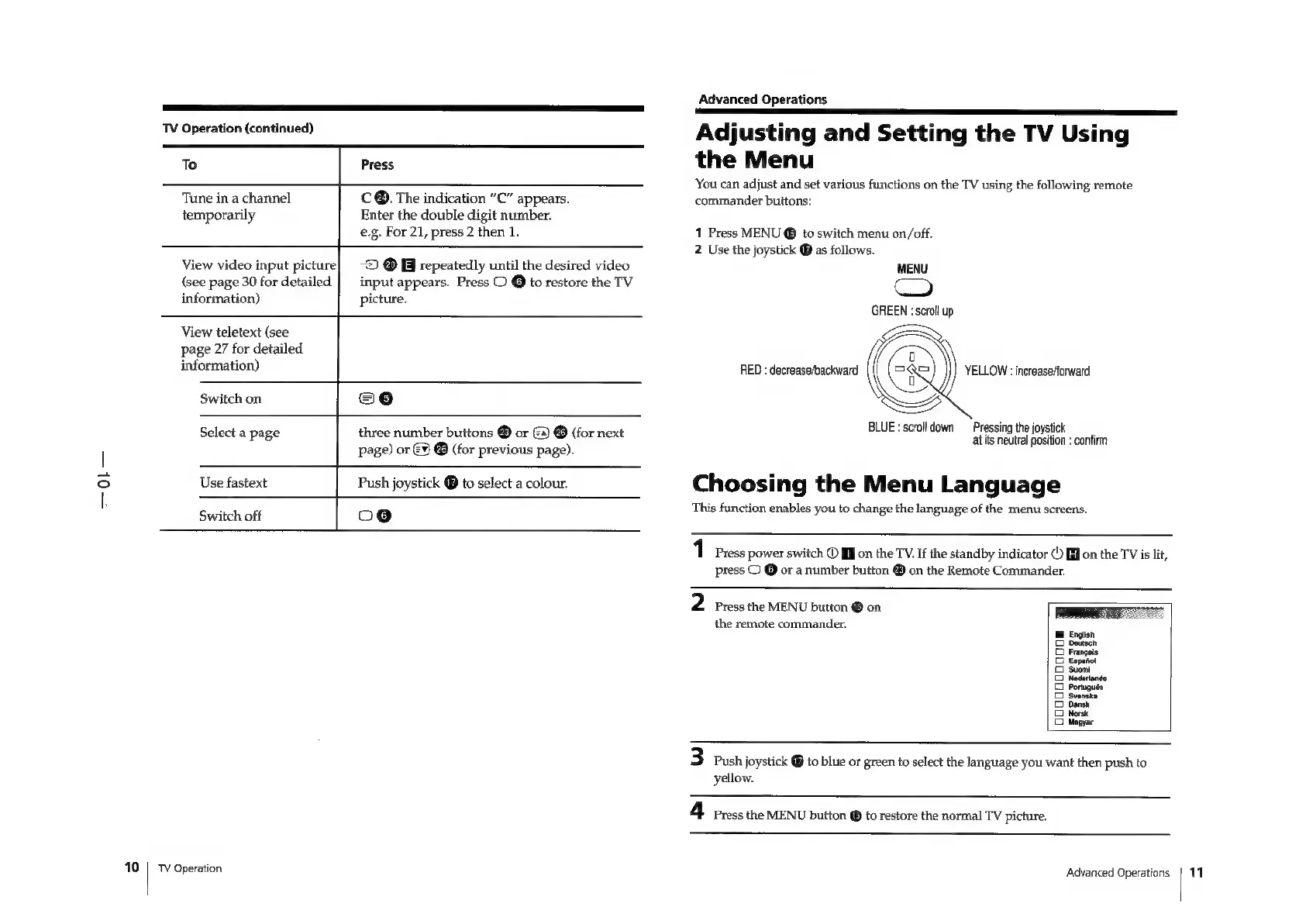
You
can
adjust
and
set
various
functions
on
the
TV
using
the
following
remote
commander
buttons:
1
Press
MENU
@
to
switch
menu
on/off.
2
Use
the
joystick
@
as
follows.
MENU
Co
GREEN
:
scroll
up
Q
RED
:
decrease/backward
sia
t
Si
YELLOW
:
increase/forward
BLUE
:
scroll
down
Pressing
the
joystick
at
its
neutral
position
:
confirm
Choosing
the
Menu
Language
This
function
enables
you
to
change
the
language
of
the
menu
screens.
1
Press
power
switch
©
J
on
the
TV.
If
the
standby
indicator
©)
fi]
on
the
TV
is
lit,
press
C
@
or
a
number
button
®
on
the
Remote
Commander.
2
Press
the
MENU
button
Gon
the
remote
commander.
eooeaoaaes
(qt
HF
E
g
3
Push
joystick
®
to
blue
or
green
to
select
the
language
you
want
then
push
to
yellow.
4
Press
the
MENU
button
@
to
restore
the
normal
TV
picture.
Advanced
Operations
|
14

Related product manuals