EasyManua.ls Logo

Sony Trinitron KV-29F3A - CHANNEL TUNING AND TV OPERATION; Automatic Channel Presetting; Basic TV Operation

Sony Trinitron KV-29F3A
58 pages
Print Icon
To Next Page IconTo Next Page
To Previous Page IconTo Previous Page
Loading...
8
—k_
&
@@
}
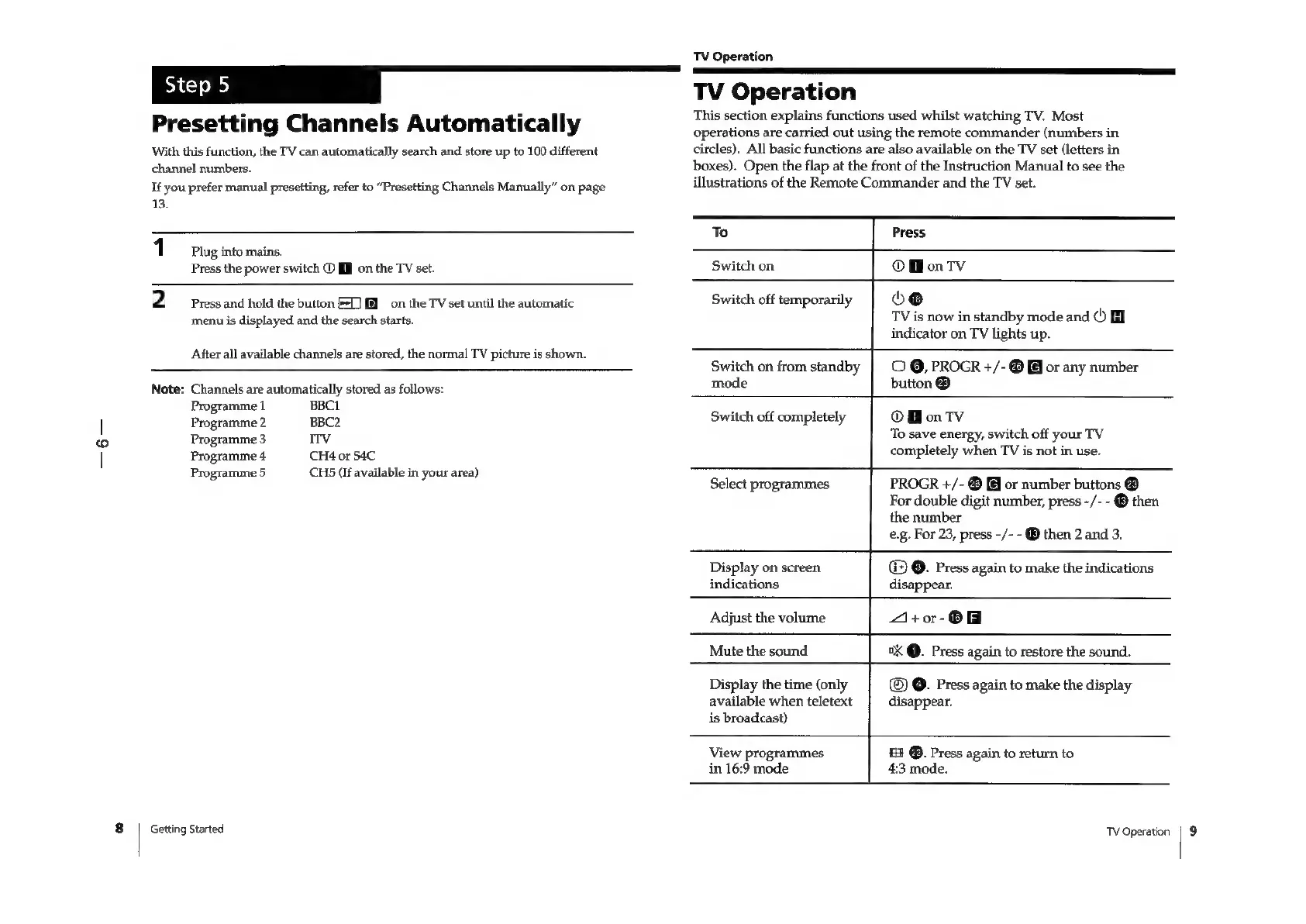
Presetting
Channels
Automatically
With
this
function,
the
TV
can
automatically
search
and
store
up
to
100
different
channel
numbers.
If
you
prefer
manual
presetting,
refer
to
“Presetting
Channels
Manually”
on
page
13.
1
Plug
into
mains.
Press
the
power
switch
©
[I
on
the
TV
set.
2
Press
and
hold
the
button
E15)
on
the
TV
set
until
the
automatic
menu
is
displayed
and
the
search
starts.
After
all
available
channels
are
stored,
the
normal
TV
picture
is
shown.
Note:
Channels
are
automatically
stored
as
follows:
Programme
1
BBCI
Programme
2
BBC2
Programme
3
ITV
Programme
4
CH4
or
S4C
Programme
5
CHS
(if
available
in
your
area)
Getting
Started
TV
Operation
TV
Operation
This
section
explains
functions
used
whilst
watching
TV.
Most
operations
are
carried
out
using
the
remote
commander
(numbers
in
circles).
All
basic
functions
are
also
available
on
the
TV
set
(letters
in
boxes).
Open
the
flap
at
the
front
of
the
Instruction
Manual
to
see
the
illustrations
of
the
Remote
Commander
and
the
TV
set.
To
Switch
on
Switch
off
temporarily
Switch
on
from
standby
mode
Switch
off
completely
Select
programmes
Display
on
screen
indications
Adjust
the
volume
Mute
the
sound
Display
the
time
(only
available
when
teletext
is
broadcast)
View
programmes
in
16:9
mode
Press
OMonTv
oo
TV
is
now
in
standby
mode
and
()
indicator
on
TV
lights
up.
©
@,
PROGR
+/-
@
@
or
any
number
button
®
OMonTv
To
save
energy,
switch
off
your
TV
completely
when
TV
is
not
in
use.
PROGR
+/-
®
(@
or
number
buttons
@
For
double
digit
number,
press
-/-
-
®
then
the
number
e.g.
For
23,
press
-/-
-
®
then
2
and
3.
©.
Press
again
to
make
the
indications
disappear.
4+or-O
°X
@.
Press
again
to
restore
the
sound.
©.
Press
again
to
make
the
display
disappear.
£3
@.
Press
again
to
return
to
4:3
mode.
TV
Operation
|
9

Related product manuals