EasyManua.ls Logo

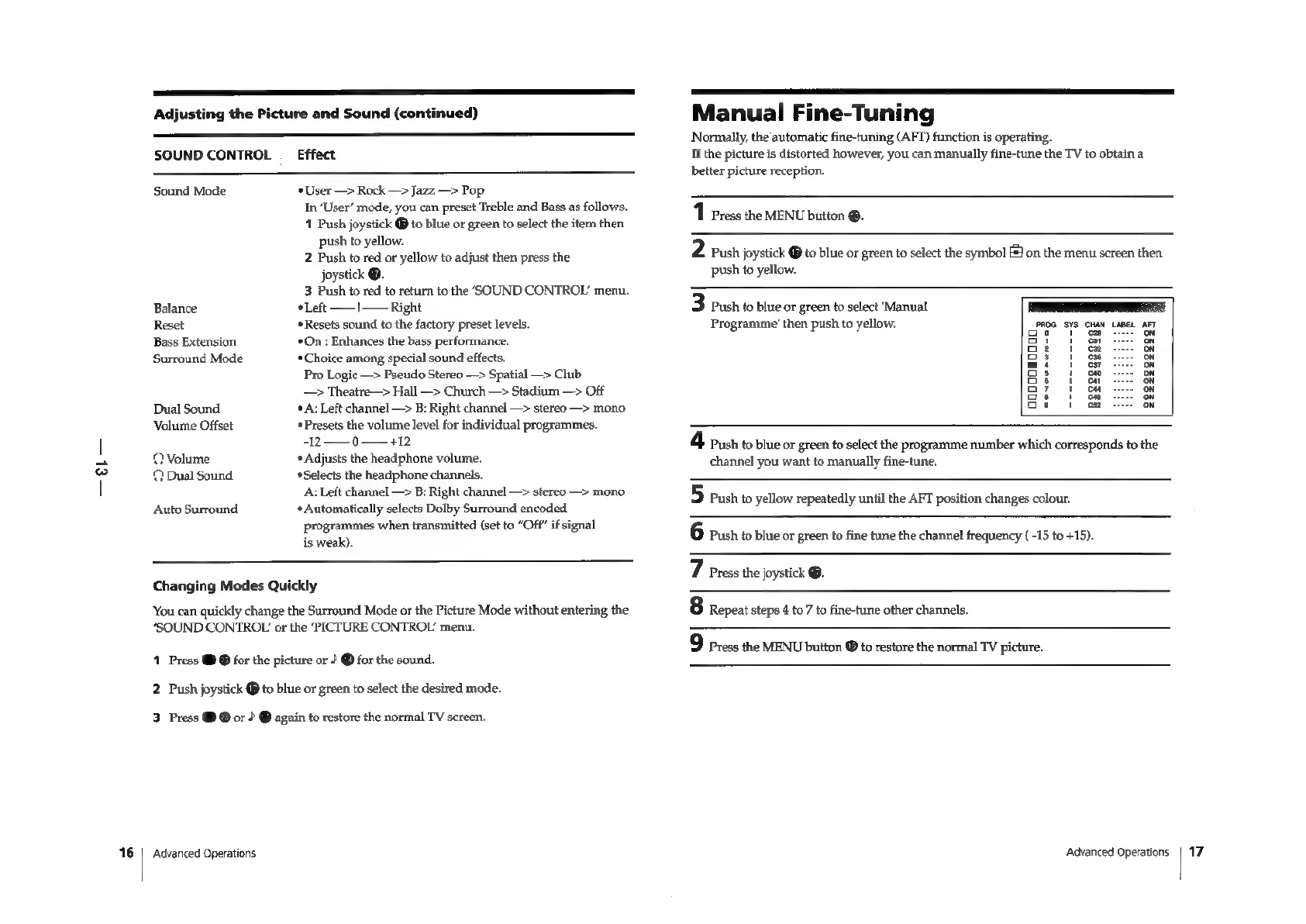
Sony Trinitron KV-29F3A - AUDIO AND TUNING ADJUSTMENTS; Manual Fine-Tuning Procedure

Sony Trinitron KV-29F3A
58 pages
Print Icon
To Next Page IconTo Next Page
To Previous Page IconTo Previous Page
Loading...
—el—
16
Adjusting
the
Picture
and
Sound
(continued)
SOUND
CONTROL
_
Effect
Sound
Mode
User
—>
Rock
—>
Jazz
—>
Pop
In
‘User’
mode,
you
can
preset
Treble
and
Bass
as
follows.
1
Push
joystick
®
to
blue
or
green
to
select
the
item then
push
to
yellow.
2
Push
to
red
or
yellow
to
adjust
then
press
the
joystick
®.
3
Push
to
red
to
return
to
the
‘SOUND
CONTROL’
menu.
Left
——|—
Right
Resets
sound
to
the
factory
preset
levels.
‘*On
:
Enhances
the
bass
performance.
Choice
among
special
sound
effects.
Pro
Logic
—>
Pseudo
Stereo
—>
Spatial
—>
Club
—>
Theatre—>
Hall
—>
Church
—>
Stadium
—>
Off
Balance
Reset
Bass
Extension
Surround
Mode
Dual
Sound
*A:
Left
channel
—>
B:
Right
channel
—>
stereo
—>
mono
Volume
Offset
Presets
the
volume
level
for
individual
programmes.
-12
——_
0
——
+12
©Volume
*
Adjusts
the
headphone
volume.
©
Dual
Sound
‘Selects
the
headphone
channels.
A:
Left
channel
—>
B:
Right
channel
—>
stereo
—>
mono
*
Automatically
selects
Dolby
Surround
encoded
programmes
when
transmitted
(set
to
“Off”
if
signal
is
weak).
Auto
Surround
Changing
Modes
Quickly
‘You
can
quickly
change
the
Surround
Mode
or
the
Picture
Mode
without
entering
the
‘SOUND
CONTROL
or
the
‘PICTURE
CONTROL’
menu.
1
Press
@
@
for the
picture
or
?
@
for
the
sound.
2
Push
joystick
@
to
blue
or
green
to
select
the
desired
mode.
3
Press
@
®
or
?
®
again
to
restore
the
normal
TV
screen.
Advanced
Operations
Manual
Fine-Tuning
Normally,
the
automatic
fine-tuning
(AFT)
function
is
operating.
If
the
picture
is
distorted
however,
you
can
manually
fine-tune
the
TV
to
obtain
a
better
picture
reception.
1
Press
the
MENU
bution
®.
2
Push
joystick
®
to
blue
or
green
to
select
the
symbol
J
on
the
menu
screen
then
push
to
yellow.
3
Push
to
blue
or
green
to
select
‘Manual
a
Programme’
then
push
to
yellow.
PROG
SYS
CHAN
LABEL
AFT
ae”
“cas
on
ot
1
&
on
Go:
|
&
ou
3
1
oe
ou
mio
og
on
os
1
cw
on
Se
i
ew
on
oy
1
oH
on
Ss
1
Ge
on
Gs
1
te
on
4
Push
to
blue
or
green
to
select
the
programme
number
which
corresponds
to
the
channel
you
want
to
manually
fine-tune.
5
Push
to
yellow
repeatedly
until
the
AFT
position
changes
colour.
6
Push
to
blue
or
green
to
fine
tune
the
channel
frequency
(-15
to
+15).
7
Press
the
joystick
@.
8
Repeat
steps
4
to
7
to
fine-tune
other
channels.
Press
the
MENU
button
®
to
restore
the
normal
TV
picture.
Advanced
Operations
|
17

Related product manuals