EasyManua.ls Logo

Sony Trinitron KV-29F3A - DOLBY PRO LOGIC AND TELETEXT; Presetting Dolby Pro Logic Mode; Teletext Service Operation

Sony Trinitron KV-29F3A
58 pages
Print Icon
To Next Page IconTo Next Page
To Previous Page IconTo Previous Page
Loading...
—g—
26
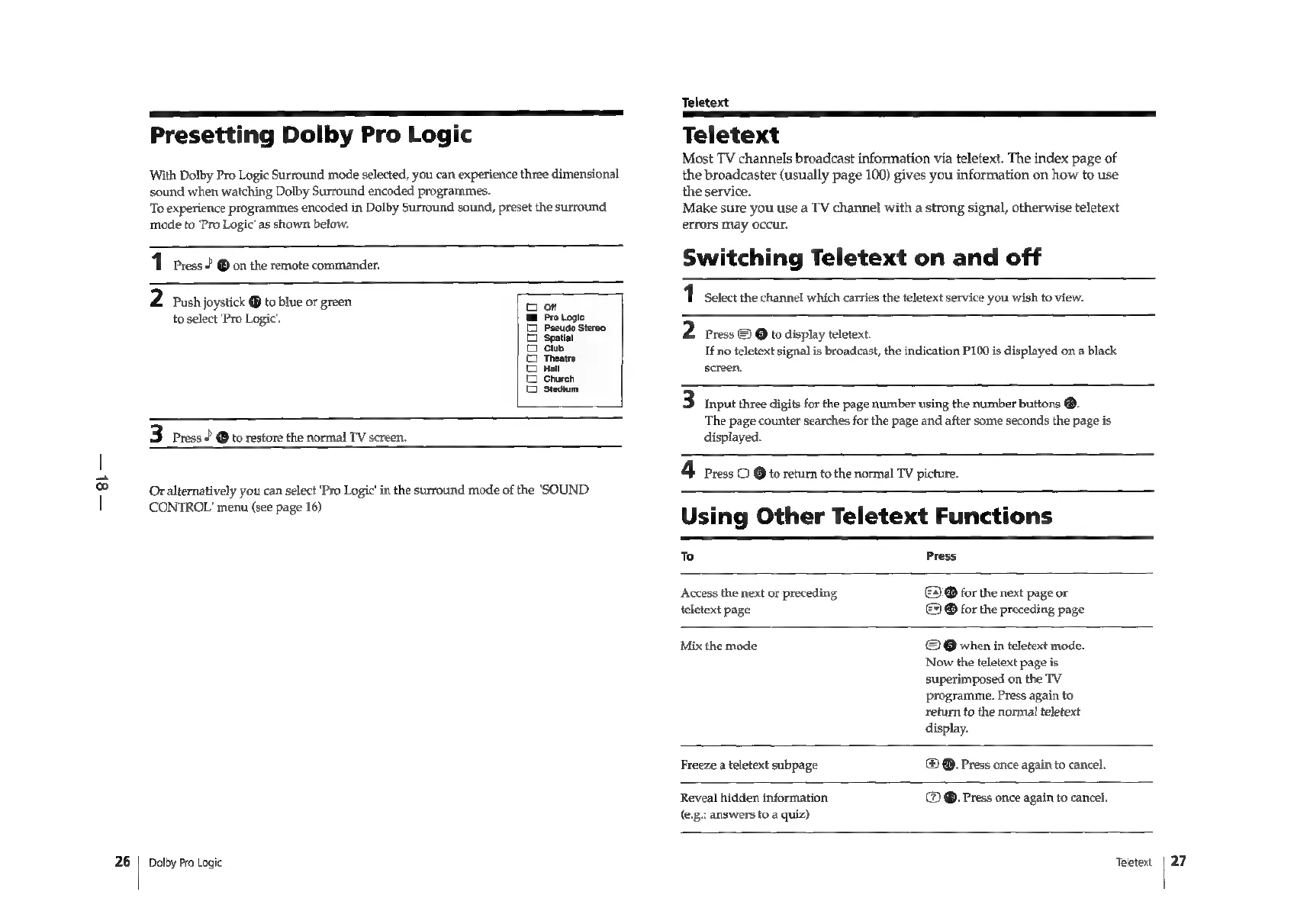
Presetting
Dolby
Pro
Logic
With
Dolby
Pro
Logic
Surround
mode
selected,
you
can
experience
three
dimensional
sound
when
watching
Dolby
Surround encoded
programmes.
To
experience
programmes
encoded
in
Dolby
Surround
sound,
preset
the
surround
mode
to
'Pro
Logic’
as
shown
below.
1
Press
2
@
on
the
remote
commander.
2
Push
joystick
®
to
blue
or
green
to
select
‘Pro
Logic.
oa
rt
o
o
a
a
o
Qo
o
3
Press
?
@
to
restore
the
normal
TV
screen.
Or
alternatively
you
can
select
'Pro
Logic’
in
the
surround
mode
of
the
‘SOUND
CONTROL’
menu
(see
page
16)
Dolby
Pro
Logic
Teletext
Teletext
Most
TV
channels
broadcast
information
via
teletext.
The
index
page
of
the
broadcaster
(usually
page
100)
gives
you
information
on
how
to
use
the
service.
Make
sure
you
use
a
TV
channel
with
a
strong
signal,
otherwise
teletext
errors
may
occur.
Switching
Teletext
on
and
off
1
Select
the
channel
which
carries
the
teletext
service
you
wish
to
view.
2
Press
©
@
to
display
teletext.
If
no
teletext
signal
is
broadcast,
the
indication
P100
is
displayed
on
a
black
screen,
3
Input
three
digits
for
the
page
number
using
the
number
buttons
®.
The
page
counter
searches
for
the
page
and
after
some
seconds
the
page
is
displayed.
4
Press
O
©
to
return
to
the
normal
TV
picture.
Using
Other
Teletext
Functions
To
Press
©
@
for
the
next
page
or
©
@
for
the
preceding
page
Access
the
next
or
preceding
teletext
page
Mix
the
mode
©
@
when
in
teletext
mode.
Now
the
teletext
page
is
superimposed
on
the
TV
programme.
Press
again
to
return
to
the
normal
teletext
display.
Freeze
a
teletext
subpage
®
@.
Press
once
again
to
cancel.
Reveal
hidden
information
(e.g.:
answers
to
a
quiz)
@.
Press
once
again
to
cancel.
Teletext
|
27

Related product manuals