EasyManua.ls Logo

Sony Trinitron KV-29F3A - Page 19

Sony Trinitron KV-29F3A
58 pages
Print Icon
To Next Page IconTo Next Page
To Previous Page IconTo Previous Page
Loading...
—6l—
SS
Favourite
page
system
You
can
store
up
to
four
of
your
favourite
teletext
pages
per
Teletext
service.
In
this
way
you
have
quick
access
to
the
pages
you
frequently
use.
Storing
pages
1
Use
the
number
buttons
@
to
select
the
page
you
would
like
to
store.
2
Press
@
twice.
The
colour
prompts
at
the
bottom
of
the
screen
flash.
3
Push
the
joystick
@
to
the
desired
colour
to
store
the
selected
page.
The
page
is
now
stored
on
this
colour.
Repeat
steps
1
to
3
for
the
other
3
pages.
Displaying
the
Favourite
Pages
1
Press
@.
2
Push
the
joystick
®
to
the
colour
on
which
the
desired
page
is
stored.
Make
sure
you
press
<>
@
,
otherwise
the
normal
Fastext
facility
operates.
Using
Fastext
(only
available,
if
the
TV
station
broadcasts
Fastext
signals)
With
Fastext
you
can
access
pages
with
one
key
stroke
.
When
Fastext
is
broadcast,
a
colour-coded
menu
appears
at
the
bottom
of
the
screen.
The
colours
of
this
menu
correspond
to
the
red,
green,
yellow
and
blue
marks
@
on
the
Remote
Commander.
Push
the
joystick
@
to
the
colour
mark
which
corresponds
to
the
colour-coded
menu.
The
page
is
displayed
after
some
seconds.
28
|
Teletext
Optional
Equipment
Connecting
Optional
Equipment
There
is
a
wide
range
of
optional
equipment
you
can
connect
to
your
TV.
Refer
to
the
illustrations
on
the
front
flap
page
of
this
manual.
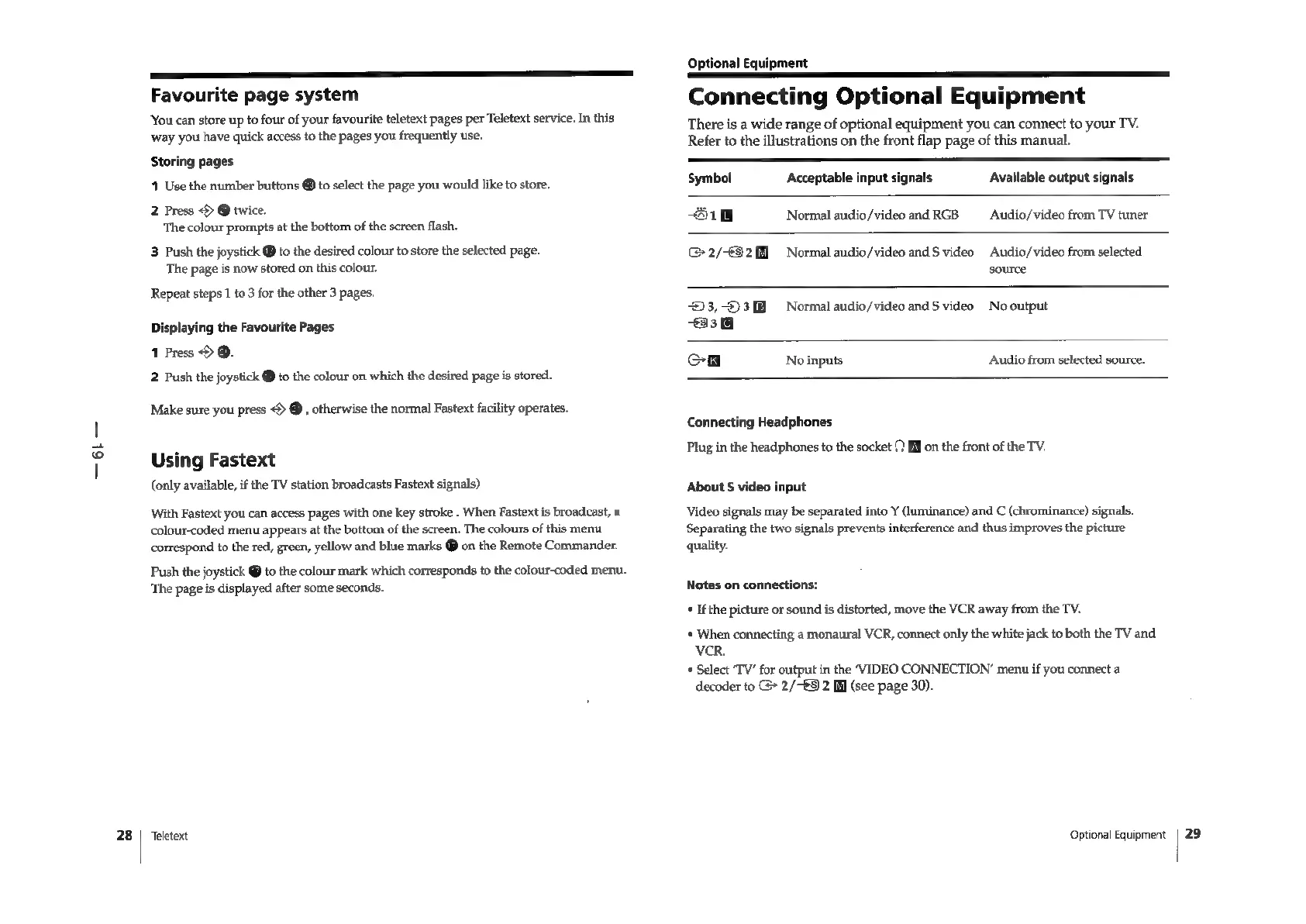
Symbol
Acceptable
input
signals
Available
output
signals
31
Normal
audio/video
and
RGB
—_Audio/video
from
TV
tuner
2/921]
Normal
audio/video
and
$
video
Audio/video
from
selected
source
93,03
Normal
audio/video
and
$
video
No
output
33
Cn
No
inputs
Audio
from
selected
source.
Connecting
Headphones
Plug
in
the
headphones
to
the
socket
9
EN
on
the
front
of
the
TV.
About
§
video
input
Video
signals
may
be
separated
into
Y
(luminance)
and
C
(chrominance)
signals.
Separating
the
two
signals
prevents
interference
and
thus
improves
the
picture
quality.
Notes
on
connections:
*
If
the
picture
or
sound
is
distorted,
move
the
VCR
away
from
the
TV.
*
When
connecting
a
monaural
VCR,
connect
only
the
white
jack
to
both
the
TV
and
VCR.
*
Select
‘TV’
for
output
in
the
‘VIDEO
CONNECTION’
menu
if
you
connect
a
decoder
to
G>
2/-€5
2
Ml
(see
page
30).
Optional
Equipment
|
29

Related product manuals