EasyManua.ls Logo

Sony TRINITRON KV-M1450E - Page 10

Sony TRINITRON KV-M1450E
50 pages
Print Icon
To Next Page IconTo Next Page
To Previous Page IconTo Previous Page
Loading...
30
———
a
aS
9
ET
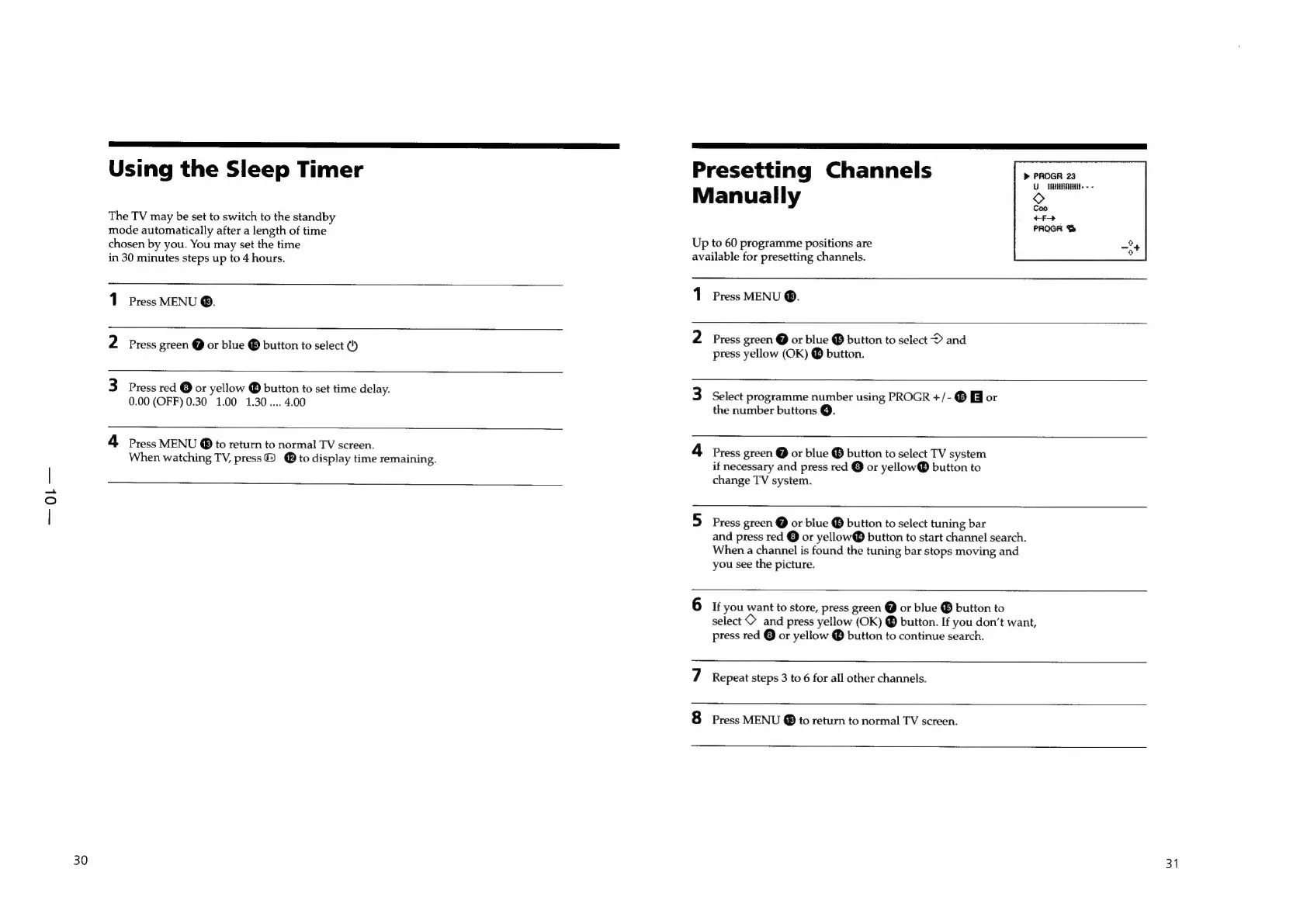
Using
the
Sleep
Timer
The
TV
may
be
set
to
switch
to
the
standby
mode
automatically
after
a
length
of
time
chosen
by
you.
You
may
set
the
time
in
30
minutes
steps
up
to
4
hours.
1
Press
MENU
®.
2
Press
green
@
or
blue
®
button
to
select
¢)
3
press
red
©
or
yellow
®
button
to
set
time
delay.
0.00
(OFF)
0.30
1.00
1.30....
4.00
4
Press
MENU
@
to
return
to
normal
TV
screen.
When
watching
TV,
press
@ @
to
display
time
remaining.
Presetting
Channels
ane
Manua
]
ly
UT.
-
-
Coo
Up
to
60
programme
positions
are
available
for
presetting
channels.
1
Press
MENU
®.
2
Press
green
@
or
blue
®
button
to
select
D>
and
press
yellow
(OK)
®
button.
Ww
Select
programme
number
using
PROGR
+/-
®
or
the
number
buttons
@.
4
Press
green
@
or
blue
®
button
to
select
TV
system
if
necessary
and
press
red
©
or
yellow®
button
to
change
TV
system.
vi
Press
green
@
or
blue
®
button
to
select
tuning
bar
and
press
red
©
or
yellow®
button
to
start
channel
search.
When
a
channel
is
found
the
tuning
bar
stops
moving
and
you
see
the
picture.
io)
If
you
want
to
store,
press
green
@
or
blue
®
button
to
select
©
and
press
yellow
(OK)
®
button.
If
you
don’t
want,
press
red
Oor
yellow
button
to
continue
search.
~
Repeat
steps
3
to
6
for
all
other
channels.
[oe]
Press
MENU
@
to
return
to
normal
TV
screen.
31