25
Basic Operations
Changing or canceling the Quick Timer settings
1
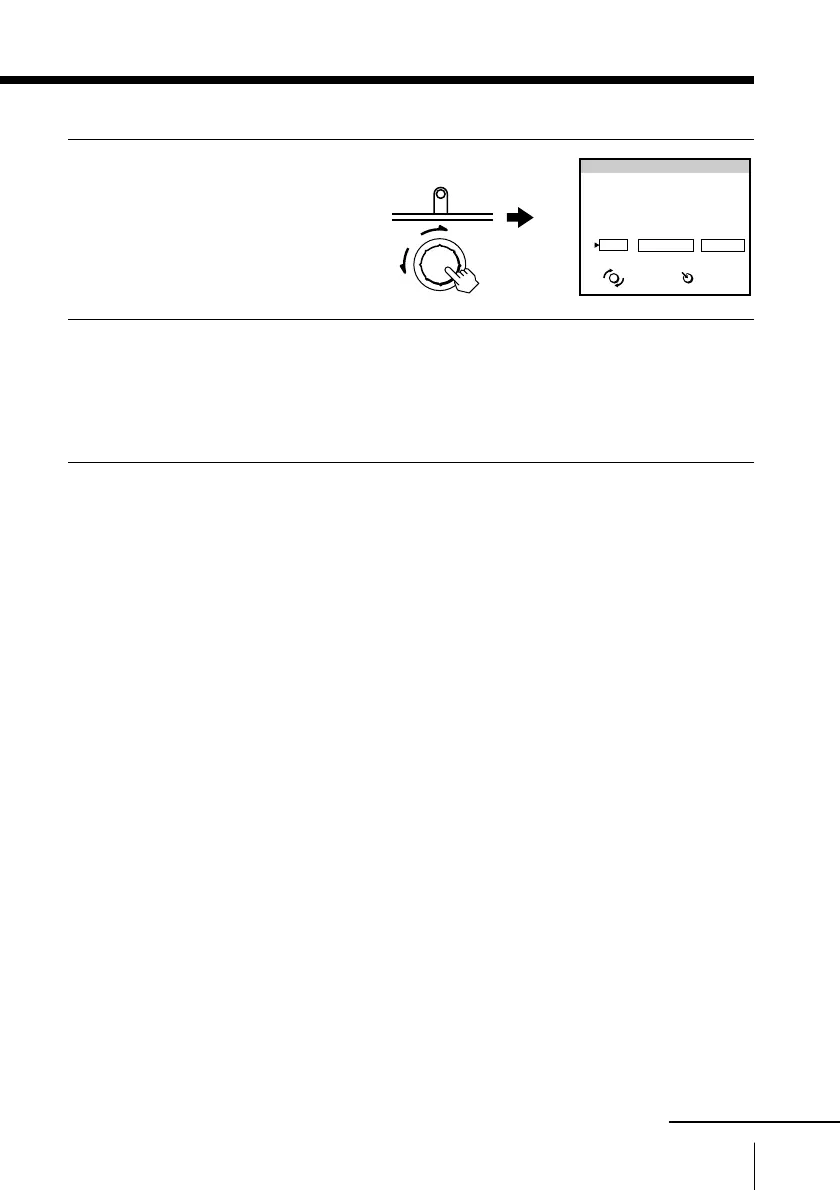
Press QUICK TIMER.
The QUICK TIMER display
appears.
2
Change the settings:
(1) Turn QUICK TIMER to move the cursor to CHANGE, then
press QUICK TIMER.
(2) Change the settings according to steps 2 through 7 of
“Recording using QUICK-TIMER” on pages 22 and 23.
To cancel the Quick Timer settings
Turn QUICK TIMER to move the cursor to CLEAR, then press
QUICK TIMER.
Note
• You cannot cancel the Quick Timer settings with the remote control.
SELECT
START
Programmed as below
OK
CHANGE CLEAR
TAPE SPEED : SP
27
SAT
23:15 1
H
15
M
12
PROG
QUICK TIMER 27 SAT 20:00
ENTER
QUICK TIMER
PUSH
continued



 To Next Page