40
Additional Operations
Tape options (continued)
Adjusting the picture for rental tapes
If you are not satisfied with the picture quality while playing a tape,
even when APC is on, set RENTAL to ON. It is recommended to
use this function when watching rental tapes.
1
Press MENU.
2
Press M or m to select , then press ENTER.
3
Press M or m to select VIDEO SET UP, then press ENTER.
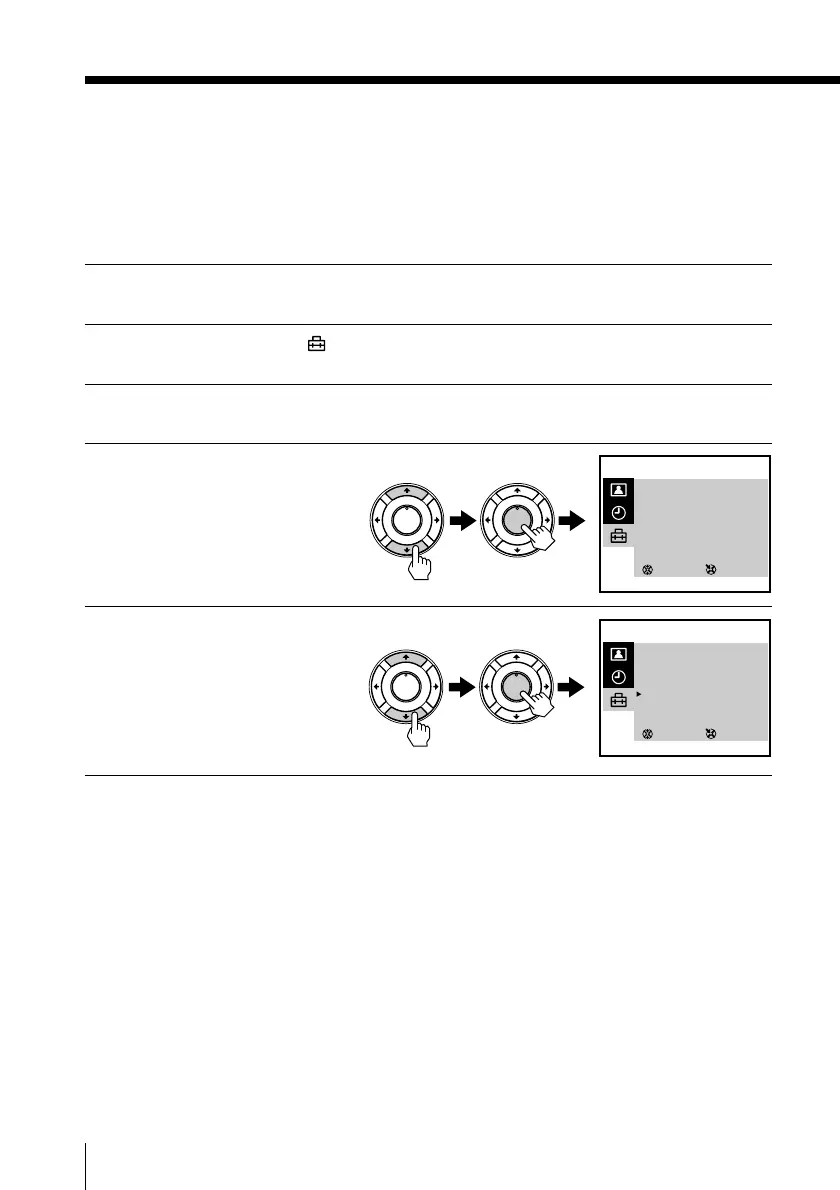
4
Press M or m to select
RENTAL, then press
ENTER.
The selected item turns red.
5
Press M or m to select ON,
then press ENTER.
To return to the normal screen
Press MENU.
SELECT
VIDEO SET UP
TRACKING : AUTO
APC : ON
AUTO REPEAT : OFF
RENTAL : OFF
VHS : OTHERS
COL SYS : AUTO
3
ENTER
SELECT
VIDEO SET UP
TRACKING : AUTO
APC : ON
AUTO REPEAT : OFF
RENTAL : ON
VHS : OTHERS
COL SYS : AUTO
3
ENTER
PLAY
ENTER
H
PLAY
ENTER
H
PLAY
ENTER
H
PLAY
ENTER
H







 To Next Page