47
Advanced Playback Operations
You can search for the recorded still picture (photo search).
You can also search for still pictures one after another and display each picture for five
seconds automatically (photo scan). Use the Remote Commander for these operations.
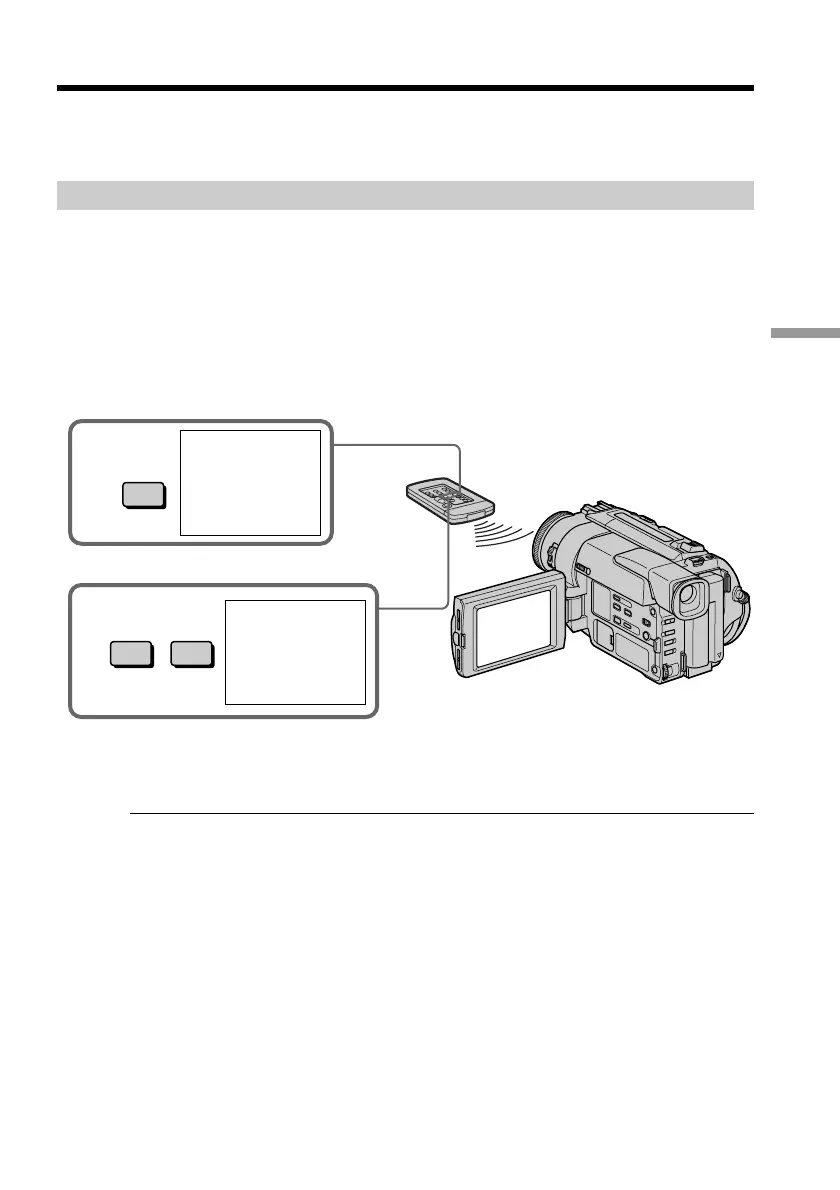
Searching for a photo
(1)Set the POWER switch to VTR.
(2)Press SEARCH MODE on the Remote Commander repeatedly, until the photo
search indicator appears.
The indicator changes as follows:
DATE SEARCH n PHOTO SEARCH n PHOTO SCAN n no indicator
(3)Press = or + to select the photo for playback. Each time you press = or +,
the camcorder searches for the previous or next photo. Your camcorder
automatically starts playback from the photo.
To stop searching
Press p.
If a tape has a blank portion in the recorded portions
The photo search function may not work correctly.
Searching for a photo – Photo search/
Photo scan
3
=+
PHOTO
01
SEARCH
2
SEARCH
MODE
PHOTO
00
SEARCH










 To Next Page