EasyManua.ls Logo

Sony UP-970AD - User Manual

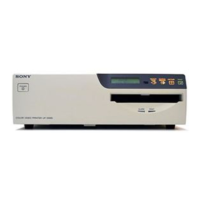
Sony UP-970AD
43 pages
Print Icon
To Next Page IconTo Next Page
Loading...
2-659-569-12 (1)
© 2006 Sony Corporation
UP-990AD
UP-970AD
Instructions for Use
_______________________________________ B
Hybrid Graphic
Printer

Other manuals for Sony UP-970AD

Question and Answer IconNeed help?

Do you have a question about the Sony UP-970AD and is the answer not in the manual?

Summary

Owners Record and Safety Information

Safety Warnings

General safety precautions for operating the printer.

Medical Environment Safeguards

Specific safety guidelines for medical use.

Cautions and Warnings

Power Connection Warnings

Guidelines for safe power cord connection.

Getting Started

UP-990 AD Front Panel Controls

Identifies and describes front panel components of UP-990AD.

UP-990 AD Rear Panel Controls

UP-970 AD Front Panel Controls

UP-970 AD Rear Panel Controls

Paper Information

Loading Paper Instructions

Instructions for loading paper into the unit.

Loading Paper in the Unit

Loading UPP-210 SE;210 HD and UPT-210 BL

Step-by-step guide for loading specific paper types.

Loading Paper for UP-970 AD

Specific instructions for loading paper on the UP-970AD model.

Analog Mode Connections

Video Equipment Connection

How to connect video sources and monitors.

Analog Mode Adjustments and Settings

Using the Menu System

Overview of how to adjust settings via the menu.

Analog Mode Menu List

Analog Mode Basic Menu Operations

Analog Mode Printing

Digital Mode Connections

Digital Mode Menu List

Digital Mode Basic Menu Operations

Digital Mode Printing

Precautions

On Safety

General safety guidelines for operating the printer.

Maintenance

Cleaning the Thermal Head

Procedure for cleaning the thermal head using a cleaning sheet.

UP-990 AD Specifications

UP-970 AD Specifications

Medical Specifications

Troubleshooting

Printout Issues

Solutions for spotted, dirty, or dark/light printouts.

Printing Function Issues

Troubleshooting for print button, paper feed, and jog dial problems.

Image Quality Issues

Addressing white lines, small squares, stretched images.

Error Messages

Summary

Owners Record and Safety Information

Safety Warnings

General safety precautions for operating the printer.

Medical Environment Safeguards

Specific safety guidelines for medical use.

Cautions and Warnings

Power Connection Warnings

Guidelines for safe power cord connection.

Getting Started

UP-990 AD Front Panel Controls

Identifies and describes front panel components of UP-990AD.

UP-990 AD Rear Panel Controls

UP-970 AD Front Panel Controls

UP-970 AD Rear Panel Controls

Paper Information

Loading Paper Instructions

Instructions for loading paper into the unit.

Loading Paper in the Unit

Loading UPP-210 SE;210 HD and UPT-210 BL

Step-by-step guide for loading specific paper types.

Loading Paper for UP-970 AD

Specific instructions for loading paper on the UP-970AD model.

Analog Mode Connections

Video Equipment Connection

How to connect video sources and monitors.

Analog Mode Adjustments and Settings

Using the Menu System

Overview of how to adjust settings via the menu.

Analog Mode Menu List

Analog Mode Basic Menu Operations

Analog Mode Printing

Digital Mode Connections

Digital Mode Menu List

Digital Mode Basic Menu Operations

Digital Mode Printing

Precautions

On Safety

General safety guidelines for operating the printer.

Maintenance

Cleaning the Thermal Head

Procedure for cleaning the thermal head using a cleaning sheet.

UP-990 AD Specifications

UP-970 AD Specifications

Medical Specifications

Troubleshooting

Printout Issues

Solutions for spotted, dirty, or dark/light printouts.

Printing Function Issues

Troubleshooting for print button, paper feed, and jog dial problems.

Image Quality Issues

Addressing white lines, small squares, stretched images.

Error Messages

Sony UP-970AD Specifications

Printing Specifications IconPrinting Specifications
printing methodThermal Graphic printing
thermal head resolution325 dpi
gradations256 gradations of gray scale
printing paper size210mm width (Roll)
printing timeApproximately 8 seconds (in standard mode)
Power IconPower
power requirements100V to 240V, 50/60Hz
current1.3 to 2.4A
Weight and Dimensions IconWeight and Dimensions
dimensions (metric)Approximately 316mm x 132.5mm x 305mm (WHD)
dimensions (imperial)Approximately 12.4" x 5.2" x 12.0" (WHD)
weight17 lbs. 10 oz.

Related product manuals