12
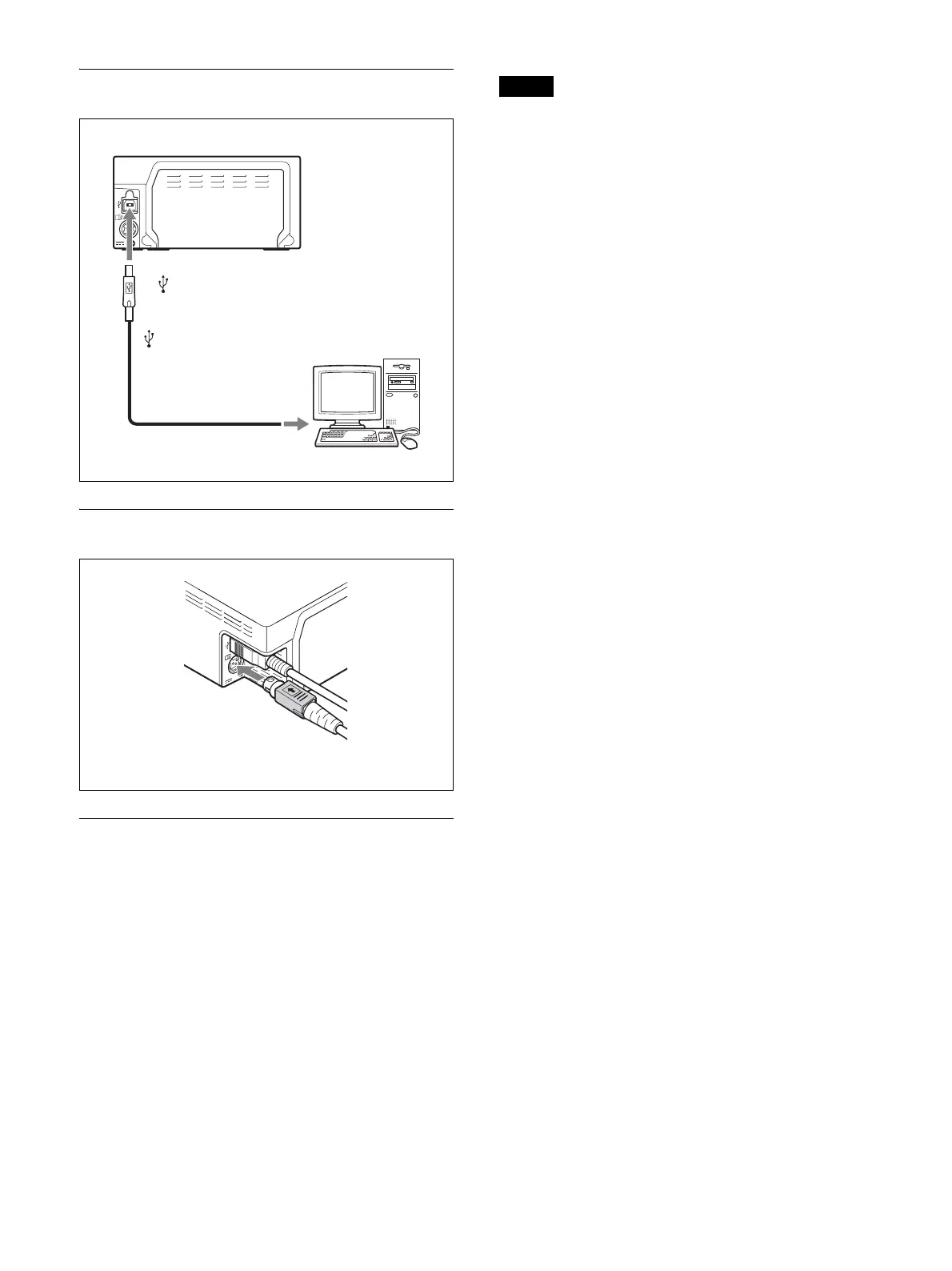
Connecting to the USB Connector
Connecting the DC Cable
Installing the Printer Driver
For computers running on Windows XP/
Windows Vista
After connecting the printer to your computer, turn on
the printer. For details on installation, refer to the
installation guide and Readme file included on the
supplied CD-ROM.
For computers running on Windows 7
Before connecting the printer, install the supplied printer
driver onto your computer. For details on installation,
refer to the installation guide and Readme file included
on the supplied CD-ROM.
Note
Do not allow the connected computer to enter Standby
(Suspend) or Sleep mode while the printer is turned on,
as this may cause the printer to stop operating properly.
to (USB) connector
USB connecting
cable
UP-D711MD
Insert the connector with the
(USB) mark facing up.
Insert the connector with the
arrow mark facing up.



 To Next Page