18
5
Press and hold the FEED button until the PAPER
lamp lights.
The unit starts cleaning the thermal head.
When the cleaning sheet stops and the alarm
sounds, the cleaning is completed.
6
Press the OPEN button to open the door and remove
the cleaning sheet.
7
Close the door by pushing it.
Note
Clean the thermal head only when necessary. If you
clean the thermal head too frequently, it may cause a
malfunction.
Cleaning the Platen Roller
When the surface of the platen roller gets dirty, paper
will not be ejected smoothly after printing, resulting in
paper jams and inconsistent print quality. The surface of
the platen roller also may get dirty, which may make it
difficult to cut paper with the cutter. Press the 1 On/
standby switch to ON to turn the unit on, and then press
the FEED button for a second or so to feed some more
paper out of the unit. It is likely that the roller is getting
dirty if paper is easily pulled out by hand.
Clean the platen roller using a soft cloth moistened with
ethyl alcohol when it becomes dirty.
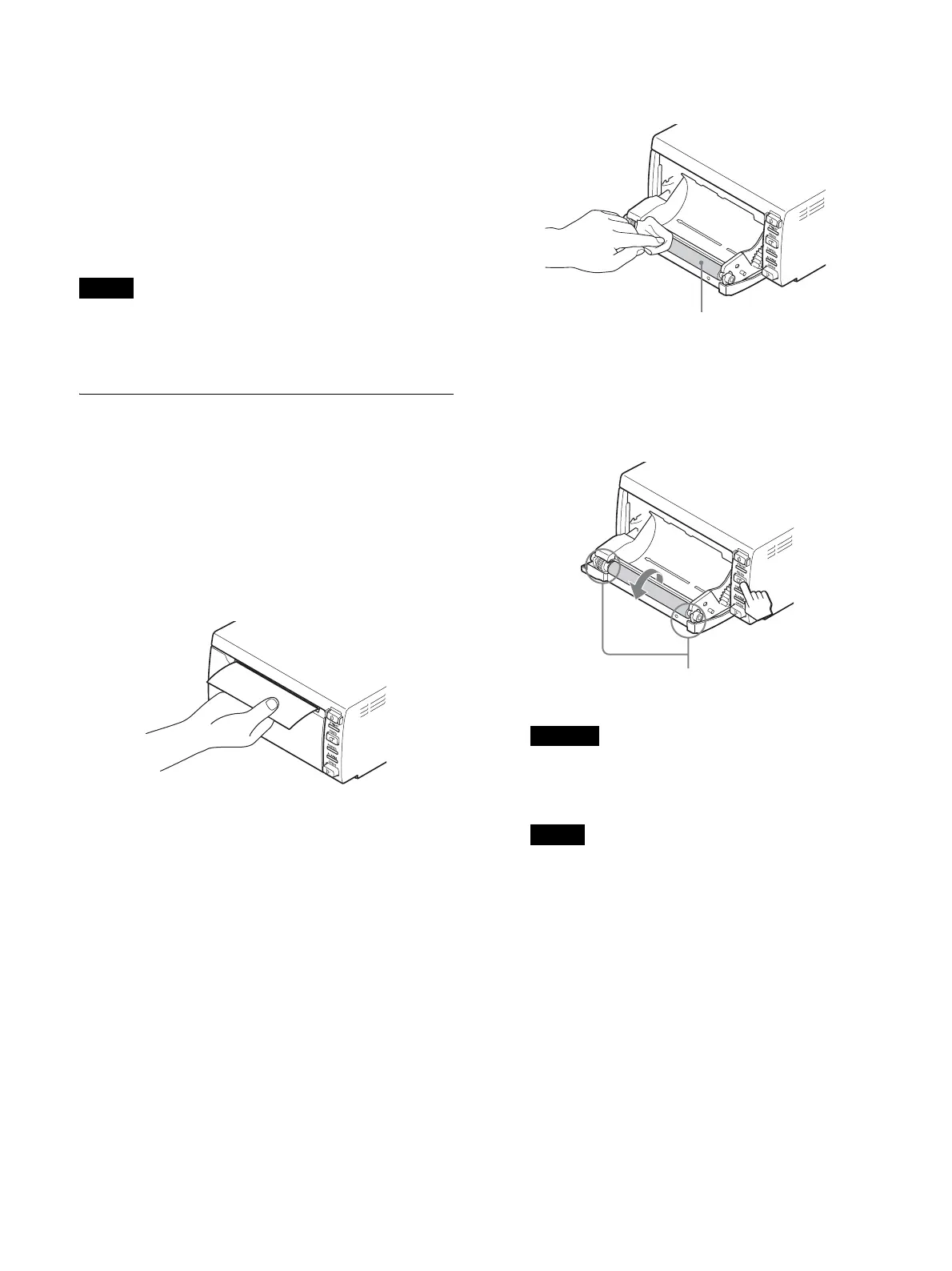
1
Press the 1 On/standby switch to turn the unit on.
2
Press the OPEN button to open the door.
If the paper is loaded in the paper tray, remove it.
3
Clean the platen roller gently using a soft cloth
moistened with ethyl alcohol.
4
Press and hold down the FEED button so that the
platen roller turns automatically. Release the FEED
button when the surface of the platen roller to be
cleaned appears.
• Do not put your hand close to the platen roller
while it is rotating. Your hand may become
caught and suffer injury.
Notes
• After the surface of the platen roller wiped has
been dried completely, turn the platen roller to
clean another portion.
• Do not turn the platen roller with hands. Use the
FEED button to turn it. To clean another part of
the surface of the platen roller, go to the next step.
• A paper cutter is mounted with the unit. When
loading a paper or cleaning the unit, be careful
not to touch the paper cutter. Touching the paper
cutter may cause injury.
• The platen roller is turning while you are pressing
the FEED button. Be careful so that you have
your fingers caught in the turning platen roller.
• Be sure to start cleaning only after the platen
roller has stopped completely.
Caution
Platen roller
Be careful not to get your hand caught in the
turning platen roller.



 To Next Page