VPL-CS1
4-074-278-11 (1)
C:\MUN\Data\FM\VPL-CS1\VPL-
CS1.nouhindata\407427811VPLCS1WW\02GB-
VPLCS1WW\04SET.fm
masterpage:Left
GB
20
Selecting the Menu Language
4
Press the
M
or
m
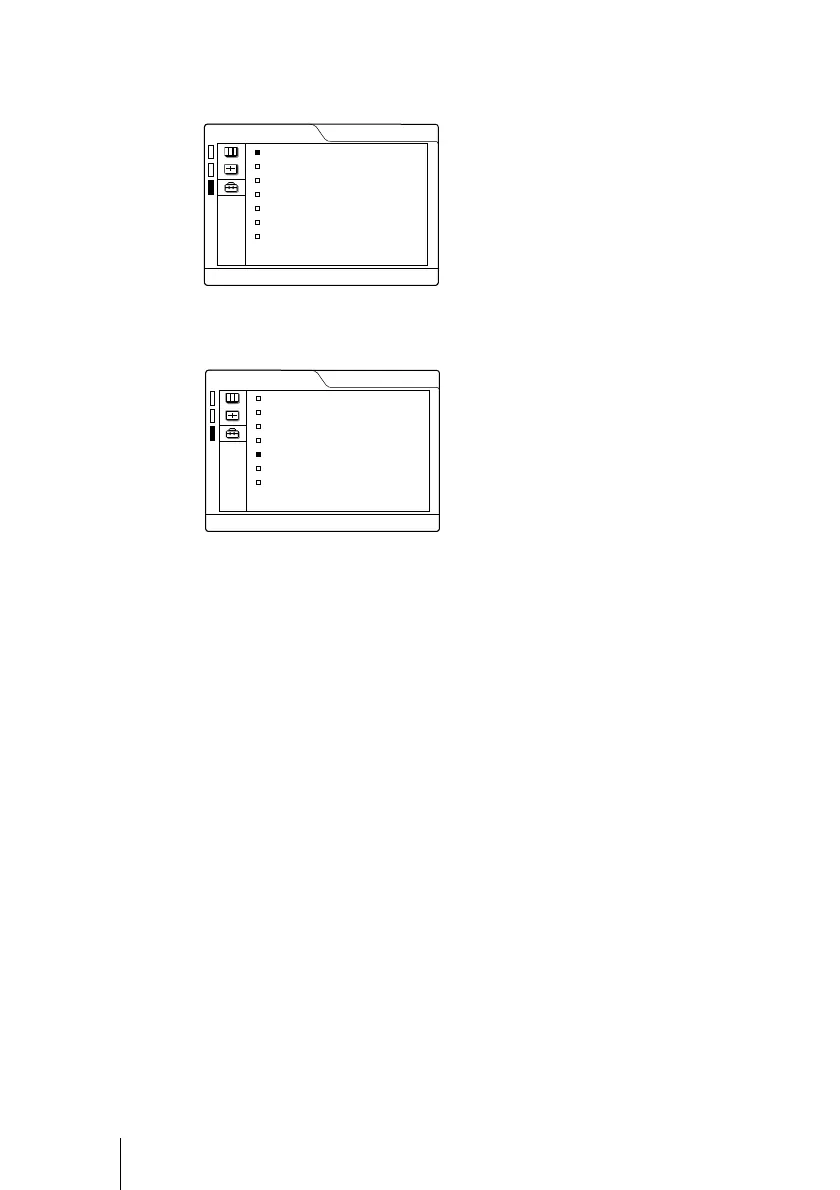
key to select the SET SETTING menu, then press the
,
or ENTER key.
The selected menu appears.
5
Press the
M
or
m
key to select “LANGUAGE,” then press the
,
or
ENTER key.
6
Press the
M
or
m
key to select a language, then press the
<
or ENTER
key.
The menu changes to the selected language.
To clear the menu
Press the MENU key.
The menu disappears automatically if a key is not pressed for one minute.
SET SETTING
STATUS: ON
INPUT-A: RGB
KEYSTONE MEMORY:
OFF
DIGITAL KEYSTONE:
OFF
LANGUAGE: ENGLISH
POWER SAVING
: OFF
SIRCS RECEIVER:
FRONT&REAR
LAMP TIMER:
00010h
INPUT-A
SET SETTING
STATUS: ON
INPUT-A: RGB
KEYSTONE MEMORY:
OFF
DIGITAL KEYSTONE:
OFF
LANGUAGE: ENGLISH
POWER SAVING
: OFF
SIRCS RECEIVER:
FRONT&REAR
LAMP TIMER:
00010h
INPUT-A



 To Next Page