GB
14
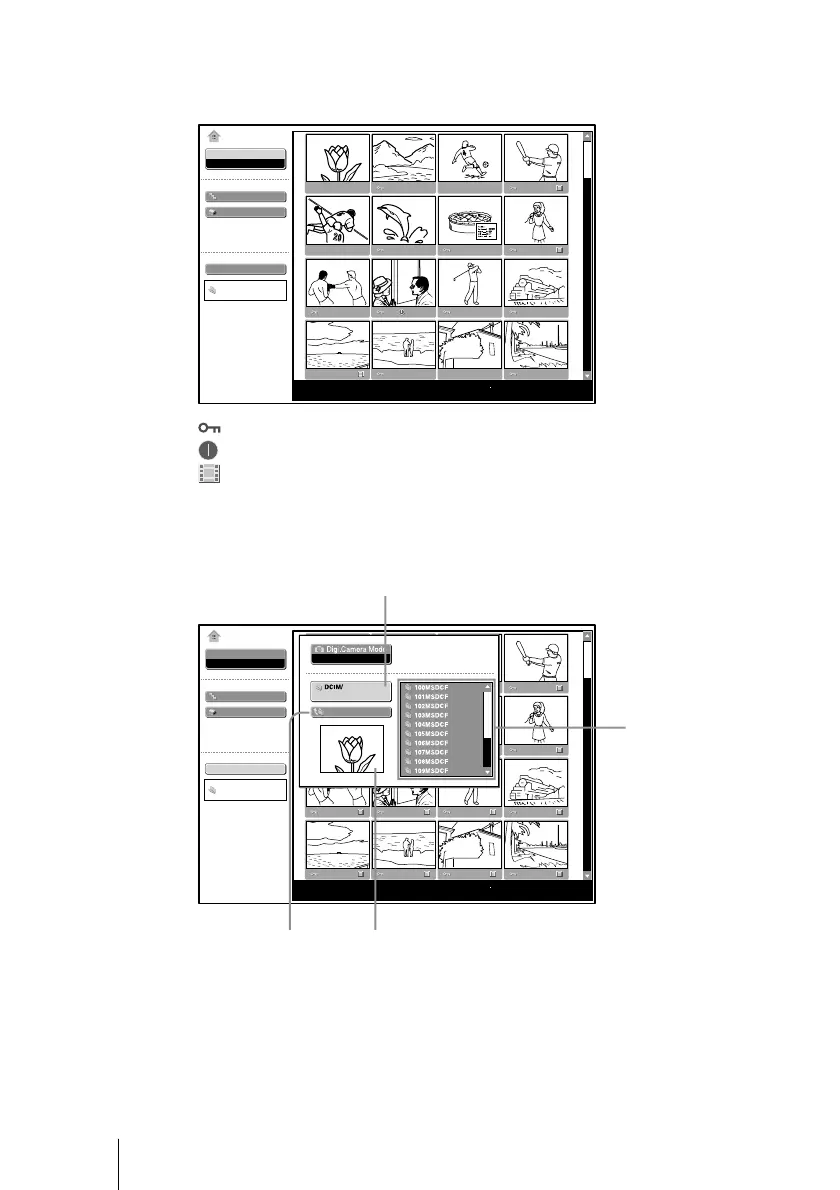
3 Select “Picture Viewer”, then press the ENTER key.
Thumbnails of the picture files contained in the selected folder appear.
Select
Slide Show
Option
Index display
Normal
Select Contents
100MSDCF
No.: 1/1234
Size: 1024x768
MS Home
Picture viewer
Picture Viewer
File: SPJP0001.JPG
Date: 2003.JUL.15 12:34PM
: Appears when a file is protected.
: Appears when a startup file is set.
: Movie icon
4 Select “Select Contents”, then press the ENTER key.
The Select Contents menu appears.
Off
Select
Slide Show
Option
Select Contents
DCIM
No.: 1/1234
Size: 1024x768
MS Home
Picture Viewer
File: SPJP0001.JPG
Date: 2003.JUL.15 12:34PM
First picture file in the current folder
Current folder
Sliding a Picture File — Picture Viewer
To upper stage
Folders included in
the current folder



 To Next Page