GB
26
Displaying the Picture Files Recorded
by a Digital Camera Only
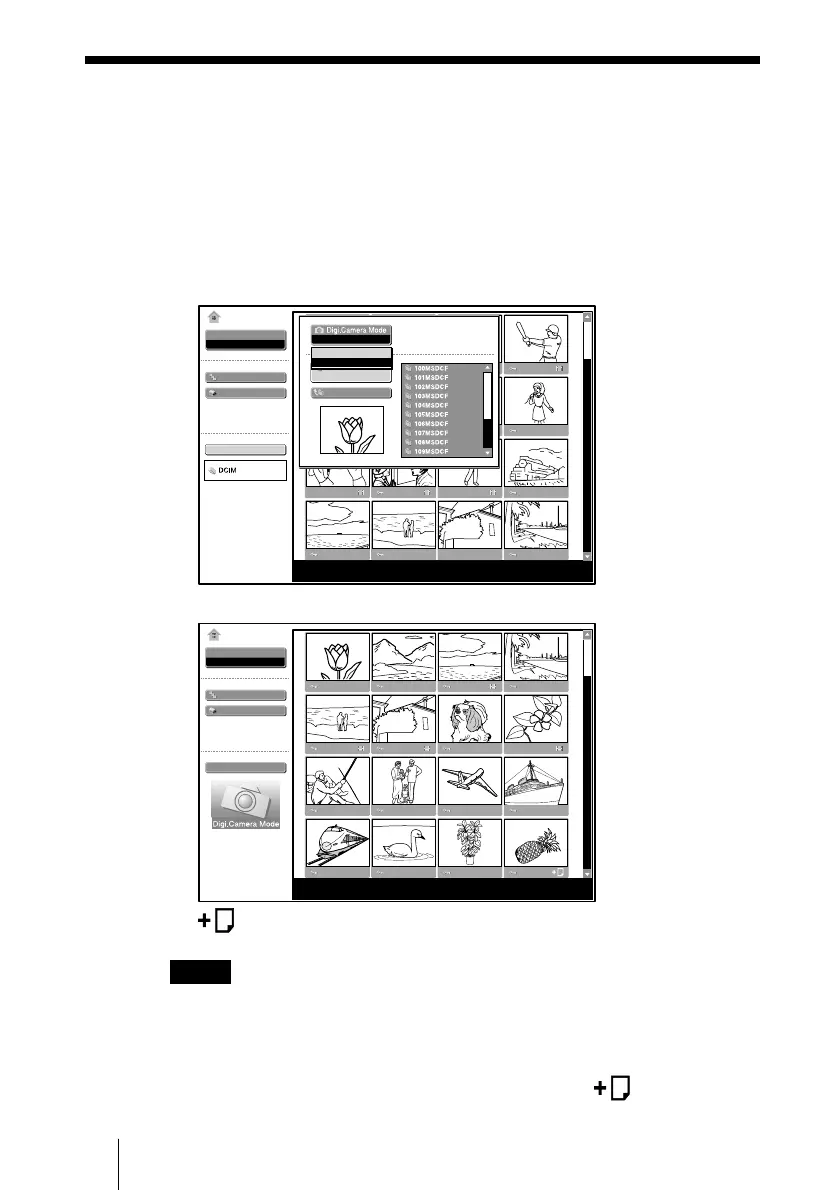
The unit can choose and display the JPEG and MPEG1 picture files recorded
by a digital camera (DCF-compatible) only from among picture files stored
in a Memory Stick.
1 Select “Select Contents” in the MS Home, then press the ENTER key.
2 Select “Digi. Camera Mode”, then press the ENTER key.
Off
On
Off
Select
Slide Show
Option
Select Contents
No.: 1/1234
Size: 1024x768
MS Home
Picture Viewer
File: SPJP0001.JPG
Date: 2003.JUL.15 12:34PM
3 Select “On”, then press the ENTER key.
Select
Slide Show
Option
Select Contents
No.: 1/1234
Size: 1024x768
MS Home
Picture Viewer
File: SPJP0001.JPG
Date: 2003.JUL.15 12:34PM
(Relative file mark): Appears if another file with the same name in the last
four figures is stored in the Memory Stick.
Notes
• This function does not work if more than 2000 picture files recorded by a
digital camera are stored in a Memory Stick.
• For a picture file recorded with theVoice Memo function of the Sony
digital camera, the still picture file is displayed only.
• If you delete a picture file with the relative file mark (
), its relative
picture file will also be deleted.
B
Useful Settings
Displaying the Picture Files Recorded by a Digital Camera Only



 To Next Page