EasyManua.ls Logo

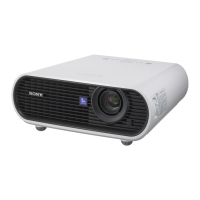
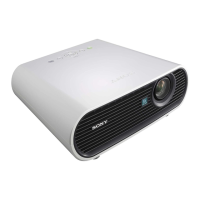
Sony VPL-ES3 - User Manual

Sony VPL-ES3
53 pages
Print Icon
To Next Page IconTo Next Page
Loading...
2-672-629-13 (1)
Data Projector
Operating Instructions
© 2006 Sony Corporation
VPL-ES3
VPL-EX3

Other manuals for Sony VPL-ES3

Questions and Answers

  • C
    Christopher SkinnerSep 7, 2025
    Why is the picture from INPUT A on my Sony VPL-ES3 Projector colored strangely?
    • D
      dgrahamSep 7, 2025
      If the image from the INPUT A connector on your Sony Projector appears colored strangely, the “Input-A Signal Sel.” setting in the SET SETTING menu may be incorrect. Select either “Video GBR” or “Component” based on the input signal you are using.
  • M
    melissabakerAug 22, 2025
    What to do if my Sony VPL-ES3 Projector power is not turned on?
    • J
      James SalasAug 22, 2025
      If your Sony Projector is not turning on, it could be due to a few reasons. If the power has been turned off and on with the ?/1 key at a short interval, wait for about 45 seconds before attempting to turn it on again. Ensure that the lamp cover is securely closed and the air filter cover is properly attached.
  • A
    Alexis TaylorSep 4, 2025
    Why is the picture from the INPUT A connector colored strangely on my Sony Projector?
    • L
      Lindsay WhiteSep 5, 2025
      If the picture from the INPUT A connector on your Sony Projector is colored strangely, the setting of “Input-A Signal Sel.” on the SET SETTING menu may be incorrect. Select “Video GBR” or “Component” correctly according to the input signal.
  • M
    mwongSep 3, 2025
    What does it mean when the LAMP/COVER indicator lights up on my Sony VPL-ES3?
    • M
      Matthew RobinsonSep 3, 2025
      If the LAMP/COVER indicator lights up on your Sony Projector, the lamp may have reached the end of its life and needs to be replaced. Alternatively, the lamp may have reached a high temperature; wait for 45 seconds to cool the lamp before turning the power on again.
  • R
    Rebecca PenaSep 2, 2025
    What does it mean when the LAMP/COVER indicator is flashing on my Sony Projector?
    • J
      Jose FieldsSep 2, 2025
      If the LAMP/COVER indicator is flashing on your Sony Projector, ensure that the lamp cover and the air filter cover are securely attached.
  • A
    Alexander GreenAug 31, 2025
    Why is my Sony VPL-ES3 picture not clear?
    • A
      Adrian SmithAug 31, 2025
      If the picture on your Sony Projector is not clear, try adjusting the focus. If condensation has accumulated on the lens, leave the projector for about two hours with the power on.
  • C
    Christopher Roberts Jr.Aug 30, 2025
    What to do if the image extends beyond the screen on Sony Projector?
    • B
      Bradley WebbAug 30, 2025
      If the image extends beyond the screen on your Sony Projector, and if there are black edges around the image, display the full image on the screen and press the APA key. Adjust “Shift” on the INPUT SETTING menu properly. If this input signal cannot be projected as the frequency is out of the acceptable range of the projector, input a signal that is within the range of the frequency. If the resolution setting of the output signal of the computer is too high, set the output setting to SVGA (VPL-ES3) or XGA (VPL-EX3).
  • M
    montgomerygabrielAug 29, 2025
    How to fix incorrect color balance on Sony Projector?
    • M
      Monica JohnsonAug 29, 2025
      If the color balance on your Sony Projector is incorrect, try adjusting the picture settings. Also, ensure that the “Color System” setting on the SET SETTING menu matches the color system being input.
  • M
    Michael AndersonAug 27, 2025
    Why is the picture too dark on my Sony Projector?
    • K
      Kathryn BrownAug 27, 2025
      If the picture on your Sony Projector is too dark, it might be due to improperly adjusted contrast or brightness. Adjust these settings on the “Adjust Picture...” menu. Alternatively, the lamp may have burnt out or is dim, requiring replacement with a new one.
  • C
    christophergomezAug 27, 2025
    Why is there no picture on my Sony VPL-ES3 Projector?
    • A
      Ashley WilliamsAug 27, 2025
      There could be several reasons why there's no picture on your Sony Projector. Ensure all cables are properly connected. This projector is compatible with DDC2B (Digital Data Channel 2B). If your computer is compatible with DDC, turn the projector on according to the following procedures: 1 Connect the projector to the computer. 2 Turn the projector on. 3 Start the computer. Also, verify that you've selected the correct input source using the INPUT key, and confirm that picture muting is not enabled by pressing the PIC MUTING key.

Summary

Safety and Handling Precautions

Essential Safety Warnings

Covers fire, electric shock, earthing, and power switch safety guidelines.

Usage and Regional Notes

Details power cord use, battery caution, regional warnings, and disposal.

Installation and Usage Environment

General Product Precautions

General Precautions: Ventilation, Heat, Cleaning, LCD Characteristics.

Unsuitable Installation Environments

Unsuitable Environments: Dust, Smoke, Altitude, Ventilation Blocking.

Product Overview and Features

Key Projector Features

Key Features: Brightness, Picture Quality, Quiet Operation, Security.

Controls and Connectivity

Projector Control Panel Layout

Control Panel Layout: Buttons, Ports, Indicators.

Remote Commander and Connections

Remote Commander and Connections: Operation, Ports, Signal Inputs.

Projecting the Picture and Operation

Projector Installation and Setup

Installation and Setup: Placement, Distance, Source Connection.

Picture Adjustment and Power Off

Picture Adjustment and Power Off: Image Settings, Keystone, Shutdown.

User Interface Customization

Menu Language and Security Lock

Menu Language and Security Lock: Changing Display Language, Enabling Lock.

Presentation Enhancement Tools

Digital Zoom and Freeze Functions

Digital Zoom and Freeze: Image Magnification and Pausing.

Configuration Menu Operations

Navigating and Using the Menu System

Menu Navigation: Accessing, Clearing, Resetting Options.

Picture and Input Settings

Picture and Input Settings: Modes, Contrast, Brightness, Signal Sources.

System, Install, and Info Settings

System, Install, Info Settings: General Config, Installation Options, Status.

Signal Compatibility Reference

Adjustable Settings by Signal Type

Signal Compatibility: Adjustable Settings by Input Type.

Maintenance and Care

Replacing the Projector Lamp

Lamp Replacement: Procedure, Safety, and Disposal.

Cleaning the Air Filter

Air Filter Cleaning: Maintenance Steps and Importance.

Troubleshooting Guide

Diagnosing Power and Picture Issues

Power/Picture Issues: No Power, No Picture, Noisy Image Solutions.

Indicator and Message Solutions

Indicator/Message Solutions: Lights, Errors, Panel Key Lock.

Technical Specifications

Optical, Electrical, and I;O Details

Specs: Optical, Electrical, Input/Output Parameters.

Connector Pin Assignments

Connector Pinouts: Detailed Pin Assignments for Ports.

Preset Signal Compatibility

Supported Preset Signal Parameters

Preset Signals: Frequencies, Sync, and Compatibility Tables.

Installation Diagrams

Floor and Ceiling Mounting Guides

Installation Diagrams: Visual Guides for Floor and Ceiling Mounting.

Physical Dimensions

Projector Size and Measurements

Physical Dimensions: Projector Size Views and Measurements.

Sony VPL-ES3 Specifications

General IconGeneral
Matrix size0.63 \
Heat dissipation750.7 BTU/h
Projection distance- m
Projection technologyLCD
Contrast ratio (typical)300:1
Screen size compatibility- \
Projector native resolutionSVGA (800x600)
Digital zoom1.2 x
Focal length range- mm
Dimensions (WxDxH)308 x 252 x 98 mm
Power requirementsAC 100 - 240V, 50/60Hz
Lamp power165 W
Light source typeLamp
Service life of light source2000 h
Number of built-in speakers1
Noise level29 dB
Power consumption (standby)10 W
Power consumption (typical)220 W
Storage temperature (T-T)-20 - 60 °C
Operating temperature (T-T)0 - 35 °C
Storage relative humidity (H-H)10 - 90 %
Operating relative humidity (H-H)35 - 85 %
SafetyUL60950, cUL (CSA No.60950-1), FCC Class B, IC Class B, CB (IEC 60950-1), FIMKO (EN60950), CE (LVD, EMC), C-Tick, VCCI, JEITA, DENAN, CCC, NOM, SASO, MIC, PSB
USB 2.0 ports quantityUSB 2.0 ports have a data transmission speed of 480 Mbps, and are backwards compatible with USB 1.1 ports. You can connect all kinds of peripheral devices to them.
Ethernet LANNo
Product colorBlack, White
Weight and Dimensions IconWeight and Dimensions
Weight2900 g

Related product manuals