2-9 (E)
VPL-EX100
2-4-4. Ext (Network)
1. Start the command prompt.
2. Create a path to C:\Projector\FLEX-ANEM\ANEM Updater.
3. Execute “ANEMUpdateSerialCom.exe COM*”.
n
For COM*, enter the serial port number used for connecting PC.
4. Execute “batchisp -device AT32UC3A1512 -hardware RS232 -port COM* -baudrate 115200 -opera-
tion ERASE F MEMORY fl ash LOADBUFFER “C:\Projector\FLEX-ANEM\ANEM Updater\
au1uvXXX.hex” PROGRAM start reset 0”
The updating starts, then the results are displayed as PASS or FAIL.
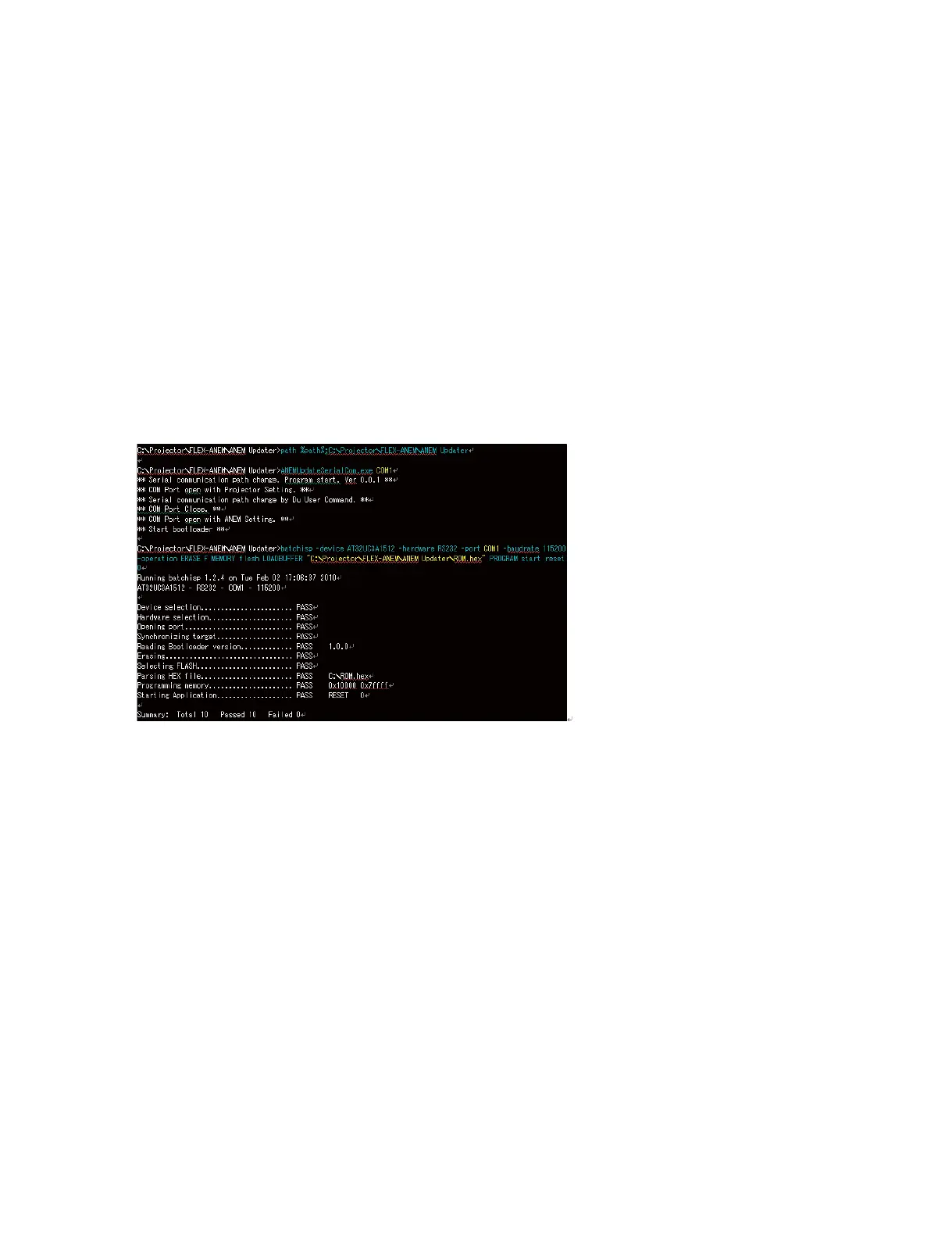
5. Check that no FAIL is displayed.
Example screen of updating the ROM.hex in
C:\Projector\FLEX-ANEM\ANEM Updater via COM1
The executed commands are in blue. The parameters needed to set are in yellow.



 To Next Page